


Web development project management is the controlled process to keep a website or web app project clear, organized, and moving in the right direction. Without good project management, even a good idea can turn into delays, messy feedback, scope changes, and rushed testing before launch. Since web projects often involve many people and many moving parts, a clear management process is needed to keep the work under control.
In this article, we’ll explain web development project management, including its definition, methodologies, how a web project usually moves, the most common challenges teams face, and the best ways to manage the work more smoothly from planning to launch and beyond.
What Is Web Development Project Management?
Web development project management is the process of planning, organizing, tracking, and guiding a web project from the first idea to launch and later updates. It helps the team stay clear on goals, scope, timeline, responsibilities, reviews, testing, and launch tasks so the final website or web app works well and supports the business purpose.
Why Web Projects Need A Structured Management?
Web projects can go off track very easily without clear coordination.
A web development process usually includes planning, design, development, content, testing, and launch work. These tasks are connected, so one missing detail, one late approval, or one unclear request can affect the next steps. Project management helps organize the work in the right order, keep progress visible, and reduce avoidable delays.
Too many people can pull the project in different directions.
Clients, designers, developers, marketers, testers, and content owners may all be involved in a project, and each person looks at the project from a different angle. Without project management, feedback can become messy, decisions can conflict, and the team may waste time on revisions that could have been avoided. Project management gives the team one clear process for communication, feedback, and approvals.
Web projects usually involve more work than the first plan suggests.
After the project starts, clients often ask for extra pages, extra features, or new changes once they can see the design or early build. At the same time, even when development looks complete, the team still needs to handle testing, launch checks, and post-launch fixes.
If these added tasks are not managed properly, the project can quickly run over time and budget. Project management helps control new requests, plan the remaining work clearly, and stop the project from becoming larger and messier than expected.
Project management keeps the work tied to the real goal.
A website or web app is built for a reason, such as getting leads, supporting sales, sharing content, or helping users complete tasks. Project management helps the team stay focused on that purpose instead of getting lost in random requests, repeated revisions, or disconnected work.
>> Read more: Top Reasons Why Web Development Is So Important
Compare Web Development vs. Mobile App Development Project Management
|
Aspect |
Web Development Project Management |
Mobile App Development Project Management |
|
Main focus |
Managing the delivery of a website or web app |
Managing the delivery of an app for iOS or Android, or both |
|
Main environment |
Browsers, screen sizes, desktop and mobile web |
Mobile devices, operating systems, app stores |
|
Development concerns |
Frontend, backend, CMS, browser support, SEO, analytics |
App performance, device support, OS behavior, app permissions |
|
Testing needs |
Browser, screen size, responsiveness, forms, SEO, performance |
Devices, OS versions, screen sizes, app behavior, battery, and offline cases |
|
Release process |
Usually, direct web deployment |
Often depends on App Store and Google Play reviews |
|
Change handling |
Scope changes do not affect the design and build time |
Scope changes will lead to extra impact on release timing |
|
Key challenge |
Keeping design, development, content, QA, and launch aligned |
Keeping product quality stable across devices and release rules |
|
Common risk |
Messy feedback, unclear scope, rushed testing, and launch issues |
Store rejection, device issues, OS-specific bugs, and release delays |
In general, web development project management focuses on browsers, responsive layouts, content, SEO, and direct deployment, while mobile app development project management focuses on devices, operating systems, app permissions, app store review, and version-based updates.
Best Methodologies for Web Development Projects
>> Read more: 8 Common Software Development Life Cycle (SDLC) Methodologies
Agile Methodologies
Agile is a method where the team builds the project in small steps, reviews progress often, and adjusts based on feedback. It fits web development well because web projects rarely stay exactly the same from start to finish. Once wireframes, design screens, or early builds are reviewed, clients often want changes, new priorities, or small improvements. Agile gives the team room to respond without stopping the whole project.
Best for: Web projects where requirements and design often change during development (e.g., custom web apps, ecommerce platforms, and complex websites).
How Agile Applies To Web Development Projects?
- Step-by-step delivery: the team works in smaller parts instead of trying to finish everything at once.
- Frequent review: stakeholders can give feedback during the project, not only at the end.
- Flexible changes: updates to layout, features, or priorities can be handled more smoothly.
- Early issue detection: problems can be found before they affect too much work.
Limit:
- Priorities can shift too often.
- The scope can grow easily.
- The total timeline is harder to lock early.

Scrum
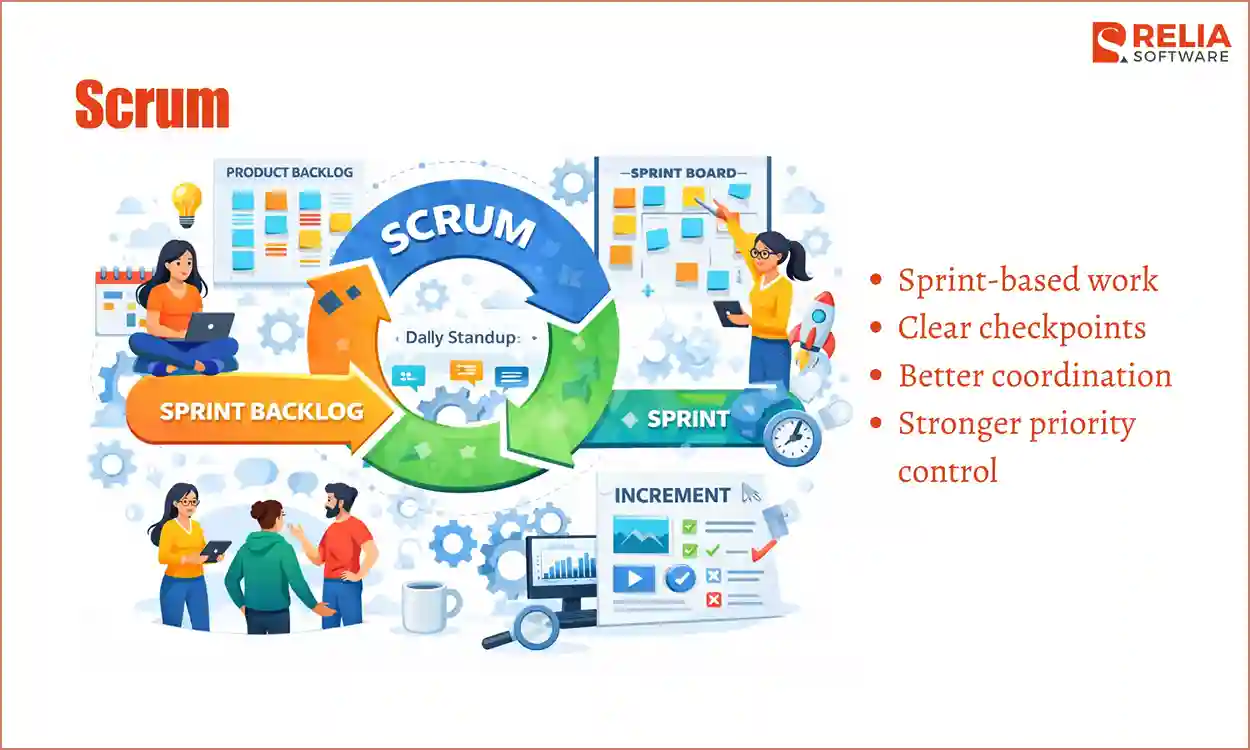
Scrum is a structured form of Agile frameworks where work is divided into short sprints with clear goals. It fits web projects that often involve many tasks needing to move together, such as design updates, frontend work, backend logic, and testing. Scrum helps the team handle that complexity in smaller cycles instead of managing everything as one large block of work.
Best for: Large web apps, feature-heavy websites, and team-based builds that need regular checkpoints).
How Scrum Applies To Web Development Projects?
- Sprint-based work: tasks are grouped into short cycles with clear focus.
- Clear checkpoints: the team reviews progress regularly at the end of each sprint.
- Better coordination: design, development, and QA can stay more aligned.
- Stronger priority control: the team can decide what should be built first in each cycle.
Limit:
- Needs regular meetings.
- Can feel heavy for small projects.
- Less convenient for continuous support tasks.
Kanban
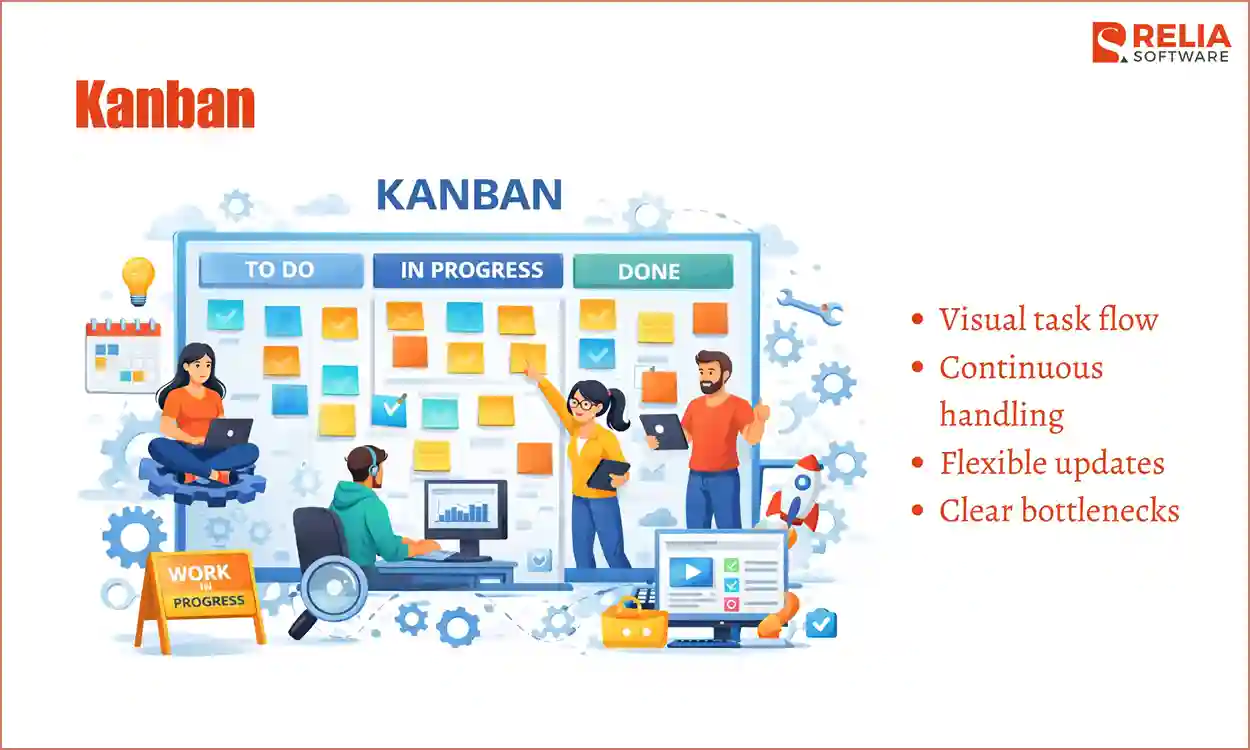
Kanban is a visual method where tasks move through stages such as to do, in progress, and done. It fits web development because websites and web apps often keep changing after the first release. Bug fixes, layout changes, SEO improvements, content updates, and small feature requests can come in at any time. Kanban helps the team manage that flow clearly without forcing the work into fixed sprint cycles.
Best for: Web projects with ongoing updates, fixes, and continuous improvement work (e.g., website maintenance, SEO improvement work, content updates, etc.)
How Kanban Applies To Web Development Projects?
- Visual task flow: everyone can see what is being worked on and what is waiting.
- Continuous handling: tasks can move forward as soon as the team has capacity.
- Flexible updates: small changes and fixes can be added more easily.
- Clear bottlenecks: blocked tasks are easier to notice.
Limit:
- Less structure for large staged projects.
- Weaker for long-term planning.
- Can become too reactive.
Waterfall Method
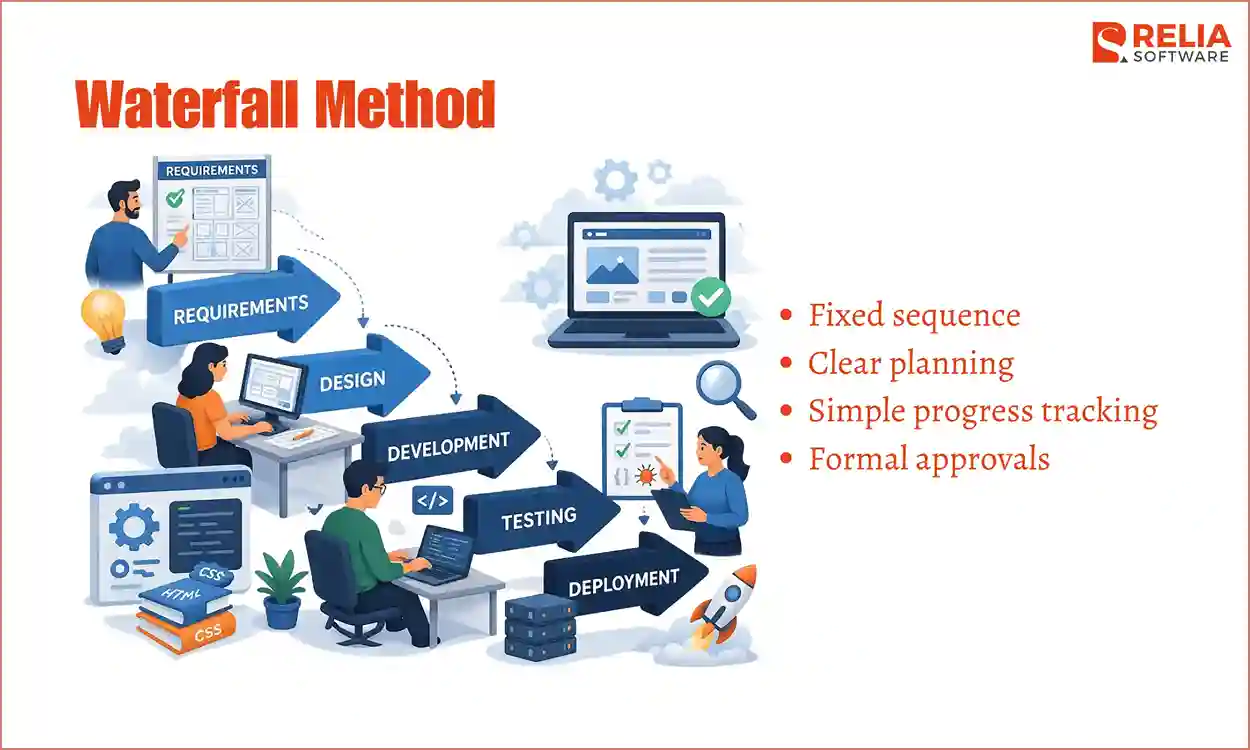
Waterfall is a method where the project moves through fixed stages in order, such as planning, design, development, testing, and launch. It is mostly used in cases when the project is already well-defined from the beginning. If the page structure, content, features, and approvals are mostly clear early on, Waterfall can help the team follow a stable path with fewer moving parts.
Best for: Web projects with clear requirements and little expected change (e.g., simple corporate websites, landing page projects, etc.)
How is Waterfall Method Applied to Web Development Projects?
- Fixed sequence: each stage is completed before the next one begins.
- Clear planning: scope and deliverables are defined early.
- Simple progress tracking: it is easy to see which phase the project is in.
- Formal approvals: each stage can be reviewed before moving forward.
Limit:
- Hard to adjust late changes.
- Slower response to feedback.
- Risky if requirements are incomplete.
Hybrid Approach
Hybrid approach is a mix of methods, which is suitable for web projects that usually do not behave the same way in every stage. Early planning may need fixed approvals, development may need flexibility, and post-launch work may need a continuous flow. A hybrid approach lets the team use the style that works best for each part of the project.
Best for: Web projects that need both structure in planning and flexibility during execution, especially those with different needs at different stages.
How is the Hybrid Approach Applied to Web Development Projects?
- Different development methods for different stages: planning, building, and support can be managed in different ways.
- Balanced workflow: the team gets structure where needed and flexibility where needed.
- Better fit for real projects: the process matches how web work actually changes over time.
- Useful after launch too: the team can shift into support and improvement work more naturally.
Limit:
- Rules can become unclear.
- Team alignment is very important.
- Harder to manage without experience.
Step-by-Step Guide to Manage a Web Development Project
Managing a web development project means keeping the work clear, organized, and moving in the right direction from the first discussion to post-launch updates. A good process helps the team avoid confusion, reduce delays, and keep the final website or web app aligned with the business goal.
Step 1: Define the Project Goals and Requirements
At this stage, the team works to understand what the business needs, who the users are, what the website or web app should do, and what success should look like. The team has to identify what matters most in the first release and what can wait.
This stage should answer basic but important questions.
- What is the project really trying to achieve?
- Is it meant to bring in leads, sell products, share content, support user accounts, or improve an existing service?
- What must be included in the first release, and what can wait until later?, etc.
It also includes collecting the practical requirements, such as features, content needs, SEO needs, integrations, CMS needs, and technical limits. If this phase is weak, the rest of the project usually becomes harder because people move forward with different assumptions.
Step 2: Plan the Scope, Timeline, and Budget
Once the goal is clear, the next step is to define what will be included in the first release, what the team is expected to deliver, how long the work may take, and what the budget should cover. This usually includes:
- listing deliverables;
- defining what is included;
- noting what is excluded;
- setting phases or milestones;
- assigning roles;
- choosing tools;
- planning reviews and approvals;
- identifying risks or blockers.
Without this planning step, the team may move forward with different ideas about what the project includes, which often leads to confusion later, especially as deadlines approach. Changes can still happen, but planning gives the team a clear starting structure, which makes those changes easier to manage.
Step 3: Build the Team and Assign Clear Roles
A web project runs much better when everyone knows what they are responsible for. This step is about defining who handles project management, design, development, QA, content, and approvals.
Clear roles help the team avoid confusion later. Without them, people may wait on the wrong person, give feedback at the wrong time, or assume someone else is handling an important task. Even in a small project, role clarity saves time and reduces avoidable delays.
Step 4: Choose the Workflow and Project Tools
The team also needs a clear way to manage the work day by day. This means choosing the workflow that fits the project, such as Agile, Scrum, Kanban, or a hybrid approach, and setting up the tools that support that process.
At this stage, the team usually decides how tasks will be tracked, where updates will be shared, how files will be stored, and where feedback should be collected. A clear system helps the team stay aligned and makes progress easier to follow.
Step 5: Run the Design and Development Process
After planning, the project moves into the UX/UI design stage, which usually starts with UX thinking and wireframes before the final UI design is completed. The purpose of this stage is to shape how the website or web app should work and how users will move through it. The team is not only thinking about how the product looks, but also thinking about page structure, navigation, content flow, calls to action, and user actions.
It may include:
- sitemap planning;
- user flows;
- wireframes;
- page layout decisions;
- content structure;
- design system choices;
- responsive web design planning;
- early stakeholder reviews.
It is also important to get approval at the right time here. If the team moves into development before the structure and design direction are approved or are not clear enough, there is a high chance of taking more time to rework later.
Then, the team can start building the actual website or web app:
- setting up environments;
- creating frontend components;
- building page templates;
- connecting backend logic;
- adding CMS fields;
- integrating third-party tools;
- implementing forms and features;
- preparing staging versions;
- internal review and fixes.
Development is often the longest stage in the development lifecycle. Therefore, during this step, the team needs to:
- Keep tracking progress regularly.
- Raise blockers and remove them early.
- Ensure priorities stay aligned with the project goal.
- Review useful points instead of waiting until everything is complete.
My sincere advice is that developers should work on the most important and approved items first in this stage, not wasting time on features that are still unclear or likely to change.
>> Read more:
- 12 Popular Web Development Trends
- Top 10 Most Popular Web Development Frameworks
- Top AI Tools for Web Development
Step 6: QA & Testing
Before the project goes live, the team needs to check that everything works properly. The goal of this stage is to check whether the website or web app works as expected in real use. If not, the team needs to find issues before users find them.
Some hidden problems may appear:
- A button may look fine in design, but fail on mobile.
- A form may work in one browser but not another.
- A page may load slowly.
- Tracking may not fire correctly.
- A redirect may be missing.
These are common issues, which is why testing should cover all the main functional and technical areas, not just the surface-level look of the site or app. This testing stage usually includes:
- functional testing;
- responsive and browser testing;
- performance testing;
- accessibility checks;
- technical SEO checks;
- user acceptance testing.
>> Read more:
- 7 Leading Performance Testing Tools for Developers
- Top 15 Best Usability Testing Tools For Businesses
- Top 10 Best End-to-End Testing Tools and Frameworks
Stakeholders should also review the near-final product through user acceptance testing so they can confirm that the project matches the agreed goal before launch.
A rushed QA stage often leads to an unquality product launch. That is why strong project management protects time for testing instead of treating it like leftover work.
>> Read more: What is The Difference Between QA and QC in Software Testing?
Step 7: Launch the Project and Monitor Early Results
When the build and testing are in a good place, the project moves toward the launch stage, which is a controlled release stage where the team makes sure all final checks are complete and prepares for early issues after go-live.
This step often includes:
- final content and design approval;
- redirects, metadata, and technical SEO checks;
- forms, integrations, and analytics validation;
- backup and rollback preparation;
- a monitoring plan for the first 24 to 72 hours.
Once the project is live, the team should watch closely for bugs, broken pages, tracking problems, and early user complaints. This helps catch issues quickly before they affect too many users, reducing unexpected issues.
Many teams make the mistake of thinking launch simply means pressing publish. In reality, a launch usually involves many checks and tasks that need to be handled carefully. Therefore, project management is important here because launch tasks often involve both technical and non-technical work, which is essential to have someone ensure all of it is ready at the same time.
Step 8: Maintenance & Continuous Improvement
After launch, the team usually enters a support and improvement stage, including fixing bugs, releasing improvements, tracking user behavior, and reviewing how the product performs in real use. This is all for making sure the website or web app stays stable and useful for users over time.
However, this stage is often ignored when the team works hard to launch, then treats the project as finished too quickly. But real users often reveal things that testing did not fully catch. Internal teams may also need help managing content or using new features.
Therefore, good project management continues after launch to help the team stay connected to the original business goal, because post-launch updates should support real performance, not just random changes.
The Most Important Documents in Web Project Management
A web project can easily become confusing when too much information is stored in meetings, chat messages, or people’s memories. That is why documents matter. Good project documents exist to reduce confusion, prevent repeated discussions, and help the team move with fewer mistakes.
Key documents in a web project include:
Project Brief: Gives a simple overview of the project, including the goal, target users, main deliverables, and key expectations. It helps everyone start with the same understanding.
Sitemap or Feature Map: Shows the structure of the website or the main functions of the web app. It helps the team see what pages, sections, or features need to be included.
Requirements Document: Explains what the website or web app needs to do. It turns broad ideas into clear details so the team can design, build, and test with fewer misunderstandings.
Statement of Work: Defines the agreed scope of the project, including deliverables, timeline, responsibilities, and what is or is not included. It helps prevent confusion when new requests appear later.
Timeline and Milestone Plan: Shows the main stages of the project and when key tasks, reviews, or approvals should happen. It helps the team track progress more clearly.
Risk Register: Lists possible issues that could affect the project, such as delayed content, unclear feedback, or technical blockers. It helps the team prepare early rather than react too late.
QA Checklist: Helps the team test the website or web app more efficiently. It makes sure important checks, such as links, forms, layouts, and core functions, are not missed before launch.
Launch Checklist: Covers the final tasks needed before the site or app goes live, such as content checks, analytics, redirects, approvals, and deployment steps. It helps make the release smoother and less rushed.
Common Challenges in Web Development Project Management
Unclear Requirements
A project becomes difficult to manage when the requirements are not clear from the start. If the team does not fully understand what the website or web app needs to do, designers may interpret the goal one way, developers may build based on another view, and stakeholders may expect something else. This often leads to confusion, extra revisions, and wasted time later in the project.
Scope Creep
Scope creep happens when new requests keep getting added after the project has already started. These requests may look small at first, but over time, they can stretch the timeline, increase the workload, and make the project harder to control. In web projects, this happens often because people usually think of more ideas once they see the design or early build.
Slow Performance
A late review can hold up design, development, content, or QA work. At the same time, weak progress tracking makes it harder to notice these delays early. When the team does not have a clear view of what is done, what is waiting, and what needs attention, small issues can quietly grow into bigger timeline problems.
Design Gaps and Technical Issues
A project can run into trouble when the design does not match development reality or technical issues appear later than expected. Some layouts may be harder to build, some features may need more work, and some integrations may not work as smoothly as planned. If these problems are not found early, they can lead to delays, rework, or last-minute changes.
Rushed Testing and Launch Problems
When earlier stages take longer than planned, testing often gets pushed too close to launch. This increases the chance of missed issues, such as broken forms, layout problems, tracking errors, missing redirects, or browser bugs. Since launch already involves many final checks happening at once, weak testing often leads directly to problems after the site goes live.
No Clear Post-Launch Ownership
A project may also struggle after launch if nobody is clearly responsible for what comes next. Bugs may need fixing, users may report issues, content may need updates, and performance may need review. If post-launch ownership is unclear, the team may respond too slowly once the product is live. Good project management should make this responsibility clear before launch, not after problems appear.
Best Practices for Web Development Project Management
A web project usually runs better when the team follows a few clear working habits from the start. These practices help reduce confusion, control changes, improve communication, and keep the project moving in a more stable way.
Clarify Requirements Early
A project is much easier to manage when the team starts with clear requirements and a realistic scope. Everyone should understand what the website or web app needs to do, what is included in the current phase, and what should wait until later. This helps reduce confusion, lowers the risk of rework, and makes it easier to control new requests once the project is already moving.
Break Work Into Stages
Web projects are easier to manage when the work is divided into smaller stages and reviewed regularly. This makes progress easier to follow, helps the team spot problems earlier, and reduces the chance of finding major issues too late. It also makes feedback more useful because stakeholders can respond to one part of the project at a time instead of reacting to everything at once.
Set Clear Rules for Communication
Many project delays come from scattered updates, unclear feedback, or slow approvals. It helps to decide early where updates should be shared, where feedback should be left, who approves each stage, and where important decisions should be recorded. This keeps the project easier to track and reduces confusion across the team.
Test Throughout the Project
Testing should not be saved for the final days before launch. Web projects usually need repeated checks during design, development, and pre-launch stages. This helps the team catch layout issues, broken flows, browser problems, or technical errors earlier, when they are still easier to fix.
Plan Launch Early
Launch and post-launch work should be prepared before the final stage of the project. Redirects, analytics, metadata, forms, integrations, backups, and final approvals should not be left until the last minute. It is also important to decide who will handle monitoring, fixes, and follow-up improvements once the site or app is live.
Define Ownership Clearly
A project moves more smoothly when people know exactly what they are responsible for. That includes design, development, QA, content, approvals, and post-launch support. Clear ownership helps avoid delays caused by waiting, guessing, or assuming someone else will handle an important task.
Leave Room for Issues
A web project should not be planned as if everything will go exactly right. Feedback may take longer than expected, revisions may be needed, and technical issues may appear during development or testing. A healthier plan leaves enough room for these problems so the team does not have to rush the final stages.
Keep the Goal in Focus
It is easy for a project to become too focused on tasks and lose sight of the reason it exists. The team should keep returning to the main goal, whether that is getting leads, supporting sales, improving user actions, or making content easier to manage. This helps the project stay useful instead of turning into a long list of disconnected requests.
Best Tools for Web Development Project Management
Web project management usually needs more than one tool to track tasks, to review design, to collect feedback, and to keep everyone in sync. The tools below cover the main areas most web teams rely on.
Task and Sprint Management Tools
These tools help teams plan work, assign tasks, track progress, and manage deadlines.
- Jira: Best for development-focused teams that need backlog management, sprint planning, and issue tracking.
- Asana: Good for teams that want a simple way to organize tasks, timelines, and team collaboration.
- ClickUp: Useful for teams that want tasks, docs, goals, and workflow tracking in one place.
>> Read more: 10 Best Software Project Management Tools for Businesses
Design Collaboration Tools
Before anything gets built, designs need to be reviewed, discussed, and approved. These tools make that easier.
- Figma: Popular for UI design, live collaboration, comments, and developer handoff.
- Adobe XD: Useful for interface design and clickable prototypes.
- Sketch: A common choice for UI design, especially for Mac-based design teams.
>> Read more: 10 Popular Prototyping Tools For UI/UX Developers
Website Feedback and Bug Tracking Tools
When the site is ready for review, feedback needs to be clear. These tools help teams collect feedback directly on the website or staging build.
- BugHerd: Lets teams leave feedback directly on the page, which makes bug reporting easier.
- Marker.io: Helps teams capture website issues and send them into project tracking tools.
- Usersnap: Useful for visual bug reporting, screenshots, and user feedback.
>> Read more: Top 10 Automated Code Review Tools For Developers
Documentation and Handoff Tools
These tools help keep requirements, decisions, notes, and project details in one place.
- Notion: Good for project docs, meeting notes, requirements, and internal knowledge sharing.
- Confluence: Useful for teams that want a more structured documentation space, especially with Jira.
- Google Docs: Simple and easy for shared notes, drafts, and quick collaboration.
Team Communication Tools
These tools help teams share updates, ask questions, and solve blockers quickly.
- Slack: Good for fast team communication and daily coordination.
- Microsoft Teams: Useful for teams already working inside the Microsoft system.
- Google Chat: A simple option for teams using Google Workspace.
A Professional View From Relia Software Experiences
How We Manage A Web Project?
Relia Software manages web development projects with an Agile approach, using Scrum as the main working model by breaking projects into short sprints, usually two weeks, using shared estimation during sprint planning, and continually improving the product through demos and regular feedback.
In practice, our web development flow is quite clear.
- We start by understanding the project needs: the product purpose, target users, features, limits, and business goals.
- After that, the team moves into planning and wireframing, then UI/UX design, development, testing, deployment, and maintenance.
- Finally, our QA team uses both manual and automation testing, and our deployment stage covers hosting setup, domain and DNS configuration, server security, and installation on the target server or cloud platforms.
Our client’s feedback claims that our developed web apps reach 99.99% uptime, follow scalable architecture rules to handle heavier loads, and use mature technologies such as React to keep load time under three seconds. These also show how effective Relia approaches project management: build the right structure early, avoid weak foundations, and keep performance in scope from the start instead of leaving it for later.
Outstanding Web Development Project Management
Relia Software’s past web-related projects also help show how we manage this kind of work in practice.
In the Xeplanner project, we worked with a Singapore-based wedding marketplace that already built an MVP and needed a full-scale web application (as well as a mobile). Our team worked closely with the client to understand expectations, then delivered the project on schedule, step by step.
The result was a move from MVP to a full web app that helped Xeplanner grow revenue and expand to multiple cities in Singapore. This is an example of Relia’s usual pattern: start with clear requirements, turn them into wireframes and design, then move into full-stack execution with steady delivery control.
Another outstanding case is Kriya project, where we built a web interface, an admin panel, and AI-driven onboarding and matching flows. The project involved UX challenges, while also handling milestone flows, messaging, payments, and integrations with Slack and project management tools. This project also shows Relia’s ability to manage web projects that need clear user flow, good UX, and solid technical execution.
FAQs
1. How do you avoid scope creep in a web project?
Start with clear requirements and a defined scope. When new requests appear, review them carefully, decide whether they are needed now or later, and make sure any approved change is documented clearly.
2. When should testing happen in a web project?
Testing should happen throughout the project, not only before launch. Regular checks during design, development, and pre-launch stages help the team catch issues earlier and reduce the risk of problems after go-live.
3. Does a small web project still need project management?
Yes. Even a small project needs someone to keep the work clear, manage feedback, track progress, and prepare for launch. The process may be lighter, but project management is still important.
Conclusion
Web development project management helps the team keep the project clear, manage feedback, control changes, and move the website or web app toward the real business goal. With the right approach, teams can reduce confusion, avoid unnecessary delays, helping the project become easier to manage and more likely to launch successfully.
Also, choosing a reliable web development partner is one of the most important decisions in the whole process. They help clarify requirements, manage feedback, solve issues early, and keep the project moving toward the right goal. With the right team, web development project management becomes much smoother and more effective from planning to launch.
>>> Follow and Contact Relia Software for more information!

- development
- Web application Development
- web development