


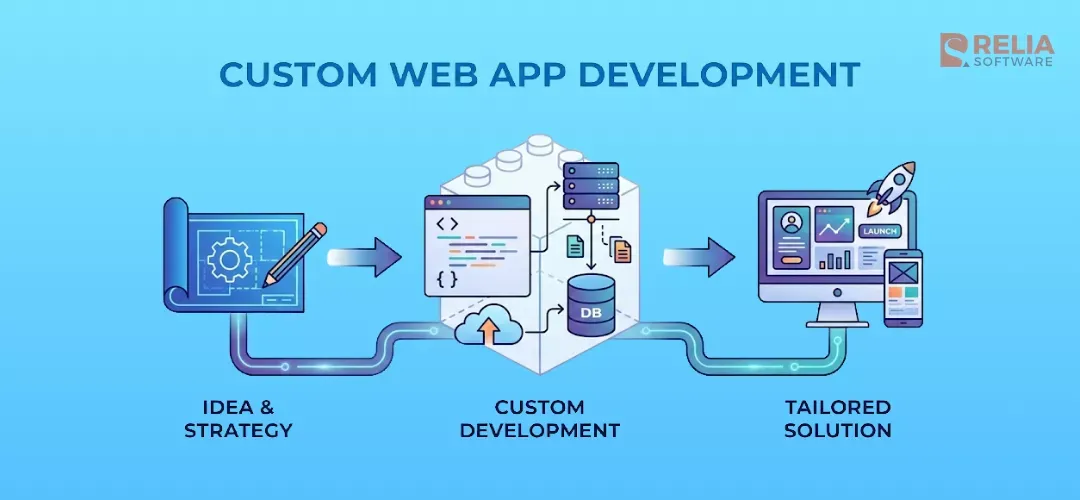
In 2026, using the ready-made software as everyone else can hold your businesses back. Actually, buying subscriptions to a generic off-the-shelf tool is easy, but you need to consider if it can fit perfectly your business needs. Usually not. That's why many companies choose building web apps that they actually own.
Simply put, custom web app development means creating software that runs in a browser and follows your exact workflow. From a business perspective, custom web apps control better over your business's own performance and data than a standard website (Wordpress). When built correctly, they become long-term assets that support growth and competitive advantage.
Currently, we have gone beyond Mobile-First to AI-First and Edge-Native for web apps. Thus, in this blog, we break down the exact development roadmap, the real costs for 2026, and the architectural decisions to meet the current demands and trends in AI and other advanced technologies.
What is Custom Web App Development?
Custom web application development is the process of creating software solutions that are specifically customized for a business's unique needs, goals, and workflows. These applications run on a web server and are accessed through a browser (like Chrome or Safari), so users don't need to download or update anything on their device.
Unlike off-the-shelf software which is quick and cheaper but hard to change as your business grows, every feature, screen, and function in a custom web app is built based on real needs, not generic use cases.
These custom apps also go beyond simple websites that are mainly used to display content, a web app can perform tasks like transfer money, book a flight, edit a photo, or manage a project. The flow is two-way, in which the user inputs data, and the application processes it to give a result.
Key Benefits of Custom Web App Development
Customized Solutions
Custom web apps follow exactly your actual workflow and solve your specific problems. Don't need to worry about any unnecessary buttons to confuse your team or missing features that force you to use messy external apps. In short, let the tool be built to fit your business instead you change your process to fit the software.
Scalability
Custom apps are built with future growth in mind, which means you can handle increased traffic and add new features anytime you want without performance issues.
Especially, with AI features to predict sales or automate customer service, you can't easily add them to a generic platform. But, a proprietary AI can totally be built directly into a custom web app to support your workflow.
Seamless Integration
Custom web apps connect easily with tools like CRM, ERP, payment systems, or internal databases. As most businesses today use a mix of legacy systems and modern tools, this web app solution can ensure data flows automatically between departments without manual entry.
Better Security
Businesses can implement specific and strong security measures to their industry's compliance requirements (e.g., HIPAA) and strictly control where data is stored, how it is accessed, and who can see it.
This is a much safer approach than a public software where your sensitive data protection depends on a third party vendor. If they get hacked or change their privacy rules, you are at risk.
Long-term Cost Savings
Although the initial costs for building a custom web app from scratch is higher, it is often cheaper in the long run due to removing recurring licensing fees that rise every year. Instead, you only pay to maintain what you actually use.
In another word, higher initial costs mean you are just investing in an asset you own, rather than renting software that you have no control over.
Competitive Advantage
Building custom software means you have unique features, which is a great way to make you different from your competitors. Also, you own the Intellectual Property (IP), turning your technology into a unique asset that others can't copy.
In contrast, if you buy the same software as your competitors, you can only ever be as good as they are. Like the way when you use public AI (like standard ChatGPT), everyone gets the same answers. But when you train your web app’s AI with unique data from your customers, brands, and market, you can create a level of intelligence that no competitor can buy off the shelf.
Common Types of Custom Web Applications
Content Management Systems (CMS)
This is a platform to create, edit, and publish digital content (text, images, video) to a website or app. Actually, standard tools like WordPress are still fine for blogs, but they aren’t strong enough for large enterprises and complex ecosystems.
So, many large brands build custom headless CMS solutions to publish content in one place and have it instantly appear everywhere like on the website, mobile app, smartwatches without duplicating work and formatting issues.
>> If you are looking vendors: Top 10 CMS Development Companies in Vietnam
E-commerce Platforms
These are applications for online buying and selling, handling custom product catalogs, shopping carts, and secure payment gateways. Some small brands use generic platforms (like Shopify), but it charges transaction fees and limits design freedom.
If you have unique needs, consider custom E-commerce platforms that can provide unique design and 0% transaction fees on your sales. Also, you can totally include AI tools to improve online buying experience without any integration issues.
>> You can consider:
- The Ultimate Guide to Ecommerce Automation Software
- Top 9 Ecommerce Web Development Companies
Customer Relationship Management (CRM) Systems
This is a centralized tool for managing customer data, sales pipelines, and marketing campaigns. Off-the-shelf CRMs like Salesforce and HubSpot are powerful but expensive and complex.
Many niche businesses build custom CRMs that do exactly what they need and integrate directly with their production software to automate follow-ups. Also, you don’t need to pay for many features you never use, just enough things you really want.
>> Explore more: 10 Popular CRM Software Development Companies in Vietnam
Project Management Tools
You need these software to help teams plan work, assign tasks, track progress, and collaborate in real-time. As every industry works differently, generic project management tools can’t fully meet your demands. For example, a software firm needs different tracking tools than a marketing agency.
Custom tools can provide your specific company protocols (like "Step B cannot start until Step A is approved by a Manager"). So you can adjust their rules to fit exactly your workflow.
Learning Management Systems (LMS)
These platforms are used for online education and corporate training integrated with existing HR systems, offering course delivery, assessments, and progress tracking. It handles everything from hosting video lessons and quizzes to grading and issuing certificates.
Popular SaaS platforms (like Teachable or Coursera) often charge high fees per user and limit how you present content. A custom LMS can use AI to analyze a student's performance and adjust the curriculum difficulty in real-time, and many other custom tasks.
Booking and Reservation Systems
These are applications that allow customers to schedule appointments or reserve resources (like rooms or equipment) online. A custom app can help you more in complex services like medical appointments requiring insurance checks, or equipment rentals with liability waivers.
No longer only simple calendar plugins, it can handle the entire legal and financial workflow instantly during the booking process, reducing admin work.
Enterprise Resource Planning (ERP) Portals
This is a centralized software suite that integrates all core business processes like finance, HR, supply chain, and sales into a single system. Generic ERPs (like SAP or Oracle) are often complex, expensive, and you need to change your operations to fit their structure.
In contrast, a custom ERP is built around your specific workflows, removing unused features and connecting disparate departments exactly how your business requires.
AI-Native Web Apps
This is a new generation of web applications where AI is the core engine, not just a feature. With the hot trends in AI inclusion, many businesses focus mainly on this type of web app.
You cannot build a true AI-native platform on a standard website builder as they need specialized architecture like Vector Databases and Edge Computing to handle heavy AI processing loads. Otherwise, custom development can help you train proprietary models on your own data, so the AI output is unique to your business and secure from public competitors.
Key Elements of Custom Web Applications
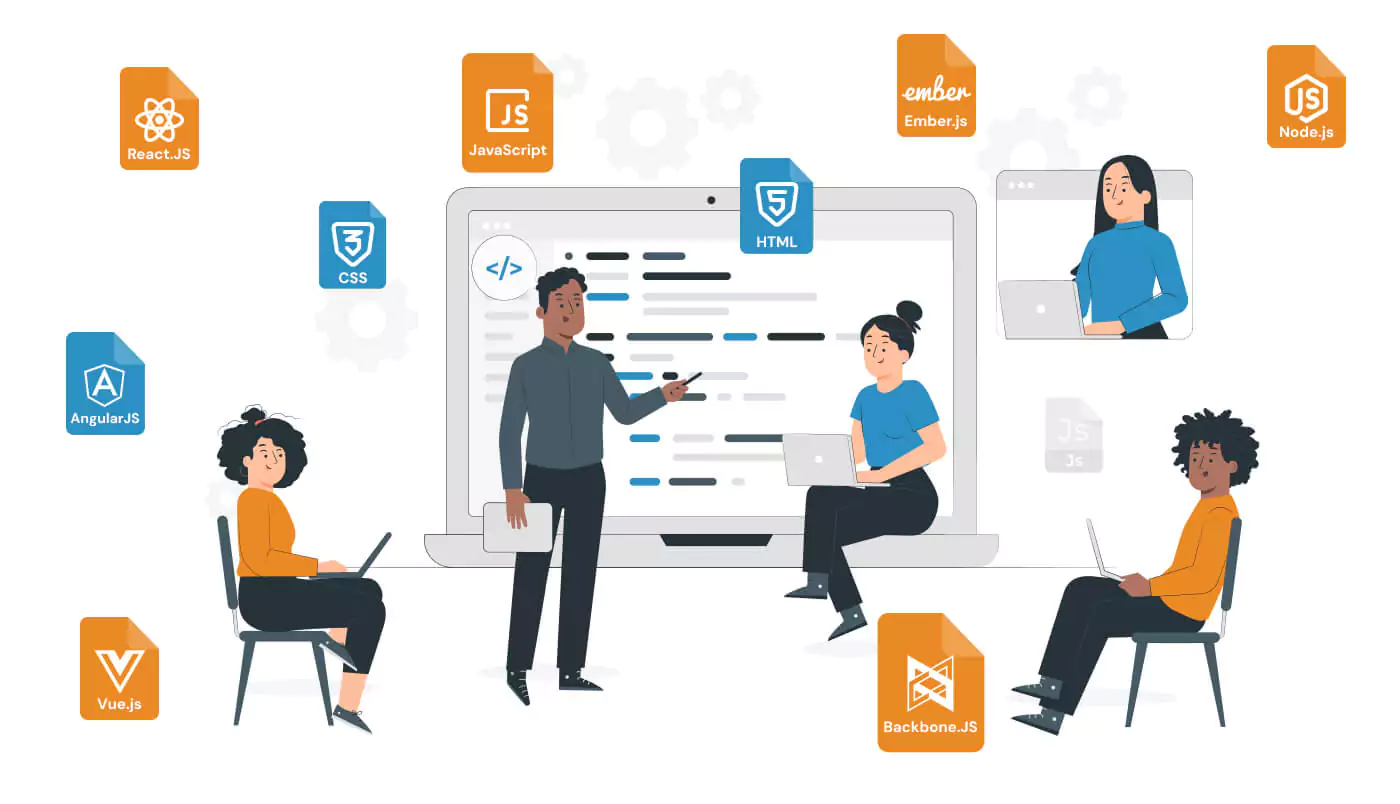
The Frontend (Client-Side): Here is where users see and interact with (buttons, dashboards, forms)
- Frameworks: React 19, Next.js, or Vue.js.
- Generative UI: Components that automatically adapt layouts for different user roles.
The Backend (Server-Side): The "engine" that processes logic, calculates numbers, and manages data behind the scenes.
- Languages: Node.js (for speed), Python (for AI integration), or Go (for high-traffic systems).
- Architecture: Microservices or Serverless functions (AWS Lambda).
The Database (Data Layer): Here is Where your data lives.
- Relational (SQL): PostgreSQL is the gold standard for financial data and structured records.
- Vector Databases: Essential for AI. Tools like Pinecone or Weaviate allow your app to "remember" context for AI agents (e.g., remembering a customer's tone from a chat three months ago).
APIs (Integration Layer): The bridges that allow your app to talk to other software (like Stripe for payments or Twilio for SMS).
-
GraphQL: Instead of asking for all user data (name, age, email, address, history), GraphQL allows the frontend to ask for only what it needs (just the email). This makes apps load significantly faster on mobile networks.
Cloud Infrastructure (DevOps): The servers where your app lives.
-
Edge Computing: Instead of hosting your app in one location (e.g., "US East"), we use Edge networks (like Cloudflare or Vercel) to replicate your app on hundreds of servers worldwide. A user in Tokyo loads the app from a Tokyo server, not one in New York.
6 Phases in Web App Development Process
Phase 1: Discovery & Strategy
Estimated Duration: 1 – 2 Weeks
First of all, we must define the project’s vision, gather detailed requirements, conduct market research, and outline objectives. All the stakeholders sit down together to decide success metrics, technical feasibility, and architecture plan. All these things aim to build a technical roadmap to solve your real business problems.
Key Outcomes:
- A detailed written guide on exactly what the app will do.
- A technical architecture plan including all technology stack needed (e.g., Python, React, AWS) to meet defined needs.
- A clear timeline and cost breakdown so you can plan your cash flow.
Phase 2: Product Design (UI/UX)
Estimated Duration: 3 – 5 Weeks
In this phase, the app starts to take shape visually. The user journey is designed to make the app easy to understand and consistent with your brand. Also, we have to do user testing at this stage to identify and fix confusing points before coding.
Key Outcomes:
- Wireframes: Skeletal sketches showing the structure of every page.
- Interactive Prototype: A clickable model (usually in Figma) that lets you test the app flow before coding begins.
- UI Design System: A library of your brand’s fonts, colors, and button styles.
>> Read more: How Much Does It Cost to Design An App?
Phase 3: Development (The Build)
Estimated Duration: 3 – 6 Months (Depending on complexity)
We start building a functional, secure application through coding frontend (the screens the user sees) and backend (server logic and database connections), then integrating APIs. Agile development is applied in this phase to break the project into 2-week sprints, so you see working features constantly without waiting months for a single release.
- Functional MVP (Minimum Viable Product): A working version of the core features.
- Bi-Weekly Demos: You get to see and test new features every two weeks.
- Clean Source Code: The actual software assets being built on your repository.
Phase 4: Quality Assurance
Estimated Duration: 2 – 4 Weeks (Often runs parallel with dev)
The QA team does rigorous tests of the application on different devices about functions and performance. Importantly, stress-test the security to ensure your data is safe from potential threats. At this stage, let's proactively break the app on purpose to fix problems before real users encounter them.
Key Outcomes:
- UAT Sign-Off: Your formal approval that the app works exactly as requested.
- Security Audit Report: Verification that your data is encrypted and compliant (e.g., GDPR/HIPAA).
- Performance Test Results: Proof that the app loads quickly even under high user traffic.
- AI Validation: If your app uses AI, this ensures it doesn’t give wrong or hallucinated answers.
>> Explore:
- Top 7 Web App Security Testing Tools For Developers
- An Ultimate Guide To Web Application Security for Developers
Phase 5: Deployment & Launch
Estimated Duration: 1 Week
At this phase, the app is made to live by configuring servers, migrating data, setting up domains, and releasing the application to a live environment. Let’s use "zero-downtime" deployment strategies to keep business running smoothly while we switch on the new, minimizing disruption.
Key Outcomes:
- Your app is published and accessible to the world.
- Full IP ownership is transferred, including 100% of the source code and all admin credentials if your project is outsourced.
- Guides to help your team manage the new system.
Phase 6: Maintenance & Growth
Estimated Duration: Ongoing
Ongoing maintenance, performance monitoring, bug fixes, security patches and feature updates are all needed tasks to ensure your web app always functions and stays up-to-date. You can’t ignore this important phase because your app must adapt to market changes, and your technology needs to grow along with your business.
Key Outcomes:
- A guarantee of our response time if issues arise.
- Regular updates to protect against new cyber threats.
- Insights into how your users are interacting with the app.
Custom Web App Development Costs in 2026
In 2026, the cost of app development ranges from $15,000 to over $200,000 and tends to increase a bit higher compared to the previous years. Although AI tools make writing code roughly 30% faster, the increased cost is due to the demand for smart and complex features like AI integration, high-level security, etc.
Let’s take a more detailed look in the realistic price:
|
Project Type |
Complexity Level |
Price Range (Est.) |
Time to Market |
|
Basic/MVP App |
Low. Basic features (Login, Dashboard, CRUD), Standard UI, No complex API integrations. |
$15,000 – $40,000 |
3 – 4 Months |
|
Mid-Level Business App |
Medium. Custom workflows, Payment Gateways (Stripe), User Roles, Basic AI (e.g., Chatbot). |
$40,000 – $120,000 |
5 – 8 Months |
|
Enterprise/AI-Native Platform |
High. Proprietary AI Models, Big Data processing, GDPR/HIPAA Compliance, Legacy Integration. |
$150,000+ |
9 – 14 Months |
However, the price ranges above are just the generic ones. It can vary depending on the location of your development partner. For example, the labor costs in Vietnam are much cheaper than that in the US. although the quality of code is now comparable.
Also, don’t forget to allocate funds for the following hidden operational expenses:
- Third-Party API Fees: If your app uses ChatGPT (OpenAI) or Twilio (SMS), you pay per use. (Est: $200 - $1,000 / month depending on traffic).
- Cloud Hosting (AWS/Vercel): You pay for the servers that run your app. (Est: $50 - $500 / month).
- Maintenance Retainer: You need to pay for security patches, browser updates. (Tips: Budget 15-20% of the initial development cost per year for maintenance).
When Custom Web App Development is the Best Choice?
As mentioned above, custom web app solutions bring many benefits. However, honestly, not every problem needs a custom software solution. Sometimes, the smarter business move is to buy something that already exists or use more simple and faster solutions like low-code/no-code development.
Now let me help you to determine the right path for your specific situation via this decision matrix:
|
Decision Factor |
Buy (SaaS) |
Low-Code / No-Code |
Custom Web App |
|
Best For |
Standard needs (HR, Accounting, CRM). |
Prototypes (MVPs) & simple internal tools. |
Core products, unique workflows, & scalable assets. |
|
Time to Market |
Instant (Sign up & go). |
Fast (2–4 Weeks). |
Medium (3–6 Months). |
|
Upfront Cost |
Low. |
Low. |
High. |
|
Long-Term Cost |
High (Per-user fees forever). |
Medium/High (Fees rise with traffic). |
Low (Maintenance only). |
|
IP Ownership |
None (You are renting). |
None (Platform locked). |
100% Yours (Asset). |
|
Customization |
Low (Generic features). |
Medium (Template based). |
Unlimited (Exact fit). |
|
Scalability |
Limited by your plan. |
Low (Performance issues at scale). |
Unlimited (Cloud-native). |
|
Security |
Dependent on Vendor. |
Shared Environment. |
Full Control (GDPR/HIPAA). |
Conclusion
Custom web app development includes projects where the source code for the software is written from the start to meet the needs of the client. Hope this guide will help you have needed information and knowledge before implementing your own projects.
And if you are finding a reliable partner to handle your web app development project from the start to end, we can help. Relia Software has experience in web app development for years with many dedicated and qualified developers. If you want to create a custom web app for your business, do not hesitate to contact us! Go through our Custom Web App Development Services to get insights.
>>> Follow and Contact Relia Software for more information!

- development
- Web application Development
- development companies