


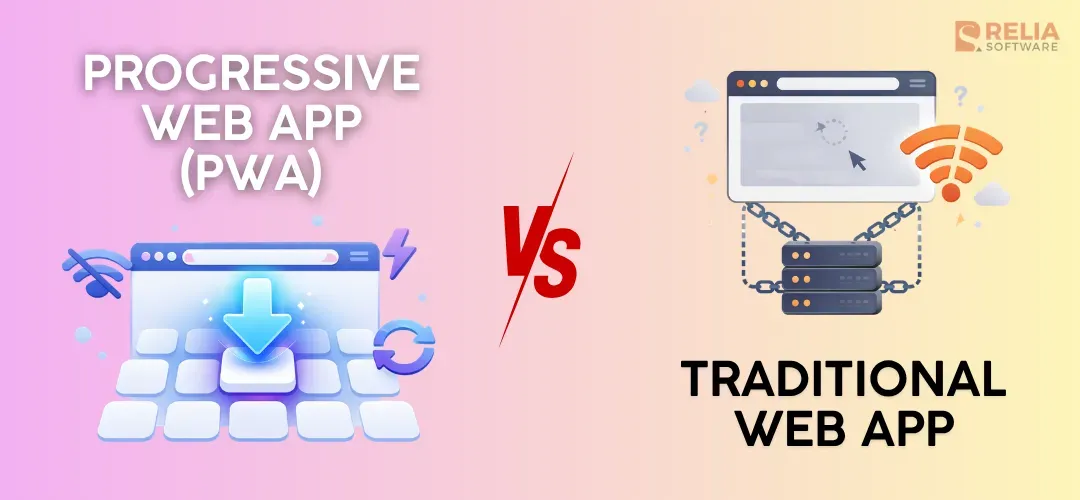
The main difference between a PWA and a traditional web app is that a PWA gives a more app-like experience, while a traditional web app gives a more standard browser-based experience. Choosing the right option between these two is important because it affects user experience, development effort, cost, and long-term product direction.
In this article, we will explain what a PWA and a traditional web app are, compare them side by side, look at when each one makes sense, and help you decide which option fits your product better.
What is a Progressive Web App (PWA)?
A progressive web app, or PWA, is a type of web app that delivers an app-like experience using modern web capabilities like offline access, installation, and push notifications while still running in the browser. Users can install PWA to the homescreen, receive push notifications, and use some features offline. At the same time, PWA also keeps the main characteristic of a traditional web, like easy access through a URL and simple updates.
Pros
- Better mobile experience: The app can feel smoother and more focused than a standard browser page.
- Easy access: Users can still open it through a URL without needing an app store download.
- Install option: People can save the app to their device for quicker return visits.
- Improved repeat performance: Cached assets can make the app feel faster after the first load.
- Useful in weak networks: Some pages or actions can keep working even when the connection is unstable.
- Stronger re-engagement: Push notifications can help bring users back on supported devices.
- Single web codebase: Teams can improve the mobile experience without building a separate native app first.
Cons
- More development effort: A PWA needs more setup and testing than a normal web app due to its offline support that needs careful logic to run.
- Device access is still limited: A PWA may use more device features than a basic web app, but it still cannot fully match native apps in every case.
- Caching can create issues: If updates and stored files are handled badly, users may get old content or confusing behavior.
- Push notifications are not universal: Their support depends on platform and browser rules.
What is a Traditional Web App?
A traditional web app is an app that runs in a web browser and is opened through a URL. Unlike a basic website, a web app is built for users to do things such as create, edit, manage data, or use online services, but usually feels less app-like and offers fewer mobile-friendly features than a PWA. It also has limited offline support and fewer device features than an installed app.
Pros
- Easy access: Users can open the app quickly without downloading anything.
- Faster launch: Teams can often build and release it more quickly.
- Simpler maintenance: Updates are easier to manage on the web.
- Broad compatibility: It can work across many devices through the browser.
- Good for business workflows: It fits tools focused on forms, records, dashboards, and process management.
Cons
- Weak offline support: The app usually depends on a stable internet connection.
- Less app-like experience: It may feel more like a website than a mobile app.
- Lower re-engagement: Users are less likely to return if the app has no install or device presence.
- Limited device features: Access to some phone or system features may be more restricted.
- Mobile experience can feel basic: It may work on phones, but not always in the smoothest way.
PWA vs Web App: Side-by-Side Comparison
The comparison below gives a quick overview before we look at each part more closely.
|
Aspect |
Progressive Web App (PWA) |
Traditional Web App |
|
Basic idea |
A web app with extra mobile app-like features |
A browser-based app used through a URL |
|
Access |
Opened in a browser, with optional install on supported devices |
Opened in a browser only |
|
Installation |
Can often be added to the home screen |
No install |
|
Offline support |
Can support offline or low-network use |
Not supported |
|
Speed on repeat visits |
Can feel faster because of caching |
Depends on normal browser loading |
|
Push notifications |
Support push notifications on supported platforms |
Usually not available |
|
User experience |
More app-like |
More browser-like |
|
Device presence |
Can have an icon on the home screen |
Stays in the browser with URL only |
|
Development effort |
Needs more setup and testing |
Simpler to build and manage |
|
Maintenance |
More moving parts because of caching and install behavior |
Easier in many cases |
|
Device feature access |
Better than a basic web app, but still less than native in many cases |
More limited |
|
Best fit |
Repeat-use products, low-network use cases |
Internal tools, dashboards, browser-first products |
User Access and Installation
A PWA can be opened through a URL like any other web app and can also be installed to the home screen on supported devices. As a result, the product can feel more direct because users can open it like an app instead of going through the browser every time.
Meanwhile, a traditional web app is usually accessed through browsers only. Users open a browser, type in a URL, or click a saved link, then use the product in that tab. This makes web app development simpler than PWAs, working well for products that do not need a strong mobile app feel.
Offline Support
A PWA can store files and content, so it works better when the internet is slow. In some cases, users may still be able to open saved pages, continue part of a task, or at least get a smoother experience while the connection comes back. However, it does not mean every PWA works fully offline. Some PWAs mainly improve loading speed, not fully offline support.
A traditional web app usually depends on a live internet connection for most actions. If the network is unstable, pages may load slowly, forms may fail, and data may not appear properly. Some products are developed to work only when connected.
Performance and Speed
A PWA can feel faster because it can save important files on the device, so repeat visits may load more quickly and feel more stable, especially on mobile connections. Still, a PWA is not automatically fast, because its speed also depends on things like page size, scripts, images, and server performance.
A traditional web app can also be fast when it is built well with clean code, image optimization, good frontend work, and strong hosting. The main difference is that it usually depends more on normal browser loading, so it may not get the same repeat-visit speed benefits as a PWA.
User Experience
A PWA aims to feel more like an app. After users add it to the home screen, they may open it in a cleaner full-screen view, and the return path can feel shorter and more direct. This can be especially useful for mobile products that people use often, such as food ordering, travel booking, loyalty programs, event tools, and customer portals.
On the other hand, a traditional web app usually feels more like a product inside a browser. Users see the browser frame, use tabs, refresh pages, and return through bookmarks or search. That is not a weakness by itself, because for many products, especially task-based or work-focused ones, this is still the most practical setup.
Push Notifications
PWA can support push notifications on supported devices and browsers, which makes it easier to bring users back with updates, reminders, or alerts. This is especially useful for products where timing matters, such as order updates, delivery tracking, booking reminders, promotions, or content alerts.
However, traditional web apps usually have fewer ways to re-engage users after they leave. It often depends more on email, ads, saved links, or users remembering to return on their own. For some products, that is completely fine, especially when notifications are not an important part of the user experience.
Development and Maintenance Effort
PWAs usually take more work to build and manage than traditional web apps. The team has to spend more time on how the app behaves after the first visit, how updates are delivered, and how the experience stays stable across different devices and network conditions. This means more testing and more technical decisions during the development process and after launch.
In traditional web app development, the team can focus more on the browser experience, backend logic, responsive web design, and core features without dealing with as many extra cases. That is why a traditional web app can be the better choice when the product does not really need the extra features of a PWA.
Technical Limits
In some cases, PWA gives more flexibility than a traditional web app, which means some features, such as background sync, storage behavior, update timing, or access to device APIs, may work differently across Chrome, Safari, and other environments. This can make development, testing, and debugging harder, especially for products that need stable behavior across many devices.
A traditional web app relies more on standard browser requests and server responses inside a browser tab, making it less flexible when a product needs deeper device access or more advanced background behavior. If the product depends on features like continuous location tracking, advanced Bluetooth use, or stronger system-level control, native development is usually the better fit.
Security and Operational Considerations
A PWA usually needs tighter technical control because it adds a service worker layer between the browser and the network. In detail:
- The team needs to define clear cache rules, make sure old files do not stay active too long, and handle version updates carefully so users do not get mixed app states after a release.
- Security setup also needs more attention, such as HTTPS, service worker scope control, safe asset caching, and careful handling of authentication data.
- After launch, the team must monitor service worker failures, cache misses, update adoption, and browser-specific issues to keep the app stable.
Meanwhile, traditional web app is usually easier to manage because requests go more directly between the browser and the server. The main technical focus is often on HTTPS, session and token handling, API security, server-side validation, access control, and release stability.
Since there is usually no service worker layer managing cached app files, deployment behavior is more predictable, and debugging is often simpler. Even so, the team still needs strong monitoring after launch for errors, performance issues, failed requests, and security events.
>> Read more: Top 7 Web App Security Testing Tools For Developers
Cost
Based on all these differences above, it is easy to see that PWA development will cost more than a traditional web app because it adds extra technical work beyond the standard browser setup. As a rough estimate, it may cost around 40% more, mainly because the team needs to build and test added layers such as the web app manifest, service worker logic, and wider browser and device support.
Otherwise, traditional web apps often cost less at the start because the scope is simpler and the build path is more direct. The final cost still depends on the product itself, but if the business does not need PWA-specific behavior, a traditional web app is usually the more cost-efficient option.
>> Read more: Detailed Breakdown For App Development Cost
When To Develop PWAs?
A PWA is a good choice when a business wants the reach of the web but also wants the product to feel easier to use and more convenient on mobile. It works best when users come back often, need quicker access, or may use the product in places where the internet is weak
Best Business Cases for PWAs
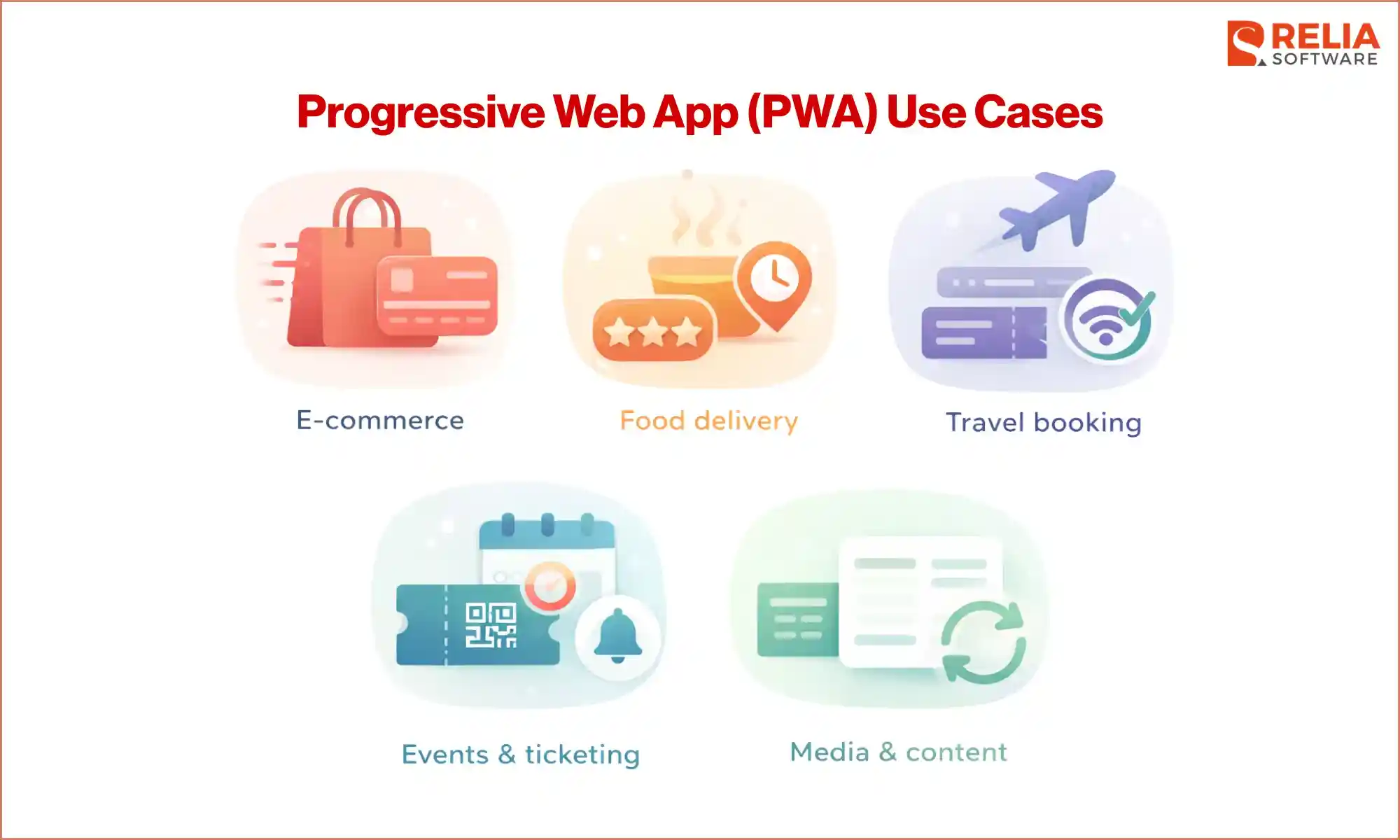
- E-commerce: PWA is a strong fit for e-commerce apps because many shoppers browse on mobile, compare products, and come back more than once before buying. Faster repeat visits and easier reopen access can help reduce friction during browsing and checkout.
- Food delivery: Food delivery apps often depend on repeat orders, quick access, and order tracking. PWA can make it easier for users to return, place orders faster, and check delivery updates without going through an app store.
- Travel booking: Travel products are often used on the move, where internet quality may not always be stable. PWA can help users reopen booking details, check schedules, and access trip information more easily while traveling.
- Events and ticketing: For events and ticketing, users often need fast access to tickets, reminders, and event details. PWA can make the experience more direct, especially when users want to open the product quickly from their phone.
- Media and content platforms: PWA can work well for news sites, blogs, magazines, or other content platforms where readers return often. Faster repeat visits and a smoother mobile experience can help make regular reading feel easier and more natural.
When Not Suitable To Use?
- Advanced device integration is required: PWA may not support all hardware or mobile features as well as a native app.
- App store growth is the main goal: Native apps may be a better fit if App Store or Google Play visibility matters most.
- The team cannot manage extra technical work: PWAs need more effort for caching, updates, offline behavior, and cross-browser testing.
When To Develop Traditional Web Apps?
A traditional web app is a good choice when businesses mainly need simple browser access and do not need features like install, offline use, or push notifications. It works well for task-based products such as internal tools, forms, dashboards, and management systems because it is simpler to build and easier to manage.
Best Business Cases for Traditional Web Apps
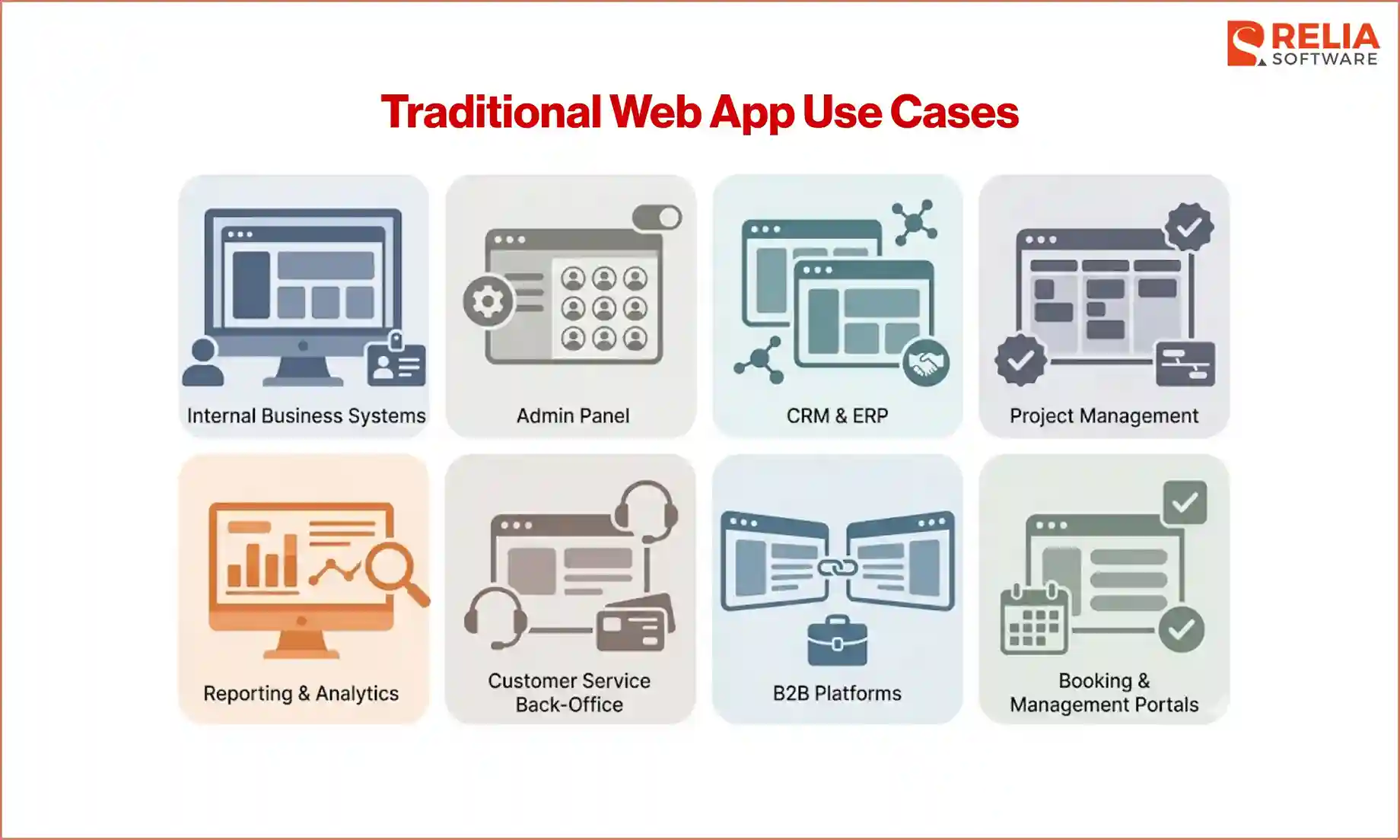
- Internal business systems: A traditional web app is a strong fit for internal systems because employees usually access them through a browser at work.
- Admin panels: Admin panels are often used to manage users, products, content, orders, or settings. These tools are usually task-focused and work best in a simple browser-based format, especially when teams use them on desktop or laptop.
- CRM and ERP platforms: ERP and CRM systems need stable browser access, not an app-like mobile experience.
- Project management tools: Project management platforms need systems that support the workflow clearly, so that a web app on a browser is usually a good choice.
- Reporting and analytics tools: Reporting tools and analytics dashboards are often better suited to desktop or laptop use, where users can review information in more detail.
- Customer service back-office systems: Support teams often use browser-based systems to manage tickets, customer records, and service requests, usually part of internal workflows.
- B2B platforms: Many B2B products are used as part of daily work, where users mainly log in from a browser rather than casual mobile use.
- Booking and management portals: Some booking or account management products users just need to log in, check details, make updates, or complete a task online.
When Not Suitable To Use?
- Mobile use is a major part of the product: A traditional web app may feel less convenient for frequent mobile users.
- Offline support is important: It usually works best with a stable internet connection.
- Repeat visits need to be encouraged: It does not have the same home screen presence or re-engagement features as a PWA.
- A more app-like experience is needed: It may feel too browser-based for products that need quick reopening and smoother daily use.
- Users often access the product in weak network conditions: Performance may drop more easily without PWA features.
How To Decide Whether To Build a PWA or a Web App?
Start with how people will use the product
The first thing to check is how users will access the product most of the time. If they mainly open it on a desktop or laptop and use it during work, a traditional web app is often enough. If they mostly use it on mobile and need quick access during the day, a PWA may be a better fit.
Questions to decide:
- Do users mainly use the product on mobile or desktop?
- Will they open it through a browser most of the time?
- Do they need quick access during the day?
- Is the product part of daily work, or something they use casually on the go?
Check whether repeat visits really matter
A PWA becomes more useful when people return often. If users open the product again and again, features like home screen install and faster repeat visits can make the experience easier. If they only visit once in a while, a traditional web app may already be enough.
Questions to decide:
- Do users come back often or only sometimes?
- Is the product something people use every day or every week?
- Would faster repeat access make the product easier to use?
- Would a home screen icon actually help users return?
Ask whether mobile convenience is important
Some products need a smoother mobile experience. Mobile convenience matters more for customer-facing products where users place orders, check updates, manage bookings, or use the service while moving around. If the product is mostly used at a desk, this may matter much less.
Questions to decide:
- Is mobile use a big part of the product?
- Do users need the product while traveling or moving around?
- Would an app-like experience improve daily use?
- Is browser access enough, or does the product need to feel more direct?
Decide if weak internet is a real problem
PWA is often worth considering when users may face poor internet conditions. If the product needs to stay useful in those situations, PWA features can help. If users mostly access the product in places with stable internet, this may not be a major factor.
Questions to decide:
- Do users often use the product in weak or unstable internet conditions?
- Would slow loading hurt the user experience or conversions?
- Do users need to access saved content when the network drops?
- Would better low-network support solve a real problem?
Think about whether re-engagement is needed
Some products depend on users returning at the right time. In these cases, a PWA may be more useful because it can support a more app-like return experience and, on supported devices, push notifications. If users only visit when they need something, this matters less.
Questions to decide:
- Does the business need users to come back often?
- Are reminders, alerts, or updates important?
- Would push notifications help the product?
- Is re-engagement part of the product strategy, or not really?
Review your team’s technical capacity
PWA gives more features, but it also brings more technical work. The team needs to manage caching, update flow, offline states, install behavior, and cross-browser testing. A traditional web app is usually easier to build and maintain, so this part of the decision should be practical and honest.
Questions to decide:
- Can the team manage extra PWA setup well?
- Is there enough time for more testing and maintenance?
- Can the team handle caching and update control properly?
- Would a simpler build be better for the current project stage?
Compare product value against added effort
At this point, the decision becomes clearer. If the extra PWA features will clearly improve the product for real users, then the added effort may be worth it. If those features sound nice but do not solve an important user need, a traditional web app is usually the smarter option.
A good way to think about it is this:
- Build a PWA when mobile use is important, users return often, and better convenience or low-network support will improve the product.
- Build a traditional web app when browser access is enough, the product is task-focused, and the team wants a simpler setup.
FAQs
1. Can a traditional web app be turned into a PWA?
Yes. In many cases, a traditional web app can be upgraded into a PWA by adding features like install support, caching, and offline handling.
2. Are PWAs better than web apps?
Not always, it depends on the use cases. A PWA is better when mobile use, repeat visits, or offline support matter. A traditional web app is better when simple browser access is enough.
3. Are PWAs better for SEO?
No, not by default. A PWA can support a better user experience, but SEO still depends on content, structure, speed, and crawlability.
Conclusion
There is no single winner in PWA vs web app: A PWA is a strong option when mobile use is important, users return often, or better low-network support can improve the experience. A traditional web app is often the better fit when simple browser access is enough, and the product is more focused on tasks, workflows, or internal use.
The key is to choose based on real user needs, not on which option sounds more advanced. If the extra PWA features clearly improve the product, they may be worth the added effort. If not, a traditional web app can still be the simpler and smarter choice.
>>> Follow and Contact Relia Software for more information!

- Web application Development
- development
- web development