


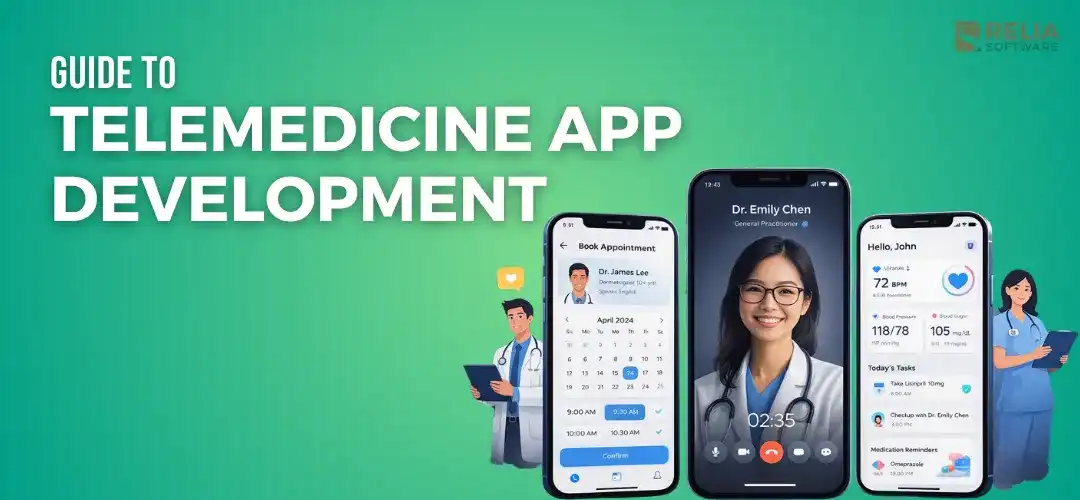
Telemedicine app development is the process of building a digital product that lets patients and healthcare providers connect, communicate, and manage care through a mobile app, web app, or both. In simple words, it means creating software that helps people receive medical support without always needing to visit a clinic or hospital in person.
In this article, we will go through the process of developing a telemedicine app, covering its definition, key features, a step-by-step development roadmap, development costs, challenges, and best practices. After reading this article, you will have a clearer understanding of how telemedicine apps are built and what businesses need to prepare before starting development.
>> Read more: Digital Transformation in Healthcare: Why, When, How to Apply?
Market Overview
Demand for telemedicine app development is growing, which is being driven by practical changes in how people access and deliver healthcare. WHO also notes that digital health can help improve access to quality health services and make health systems more efficient and sustainable.
Current market reports show strong growth in this space:
- Grand View Research says the global telemedicine market was worth USD 141.19 billion in 2024 and may reach USD 380.33 billion by 2030. Its telehealth report also estimates USD 123.26 billion in 2024 and USD 455.27 billion by 2030.
- Fortune Business Insights also reports strong growth, with the telehealth market at USD 186.41 billion in 2025 and the telemedicine market at USD 113.04 billion in 2025.
From the above statistics, the overall direction is clear: virtual care is expanding fast, and businesses continue to invest in it. Not just video consultations, now businesses need a broader care platform with features such as scheduling, secure messaging, payments, patient records, follow-up support, remote patient monitoring, and outside system integration to serve the customers’ demand.

What Is A Telemedicine App?
A telemedicine app is a digital health app that lets patients and healthcare providers connect and communicate through features such as online appointment booking, video or audio consultations on a web app or mobile app. This app helps users save time, reduce waiting, and make care easier to access, even with people who live far from urban areas or do not have access to the best healthcare services.
Besides its common features, such as booking appointments or joining video calls, apps also need patient intake, doctor availability, secure communication, record sharing, payment flow, reminders, and support for different user roles. In many cases, the real value comes from how these parts work together in one smooth patient care journey.
Common Use Cases of Telemedicine App
- Mental health support businesses: A telemedicine app works very well for therapy, counseling, and regular emotional health follow-up because the service mainly happens through conversation.
- General consultation services: Businesses that offer common doctor consultations for non-emergency needs can use telemedicine to make care faster and easier to access.
- Chronic care management services: Services that support patients over time with conditions like diabetes, high blood pressure, or heart-related issues.
- Follow-up care services: Useful for services that often need to check recovery, review treatment progress, or answer patient questions after an earlier visit.
- Healthcare businesses serving remote areas: Very useful when the business wants to reach patients who live far from clinics or hospitals.
- Post-treatment support services: A good fit for cases that stay in touch with patients after discharge or after a treatment plan begins.
>> Read more: 8 Main Benefits of Healthcare Automation Systems
Key Features of A Telemedicine App
For Patient
For the patient, features should focus on clarity, ease, and confidence from the very beginning so as not to make the patient journey slow, unclear, or stressful before booking a service.
- Sign-up and identity verification: Patients need an easy way to create an account and confirm who they are. This helps the business manage records correctly and reduce confusion between users.
- Doctor search and filters: If the app offers more than one provider, patients should be able to search by specialty, gender, language, fee, availability, or other useful details.
- Appointment booking: This is one of the most important features. Patients should be able to choose a time slot, confirm the visit, and understand what happens next without extra effort.
- Secure video consultation: The consultation itself should feel stable and easy to join. Patients should not struggle to enter the session or understand how the virtual visit works.
- Chat and file sharing: Patients may need to send messages, upload reports, share images, or ask follow-up questions before or after the consultation.
- E-prescriptions: After the visit, the app may help patients receive prescription details or connect them with the next step in treatment.
- Payments and billing: If the service includes direct payment, patients need a clear way to pay consultation fees, check invoices, or view payment status.
- Visit history: A patient may want to review earlier consultations, treatment notes, uploaded files, or past prescriptions.
- Reminders and notifications: These help reduce missed appointments and keep patients informed about booking status, follow-up steps, or new messages.
- Support and follow-up: Patients often need help after the consultation ends. The app should make it easy to ask questions, book another visit, or continue the care process.
For Doctor
For doctors, the app features should help providers stay organized, save time, and complete care tasks with less friction.
- Appointment management: Doctors need to control when they are available, how appointments are scheduled, and how changes are reflected in the system.
- Patient queue: It should be easy to see which consultations are coming up, which patient is next, and whether any visit has been delayed or rescheduled.
- Consultation notes: Providers need a practical way to record key details during or after the session.
- Prescription tools: If the care model supports it, doctors should be able to issue or update prescriptions as part of the workflow.
- Referrals: In some cases, the provider may need to direct the patient to another doctor, specialist, clinic, or next step in care.
- Clinical documentation: Beyond short notes, some services may need more complete visit records or treatment documentation.
- Secure messaging: Doctors may need to answer follow-up questions, clarify instructions, or communicate with patients outside the live visit.
- Revenue and payout tracking: In marketplace or multi-provider platforms, doctors may need visibility into consultation earnings, completed sessions, or payout status.
For Admin
A telemedicine business cannot run well on patient and doctor features alone. Admin-facing tools give the business control over the service and help it scale without losing visibility.
- User and provider management: Admin teams need to create, review, update, suspend, or organize accounts for different user groups.
- Credential verification: If the platform includes multiple doctors or specialists, the business may need a way to review qualifications, licenses, and profile details.
- Audit logs: The system may need to record who agreed to what, when changes were made, and what actions happened across the platform.
- Reporting and analytics: Admin users often need to monitor consultation volume, cancellations, patient activity, provider activity, and overall service performance.
- Role-based access control: Different users should only see and manage what fits their role. This helps the business reduce risk and keep the platform organized.
Essential Integrations
These integrations help the app support a fuller healthcare journey and reduce manual work for both the business and the user.
- EHR or EMR systems: These connections help the platform work with patient records and existing healthcare systems.
- Pharmacy systems: Useful when prescriptions need to move into the next step of fulfillment or medication support.
- Payment gateways: Needed when patients pay through the app or when the business handles consultation billing digitally.
- Calendar systems: Helpful for keeping appointment scheduling in sync across tools.
- CRM or patient engagement tools: Helpful when the business wants to improve communication, follow-up, or long-term user retention.
>> Read more: In-Depth Guide to Custom CRM Software Development for Businesses
Advanced Features
- Wearable and device integration: Helps bring health readings into the app automatically instead of relying only on manual input.
- AI triage or symptom intake: Can help collect patient information before the consultation and make the first step more organized.
- Caregiver or family access: Useful when another person helps the patient manage care, appointments, or follow-up.
- E-pharmacy integration: Helps connect consultation results with medication access in a more convenient way.
- Personalized care journeys: These may improve efficiency or user experience, but they should come after the essential product flow is already working well.
>> Read more:
- Common AI Use Cases in Modern EHR Software For Businesses
- Pros and Cons of AI in Healthcare with Detailed Explanation
- Top 6 Healthcare Technology Trends
Step-by-Step Telemedicine App Development Process
Step 1: Define the Core Service & Business Goals
Before talking about features or technology, the business needs to decide what kind of service it is actually building. A telemedicine app for therapy will not work the same way as an app for general consultations, specialist discovery, chronic care, or employer health access.
At this stage, a few key things should be made clear early:
- Who is the target user?
- What kind of care will be delivered online?
- Will the app support quick consultations, regular check-ins, long-term treatment, or specialist access?
- Will the business earn revenue through per-visit payment, subscription, insurance support, or a platform commission?
- What services can happen online, and what still need in-person care?
- Is the app meant to improve access, reduce admin work, increase patient retention, expand provider reach, or support a new digital revenue stream?
These questions shape everything that comes later.
Step 2: Validate Legal, Compliance & Security Requirements
Once the care model is clear, the business needs to review the rules that apply to the service as soon as possible. Some of the most important points to define here include:
- Patient data responsibility: Know what and how the platform will manage health and personal data.
- Consent flow: Decide when and how users must agree to data use, consultation rules, and service terms.
- Access control: Define which user groups can view, edit, or manage different information.
- Data storage and sharing rules: Be clear about how sensitive information of a patient moves through the system.
- Third-party tool review: Check whether outside services such as video, chat, payments, or analytics fit the privacy needs of the product.
>> Read more: Data Security in Healthcare Software
Step 3: MVP Development
After the business understands the service model and legal needs, it’s time to develop an MVP. At this stage, the team should connect each feature with a real user flow to make the MVP easier to plan because each feature has a clear purpose.
The MVP should usually focus on features that support the most important actions:
- patient registration
- provider discovery or assignment
- booking and scheduling
- consultation access
- basic messaging or file sharing
- follow-up support
- simple admin control
At this stage, it helps to divide features into groups:
- Must-have now: Features required for launch that must be prioritized to develop first.
- Useful soon: Less necessary features that can come in the next phase.
- Later-stage features: Features that add value but are not needed to prove the service model, which can be updated after launch.
The team can also start pairing features with rough technical needs. Video consultation may need WebRTC or a service like Twilio. Notifications may need push services, email, or SMS. File sharing may need secure cloud storage. A simple admin panel may need web-based dashboards built with frameworks like React. This does not mean the full stack is final yet, but it helps the team understand what each feature may require.
Step 4: Plan the Product Structure & Technical Approach
Once the MVP is clear, the teams have to choose the main platforms, such as web, Android or iOS. The frontend stack usually depends on the platforms the business wants to launch first.
- For web apps and dashboards, teams often use React or similar frontend frameworks.
- For mobile apps, many businesses choose Flutter or React Native, while native development is still a good option when the app needs more platform-specific control.
On the server side, teams often use backend technologies like Node.js, Python, Java, or .NET to manage bookings, user accounts, records, payments, notifications, and admin workflows. For the database, the product may use relational databases for structured data and secure cloud storage for files such as reports, prescriptions, and medical images.
Furthermore, other features such as video calls often rely on WebRTC or platforms like Twilio, while integrations with EHR or EMR systems may use APIs and standards such as FHIR. In general, a technical plan should be made carefully here to match the actual service needs, so the product stays stable, secure, and easier to grow later.
Step 5: Design the UX & UI
After the structure is planned, the app needs a clear and easy user experience. A good telemedicine design should also help both patients and healthcare providers feel calm and confident when using it, which means clear steps, simple wording, and a layout that makes actions easy to understand. In healthcare, a clean and practical experience is more important than visual effects or extra design elements.
>> Read more:
- The UX Design Process: 7 Steps for UX Designers
- 18 Essential Tips for Enhancing Healthcare UI Design in Mobile Apps
Step 6: Build The App and Connect Integrations
With the scope, design, and technical plan ready, the team can now start building the app. The development process should begin with the core flow, such as account setup, booking, consultation access, messaging, and admin controls, which keeps the work focused and helps the team test the most important parts first.
Popular tech stack for this part:
- Node.js, Python, Java, or .NET for the backend,
- Flutter or React Native for mobile apps,
- Doctor/admin dashboards are often built with React for web.
After that, the team builds the booking and consultation flow, including doctor availability, appointment scheduling, rescheduling, cancellation, visit tracking, video calls, chat, and file sharing with WebRTC or services like Twilio. Once this part works well, they can continue with other features such as patient intake, medical notes, prescriptions, reminders, follow-up support, and admin tools.
The next part is integrations and supporting services, such as a database for user data, bookings, and records, along with secure storage for prescriptions, reports, or medical images. It may also need EHR or EMR integration through APIs or FHIR, and other tools such as payment gateways, pharmacy systems, identity verification, or remote monitoring devices.
A good way to handle this phase is to build in steps. The team should finish and test the core flow first, then add supporting features and integrations one by one. This workflow helps keep the app stable and prevents the first version from becoming too heavy.
Step 7: Testing & Launch
Before launch, the app should go through a careful testing process. It should happen across the different sides of the platform, including all patients, doctors, and admins.
The testing phase should usually include:
- Functional testing
- Usability testing
- Performance testing
- Connections testing for video and voice call features
- Security testing
- Device and browser testing
>> Read more:
- Top 15 Best Usability Testing Tools For Businesses
- 7 Leading Performance Testing Tools for Developers
Once the app goes through all tests and is ready for use, the business can launch it in a controlled way. Some teams start with one clinic, one user group, or one service type first, so they can watch how the product performs before expanding, catch problems early, and improve the experience based on real users' feedback.
How Much Does Telemedicine App Development Cost?
The cost of app development depends on what the business wants to build, how many user roles the app has, and how much work is needed. Below are some estimated ranges for each project type and features.
Cost by Project Scope
|
Project scope |
Estimated cost range |
|
Simple MVP |
$25,000–$80,000 |
|
Mid-level product |
$80,000–$150,000 |
|
Enterprise-grade platform |
$150,000–$300,000+ |
Feature-Based Cost Examples
|
Features |
Estimated cost range |
|
Video consultation |
$12,000–$35,000 |
|
Appointment scheduling |
$8,000–$25,000 |
|
EHR integration |
$15,000–$50,000 |
|
E-prescription module |
$10,000–$30,000 |
These ranges are general market estimates. The final cost depends on app platforms, feature depth, video setup, integrations, security needs, and the development team you choose.
>> Read more: How Much Does It Cost to Design an App?
How Long Does It Take to Build a Telemedicine App?
The time needed to build a telemedicine app depends on how large the product is, how many user roles it includes, and whether it needs outside integrations.
|
Project scope |
What it usually includes |
Estimated timeline |
|
Simple MVP |
Patient sign-up, doctor listing or assignment, appointment booking, video consultation, basic chat, and a simple admin panel |
3–5 months |
|
Mid-level product |
Everything in the MVP, plus stronger doctor tools, payment flow, file sharing, reminders, follow-up support, reporting, and some integrations |
5–8 months |
|
Enterprise-grade platform |
Multi-provider or multi-clinic support, stronger admin control, EHR or EMR integration, pharmacy or lab connections, detailed dashboards, and more complex workflows |
8–12+ months |
Here are the key factors that directly affect the development timeline:
- Feature scope: More features mean more time for design, development, and testing.
- Integrations: EHR, payment, lab, pharmacy, calendar, or insurance connections add more setup and testing work.
- Platform choice: Building for iOS, Android, and web takes longer than launching one platform first.
- Compliance and security: Privacy, access control, consent flow, and security testing all add more work.
- Scope changes: Adding new features during development often causes delays.
- Review and approval speed: Slow business feedback can delay design and development decisions.
Besides that, there are also
- Too many features in the first version: This makes the product heavier and slower to complete.
- Unclear workflows: This often leads to rework during design and development.
- Late integration planning: This can create extra work near the end of the build.
- Late compliance review: This may force the team to adjust the product flow or system setup later.
- Slow feedback loops: This can hold back design approval, product decisions, and development progress.
Monetization Strategies for Telemedicine Apps
Subscription model
A subscription model charges users a recurring fee, usually monthly or yearly, to access the service. This model gives the business more predictable revenue and can help build long-term user relationships. It is most effective when the app provides steady value over time, not just one-time consultations.
Best for: Telemedicine apps that offer ongoing care, regular follow-up, mental health support, chronic care management, or wellness-based healthcare services.
Pay-per-visit model
In this model, users pay each time they book and complete a consultation. It is one of the most common monetization options for telemedicine apps because it is simple and easy for users to understand. It is a good option for businesses that want a lower entry barrier for new users.
Best for: General consultation apps, specialist booking platforms, and services where users do not need frequent care.
Commission model
A commission model is often used in telemedicine marketplaces where the platform connects patients with independent doctors or specialists. In this setup, the platform takes a percentage or fixed fee from each completed consultation. This model can scale well if the platform attracts enough consultations, but it also depends heavily on doctor supply and patient demand.
Best for: Business mainly acts as the connector between users and providers.
Insurance-linked model
Some telemedicine apps earn revenue through insurance partnerships. The platform may become part of a covered healthcare service, or it may support consultations that are paid through an insurance plan.
This model can help the product reach more users, but it often requires more work around claims, eligibility, provider networks, and billing flow. It is more complex, but it can be valuable for businesses that want to operate at a larger healthcare level.
Best for: Insurance businesses that want to offer healthcare services as their sub-service.
Hybrid model
Many telemedicine apps use a hybrid model instead of relying on one revenue stream only. For example, the app may charge patients per visit, offer subscription plans for regular users, and also partner with employers or clinics.
This can make the business more flexible and reduce reliance on one type of customer. Still, the pricing structure should stay clear. If the model becomes too complicated, users may feel confused about what they are paying for.
Common Challenges in Telemedicine App Development
Compliance and Privacy Requirements
Telemedicine apps handle sensitive patient data, so the business needs to plan carefully for consent, access control, data storage, and user permissions. If these rules are not considered early, the team may have to rework important parts of the app later, which not only affects the launching time but also makes the development cost higher for times.
Video & Call Quality
Many telemedicine services depend on video consultation, so poor video or call quality can quickly damage the user experience. The app needs to work well even when users have weaker internet or older devices; otherwise, patients and providers may lose trust in the service.
Scheduling and Coordination Problems
Booking problems such as unclear availability, double-booking, missed reminders, or last-minute changes can hurt the trust of patients in the healthcare provider center very quickly. Remember, a telemedicine app needs a clear and reliable scheduling flow because this part affects both patients and providers every day.
EHR or EMR Integration Difficulties
Connecting the app with existing health record systems can take more work than expected. Different systems may use different formats or connection methods, so integration often affects both the timeline and the overall workflow of the product.
Managing Many User Roles
Telemedicine apps usually serve several user groups at once, and each group needs different tools and workflows. This makes product planning harder because the app must stay organized without becoming too crowded or confusing for all user groups.
Trust and User Confidence
Healthcare products depend heavily on user trust, so the app needs to feel safe, clear, and reliable from the first interaction. If patients or providers doubt the quality of the service, they may stop using the platform even if the main features are present.
Best Practices for Building a Successful Telemedicine App
Start with One Clear Care Service
The business should first decide what kind of service the app is meant to support, such as mental health care, general consultation, chronic care, or specialist access. This makes it easier to choose the right features and avoid building a product that feels too broad or unfocused.
Keep Onboarding Simple
Patients should be able to sign up, book a visit, and join a consultation without too many steps. A simple start matters a lot in healthcare because users may already feel stressed, sick, or unsure when they open the app.
Reduce Steps before The First Consultation
The path from app entry to completed booking should be as short and clear as possible. If users have to fill in too many forms or go through too many screens before they can see a doctor, many of them may leave early.
Plan Compliance Early
Privacy, consent, access control, and data handling rules should be included from the beginning of the project. This helps the team avoid major changes later and makes the product safer and more stable from the start.
Test with Real Users
The app should be reviewed by real patients, doctors, or support staff before full launch whenever possible. This helps the business find problems in booking, consultation flow, follow-up, or usability that may not appear during internal review alone.
Measure Product Performance Regularly
The business should track booking activity, missed visits, session quality, common support issues, and user behavior regularly right after launch. This makes it easier to improve the app based on real use instead of guesswork.
FAQs
1. How is telemedicine app development different from general healthcare app development?
Telemedicine app development focuses more on live care delivery, such as booking, video consultation, messaging, and follow-up, while general healthcare apps may only support tracking, education, or health records.
2. Should you build native or cross-platform app first?
It depends on the product goals. Many businesses start with a cross-platform app to launch faster on both iOS and Android, while native development is a better fit when the app needs stronger performance, deeper device-level features, or more platform-specific control.
3. How do telemedicine apps handle low internet quality?
They usually use video tools that can adjust call quality, and some apps also support chat, audio-only calls, or reconnect options when the connection is weak.
4. What is the biggest cost driver in telemedicine app development?
The biggest cost driver is usually the overall feature scope, especially when the app includes video, multiple user roles, strong admin tools, and outside integrations.
5. How do you verify doctors on a telemedicine platform?
The platform usually checks licenses, certificates, specialties, and identity documents before the doctor's profile goes live.
6. Should businesses choose a telemedicine app development company?
Yes, hiring a specialized company in this industry is usually the better choice. They understand healthcare privacy rules, video consultation needs, and system integration, so the app is safer and more useful from the start.
>> You may be interested in: Guide to Medicine Delivery App Development For Pharmacy Businesses
Conclusion
Telemedicine app development makes it easier for patients to access care, providers manage consultations smoothly, and gives the business better control over service delivery. For businesses, the smartest approach is to start with a clear service goal. Once the core experience works well, the product can grow step by step with better workflows, stronger integrations, and more advanced features.
>>> Follow and Contact Relia Software for more information!

- Mobile App Development
- development
- mobile applications
- mobile app
- web development