


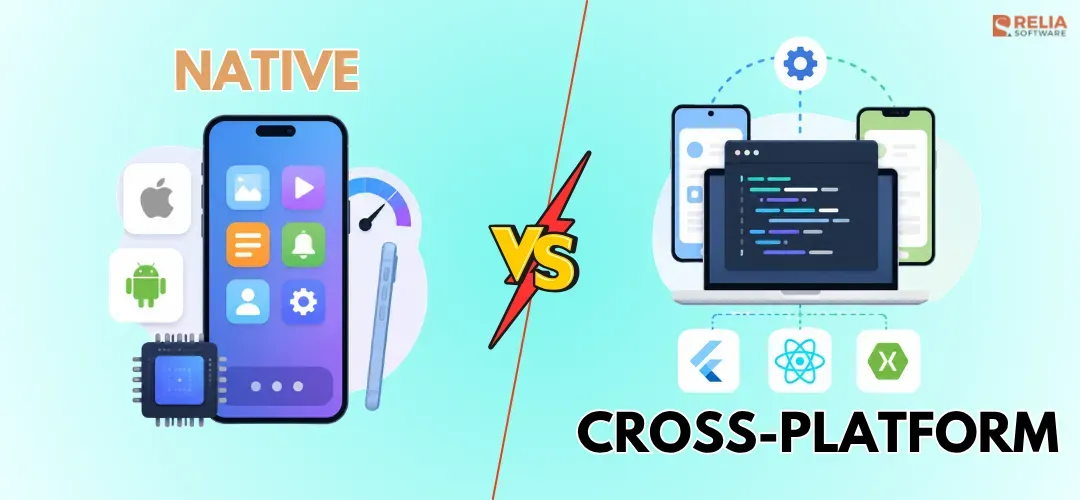
Many managers and CEOs struggle with the same question before starting a mobile app project: should they build native apps or use a cross-platform approach? The decision is not simple because it affects budget, launch speed, hiring, maintenance, and product quality. Launch too slowly, and you may miss the market. Choose the wrong architecture, and the app may become expensive to fix or rebuild later.
The challenge is knowing which tradeoff is right for your product. This guide helps you compare native and cross-platform apps across the factors that matter most: cost, timeline, performance, UX, device access, security, testing, maintenance, and long-term scalability. By the end, you can have a clearer idea of which approach fits your app, your team, and your business goals.
|
Key Takeaways:
|
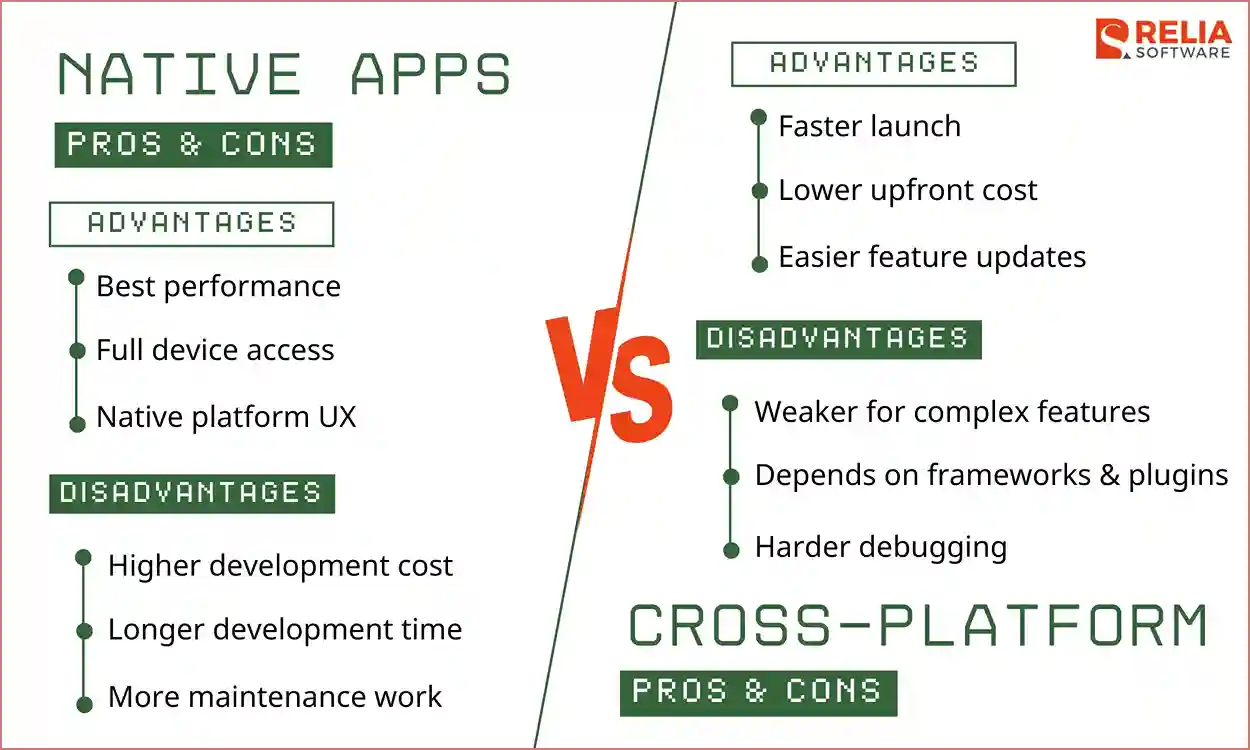
Quick Comparison: Native vs Cross-Platform Apps
Before looking at each difference in detail, here is a quick side-by-side comparison of native app development and cross-platform apps across the factors that matter most: cost, timeline, performance, UX, security, and long-term maintenance.
|
Factor |
Native App |
Cross-Platform App |
|
Codebase |
Separate iOS and Android codebases |
Shared codebase for both platforms |
|
Cost |
Higher upfront cost |
Lower upfront cost |
|
Development Timeline |
Slower when building each platform from scratch |
Faster for launching both iOS and Android at the same time |
|
Performance |
Best for heavy workloads and performance-critical apps |
Good for most business apps, but weaker for heavy apps |
|
User experience |
Best platform fit and more natural UX |
Good, but may need platform-specific tuning |
|
Device and hardware access |
Direct access to device features and native APIs |
Depends on third-party frameworks, plugins, or native modules |
|
Offline Support |
Stronger for background tasks, offline sync, and continuous activity |
Good for simple caching and basic sync, but complex cases may need native code |
|
Security |
More direct control over OS security tools |
Can be secure, but needs careful plugin and dependency review |
|
Testing & Debugging |
More direct debugging in Xcode and Android Studio |
Can involve more layers: shared code, plugins, bridges, and native code |
|
Maintenance |
More control, but more code to maintain |
Less duplicated code, but more framework dependency |
|
Scalability |
Safer for large, complex, mobile-first products |
Scales well when features and UI are mostly shared |
|
Best for |
Complex, secure, hardware-heavy, or mobile-first apps |
MVPs, standard business apps, and API-driven apps |
|
Best examples |
Banking, fitness, AR, video, IoT, real-time tracking |
Marketplace, booking, e-commerce, SaaS companion, internal tools |
Key Differences Explanation Of Native vs Cross-Platform
Now, let me explain each difference aspect for you.
Codebase and Architecture
Native development uses separate codebases for iOS and Android. iOS apps are usually built with Swift in Xcode, using tools like SwiftUI or UIKit, while Android apps are usually built with Kotlin in Android Studio, using Jetpack Compose or Android views. This developing environment gives developers full access to each platform’s official SDKs, APIs, UI components, and design patterns.
Cross-platform development uses one shared codebase for both iOS and Android. Frameworks like Flutter with Dart, React Native with JavaScript or TypeScript, Kotlin Multiplatform with Kotlin, and .NET MAUI with C# let teams reuse UI, business logic, and app behavior across platforms.
Cost
Native development usually costs more upfront because it needs separate iOS and Android developers, or developers who can work across both platforms. This development increases the initial cost, especially if you want to launch both platforms at the same time.
On the other hand, cross-platform development can reduce development cost because one team can build most of the app with shared code. However, in the long term, cross-platform costs can increase if the app needs many performance fixes or platform-specific features. The team needs extra development, more testing, and more debugging across both iOS and Android.
Development Timeline
In native development, building 2 separate platforms at the same time takes longer. But if most of your target users are on one platform, native can still be a worthy choice. For example, if 80% of your target users are on iOS, building a native iOS app first is better than launching on both platforms at once.
Cross-platform development can shorten the timeline because one team can build shared screens, logic, and workflows for both platforms. However, complex apps still take longer if they need custom native work for hardware, performance, or background tasks.
A real example is eBay Motors. The team needed to build a new buying and selling app for both iOS and Android in less than a year, so they chose Flutter instead of building two separate native apps. This decision helped them deliver a consistent app experience faster, and they later shipped updates to both app stores every week from the same shared development effort easily and efficiently.
Performance
Native apps usually perform better because they run directly on the platform, giving them an advantage in startup speed, animation smoothness, memory use, battery behavior, and heavy processing tasks.
Meanwhile, cross-platform apps often need extra effort for the framework to translate shared code into platform-specific behavior. For apps with heavy graphics, real-time tracking, AR/VR features, video processing, or complex animations, that extra step can make performance harder to optimize compared to native development.
User Experience
Native apps usually offer the best user experience because they can follow iOS and Android design patterns more closely, so navigation, gestures, animations, inputs, accessibility, and system actions feel more natural.
Besides, cross-platform apps provide a more consistent UI across iOS and Android. They can be smooth and clean, but only when the interface is simple and similar across platforms. However, the app may need extra design and development work if you want it to feel fully natural on both iOS and Android.
For example, in a booking or internal dashboard app, users mainly search, fill forms, book services, check status, or manage accounts. These flows are similar on iOS and Android, so a consistent shared UI in cross-platform development is usually enough.
>> Read more:
- The UX Design Process: 7 Steps for UX Designers
- UI/UX Design: What’s The Difference Between UI and UX?
- Web Design Tips: Improving Your Website's User Experience
Device Features and Native API Access
Native apps access device features directly through Apple's and Google’s official APIs, giving developers more control over the device hardware and operating system, especially when the app needs advanced features or deep system integration.
Cross-platform apps can still use many device features, but they often depend on plugins, bridges, or custom native modules. The challenge appears when the feature is complex, new, or behaves differently on iOS and Android. In those cases, cross-platform apps may become harder to optimize, especially when plugins are outdated.
>> Read more:
- 6 API Security Vulnerabilities and How to Secure API Servers?
- What is API Development? A Practical Guide to Build Secure APIs
- Fetch API vs Axios: Detailed Comparison in Practical Scenarios
Offline and Background Processing
Native apps are usually better for offline use, background tasks, and continuous device activity because native development lets developers have more direct control over the operating system. By using iOS and Android background APIs directly to manage sync, location, notifications, and battery behavior, some native apps can keep working when the user closes the app, loses internet connection, or moves through weak networks.
For example, a delivery or ride-hailing app may need to keep tracking the driver’s location even when the app is closed, the phone is locked, or the network is unstable. This kind of background behavior is controlled differently by iOS and Android, so native development gives the team better control over GPS updates, battery use, push handling, and recovery after a weak connection.
Cross-platform apps handle offline mode by saving data locally on the device, then syncing it with the server when the connection returns. They can also support background tasks through plugins, framework APIs, or custom native modules for simple features like push notifications, background sync, location updates, and scheduled tasks. However, with more complex ones, cross-platforms can not handle them reliably without extra native work.
Security and Compliance
Native apps can be more secure because they are compiled directly into machine code, which makes them harder to reverse-engineer and less dependent on third-party plugins than cross-platform apps. They rely more on official Apple and Google SDKs, which give them secure access to hardware-backed encryption tools like iOS Keychain and Android Keystore and help developers apply important OS security updates faster.
Besides, cross-platform apps can still be secure, but they need more careful management of dependencies and native bridges. Security issues can come from the third-party framework layer, plugins, or how shared code connects with native code. Therefore, the team must review third-party packages, plugins, authentication flows, secure storage, encryption, API communication, and user permissions before implementing.
However, security is not decided by the development approach alone. A poorly built native app can still be insecure, and a well-built cross-platform app can be secure. For apps that need to handle sensitive data, such as fintech, healthcare, payment, and enterprise apps, the team can define security and compliance requirements before choosing the architecture.
Testing and Debugging
Native debugging is usually more direct because each app is built and tested inside its own platform environment. iOS developers use Xcode, while Android developers use Android Studio, so platform-specific issues are often easier to trace. If a bug happens on iOS, the team can inspect the iOS code, logs, UI behavior, device APIs, and performance directly. The same process applies to Android.
Meanwhile, cross-platform debugging can involve more layers because one issue can come from shared code, native code, the framework, third-party plugins, or the bridge between them. Furthermore, a good cross-platform project still needs testing on real iOS and Android devices, not only simulators. Common places where cross-platform bugs may appear include:
- Shared business logic
- Native iOS or Android code
- Framework layer
- Third-party plugins
- Platform bridge
- iOS-specific behavior
- Android-specific behavior
Maintenance
Native apps need more maintenance because the team must manage two separate codebases for iOS and Android. New features, bug fixes, UI updates, and OS changes must be handled on both platforms, which creates more workload but also gives the team stronger control over platform-specific quality.
Cross-platform apps can reduce maintenance workload when a single update improves the iOS and Android versions simultaneously, thanks to a shared codebase. However, cross-platform apps also depend on frameworks, plugins, packages, and native bridges. If these dependencies break, become outdated, or do not support new OS updates well, maintenance can become more difficult.
For example, many companies used Xamarin to build cross-platform apps because it allowed them to share code across iOS and Android. But Microsoft ended Xamarin support on May 1, 2024, so these apps no longer receive official updates or support. Teams still using Xamarin now need to maintain old dependencies, fix compatibility issues, or migrate to .NET MAUI or another framework to keep their apps running well.
Therefore, you still need to pay attention to upgrading and maintaining third-party frameworks and plugins to ensure your app quality and performance in cross-platform development.
Scalability and Long-Term Flexibility
Native is usually safer for large and complex mobile products. It gives teams more control to improve each platform as the app grows. The tradeoff is that a native app takes more effort because every major change must be built and maintained separately for each platform. Meanwhile, cross-platform scales better and more easily compared to native apps because the app uses shared screens and shared business logic.
When Is Native App Development the Better Choice?
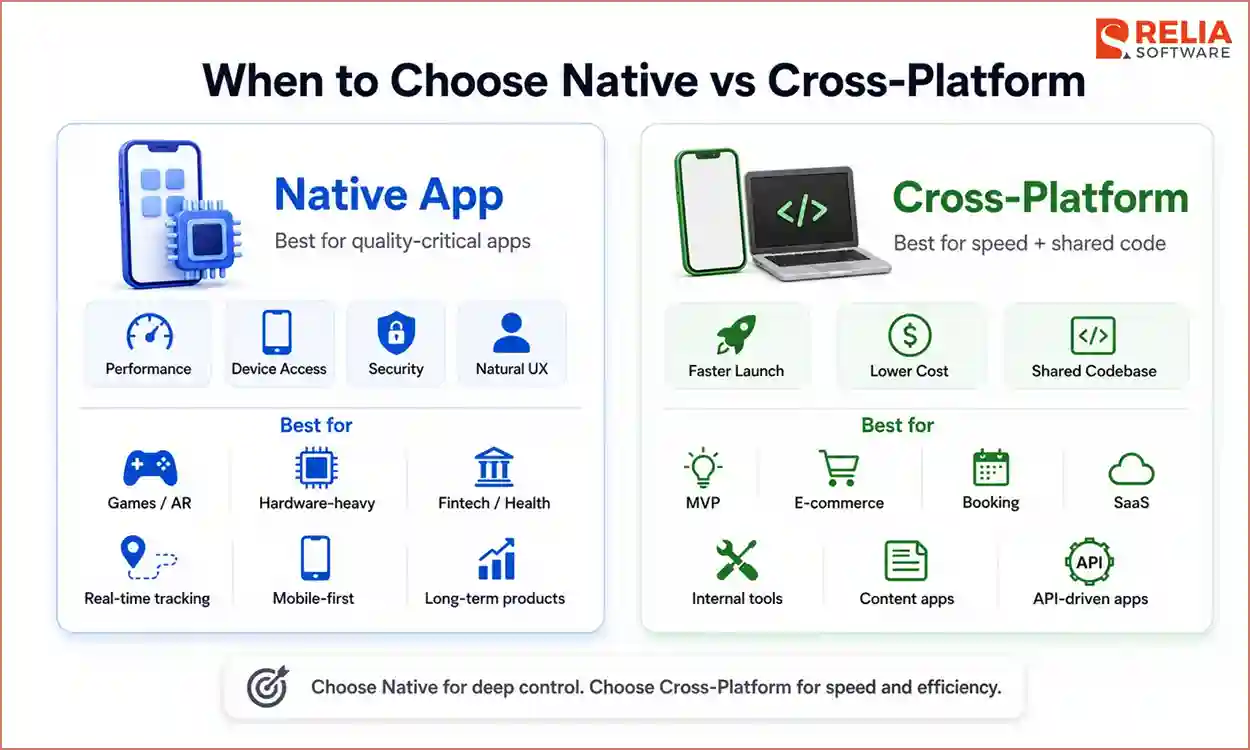
Native app development is the better choice when your app needs high performance, deep device access, strong security, or a user experience that feels fully natural on iOS and Android. It is also the safer option when the mobile app is not just a support channel, but the core product itself.
Some popular use cases include:
- Performance-heavy apps: Games, AR/VR apps, video editing tools, audio processing apps, and apps with complex animations need fast response times and stable performance, so native development is usually the safer choice.
- Hardware-heavy apps: If the app depends on camera controls, Bluetooth, NFC, GPS, sensors, wearables, or health data, native gives developers more direct access to device features.
- Security-sensitive apps: Fintech, banking, healthcare, insurance, enterprise, and payment apps often need stronger control over secure storage, biometrics, encryption, and platform-level security.
- Real-time apps: Delivery tracking, ride-hailing, logistics, fleet management, and car tracking apps depend on accurate location updates, background processing, and battery control, which are easier to manage natively.
- Mobile-first products: If the mobile app is the main product, not just a support channel, native can deliver a smoother experience that helps improve retention, trust, and conversion.
- Long-term products: Apps that are expected to grow for many years may benefit from native development because it gives the team more control over performance, maintenance, and future platform updates.
In short, choose native app development when mobile quality is business-critical. If users expect the app to be fast, secure, smooth, and deeply integrated with their device, native is usually the safer long-term choice.
When Is Cross-Platform App Development the Better Choice?
Cross-platform app development is the better choice when you need to launch on both iOS and Android faster, reduce upfront costs, and keep most of the app in a single shared codebase. It works best when the app has standard screens, shared business logic, and does not depend heavily on complex native features.
Especially, if your app falls into one of these cases below, you definitely need to build a cross-platform app.
- MVP apps: This app requires you to validate the idea quickly before investing in two native apps.
- Marketplace & E-commerce apps: Most features, such as search, listings, profiles, bookings, catalogs, carts, and payments, are similar on iOS and Android, so choose cross-platform for cost savings here.
- Booking apps: For the same reason as e-commerce apps above, travel, healthcare, beauty, fitness, or service booking platforms also have similar features that operate similarly on both platforms.
- SaaS apps: Most features in the mobile app, such as dashboards, reports, notifications, account settings, and task updates, can support an existing web platform, so choose cross-platform to keep mobile development faster and more consistent.
- Internal business apps: HR software, CRM software, field service tasks, reporting, and approval workflows usually follow the same process on iOS and Android. Therefore, choosing cross-platform approach to reduce costs.
- Content and community apps: Users mainly read posts, manage profiles, comment, message, and receive notifications, which work similarly across platforms, so cross-platform is a practical choice for faster feature delivery.
Moreover, cross-platform is also useful when your app is API-driven. If most screens pull data from a backend, display content, collect user input, and send updates to the server, a shared codebase can handle the work well. In this case, building two separate native apps may create unnecessary cost and duplicated effort.
Mixed Architecture: Combining Native and Cross-Platform
You can combine native and cross-platform development when you want to build faster but still need more control over app quality and complex features. Many development teams now use a mixed architecture, in which they build most screens with a framework like Flutter or React Native, then add native modules for features that need direct access to iOS or Android.
For example, an app will use cross-platform code for login, profiles, dashboards, product listings, chat, and settings. Then, it can use native code for background GPS, Bluetooth, custom camera controls, payment security, offline sync, or health data.
A real example is Todoist, a task management app that uses Kotlin Multiplatform to share core app logic between Android and iOS. In this setup, shared code can handle business rules and app behavior, while platform-specific parts such as the iOS and Android user interface can remain native, which lets the team reuse important logic without losing native control.
How to Choose Between Native and Cross-Platform Apps?
The direct and easiest way to choose the right approach for your app is based on the type of app you are building, because each app type has different needs for cost, speed, performance, security, and device access.
The table below gives a quick guide to which development approach fits each app type best.
|
App Type |
Suitable Platform |
Why? |
Examples |
|
E-Commerce & Retail |
Cross-Platform App |
Launch faster on both iOS and Android with the same catalog, cart, and checkout flow |
Shopify, Walmart |
|
FinTech & Banking |
Native App or Mixed |
Better control over security, biometrics, and sensitive user data |
Revolut, Bitkey |
|
Gaming & AR/VR |
Pure Native App |
Better performance for graphics, motion tracking, and real-time interactions |
Pokémon GO |
|
Social Media |
Cross-Platform App |
Balances rapid UI feature release with powerful asset-caching capabilities |
Discord, Instagram |
|
IoT & Utilities |
Pure Native App |
More reliable for Bluetooth, Wi-Fi, sensors, background tasks, and device control |
Philips Hue, Nest |
|
Enterprise SaaS |
Cross-Platform App |
Good for dashboards, workflows, reports, and internal tools with shared business logic |
Slack |
FAQs
1. Is native better than cross-platform?
Native is better when your app needs high performance, deep hardware access, strong security, or a polished platform-specific user experience. Cross-platform is better when speed, budget, and shared code matter more.
2. Is cross-platform cheaper than native?
Yes, cross-platform is usually cheaper at the beginning because one team can reuse much of the code for both iOS and Android. However, the cost can increase if the app needs many native modules or heavy platform-specific work.
3. Are cross-platform apps slower than native apps?
Cross-platform apps can be slower in demanding use cases because they run through an extra framework layer. But for standard apps like e-commerce, booking, marketplaces, dashboards, and content apps, the performance is usually good enough.
4. Which is better for long-term maintenance?
It depends on the app. Cross-platform development reduces duplicated code and can make updates faster. Native requires more code to maintain, but gives stronger control over each platform. For large, complex apps, native or mixed architecture is often safer.
5. Do cross-platform apps still need native developers?
Sometimes, yes. Simple cross-platform apps may not need much native work, but complex apps often need native developers for device features, performance tuning, background tasks, security, or platform-specific bugs.
>> Read more:
- PWA vs Native App: Which One Is Better for Your Project?
- What is The Difference Between Native and Hybrid App?
Conclusion
In conclusion, native and cross-platform apps differ mainly in control and speed. Native development gives more control over performance, but requires a longer time in development. Cross-platform development helps teams build faster and reduce upfront costs, but it depends heavily on third-party platforms and layers.
The right choice depends on what matters most to your product. In many cases, the best choice is not fully native or fully cross-platform. A mixed approach can give you both speed and control: use shared code for common screens, and use native modules for features that need stronger platform support.
>>> Follow and Contact Relia Software for more information!

- Mobile App Development
- Designing an application
- development
- mobile app