


An API (Application Programming Interface) is a set of rules that allows different software programs to communicate and exchange data upon a user's request. For example, when an e-commerce app processes online payments, it must connect to a payment API such as Stripe or PayPal to send requests, receive responses, and complete tasks.
APIs are now the foundation of modern digital products, from payment systems and booking platforms to healthcare apps, e-commerce stores, SaaS tools, and enterprise software. With well-built API, businesses can connect systems faster, launch new features more easily, improve data flow, and support future growth.
In this blog, you will explore what API development means, how APIs work, common API types, the main API development process, best practices, tools, security methods, and more. You then know how to build APIs that are reliable, secure, easy to use, and ready to scale.
What Is API Development?
API development is the process of designing, building, testing, securing, and maintaining APIs that allow different software systems to communicate and share data.
Although the core principles of API development are consistent, building APIs for web browsers versus dedicated mobile applications needs distinct considerations across key areas:
- For Web Applications: APIs are designed for rich, complex browser experiences (like SPAs), prioritize large data payloads and must be flexible to accommodate various screen sizes.
- For Mobile Applications (iOS and Android): APIs are optimized for low latency and efficient data transfer due to network constraints and prioritize minimal data consumption.
How Does an API Work?
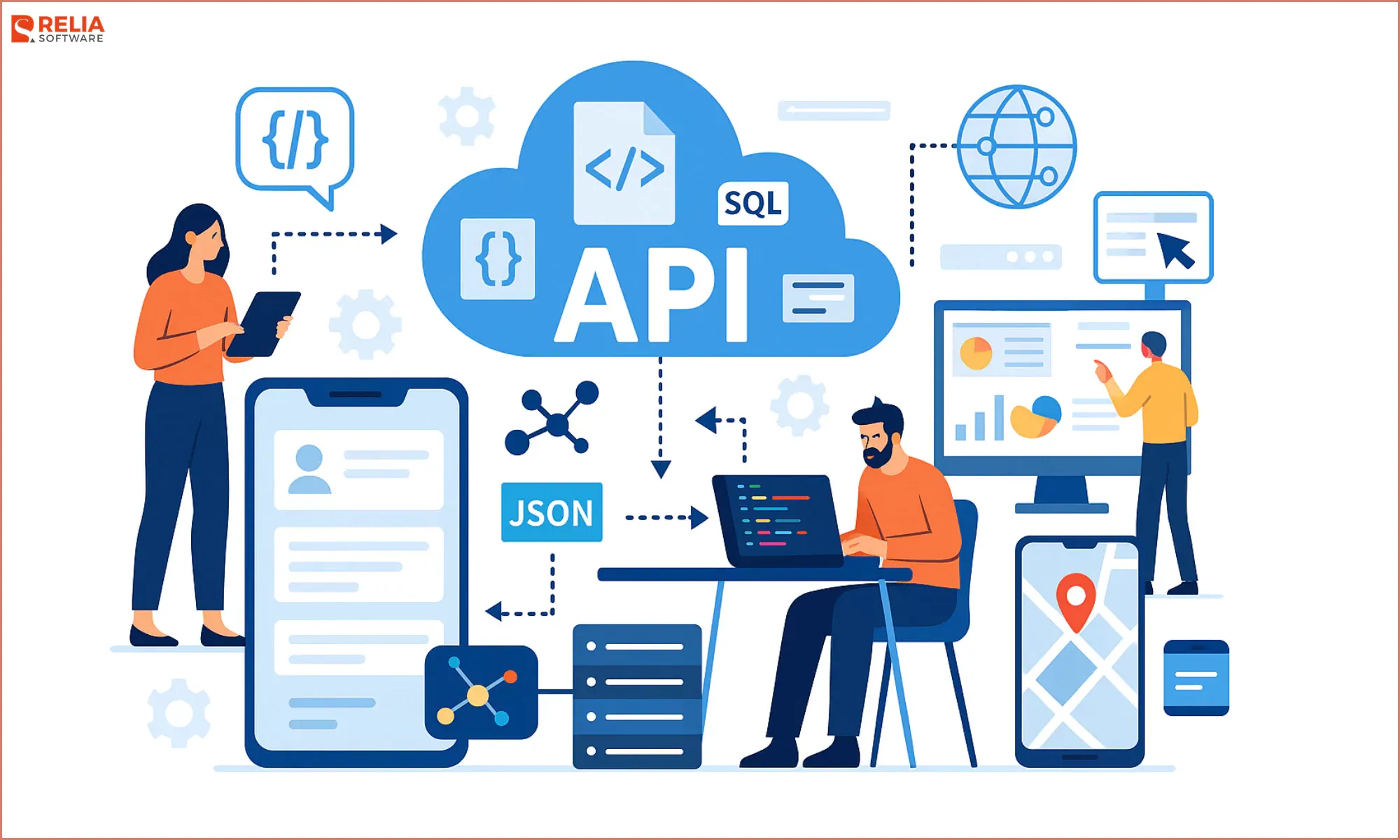
API works as a communication layer between server and client. The client sends the request, and the server responds. A basic API flow usually works like this:
|
Step |
What Happens |
|
1. The user takes an action |
A user clicks a button, submits a form, logs in, searches for a product, or opens a page. |
|
2. The app sends an API request |
The web or mobile app sends a request to an API endpoint, such as /login, /products, or /orders. |
|
3. The API checks the request |
The API checks details such as authentication, user permission, input format, and required data. |
|
4. The server processes the request |
The backend reads from a database, updates records, runs business rules, or connects with another service. |
|
5. The API returns a response |
The API sends data back to the app, usually in JSON format. |
|
6. The app updates the screen |
The web or mobile app uses the response to show new data, confirm an action, or display an error message. |
For example, a request to get user details looks like this:
GET /api/users/123

Authorization: Bearer token
The API may return a response like this:
{

  "id": 123,

  "name": "Anna Lee",

  "email": "anna@example.com"

}
>> Read more:
- What is tRPC? Building Robust APIs with TypeScript and tRPC
- gRPC vs GraphQL: Choosing the Right API Technology
- tRPC vs gRPC: Which API Protocol Should You Choose?
Common Types of APIs to Consider in API Development
By Access
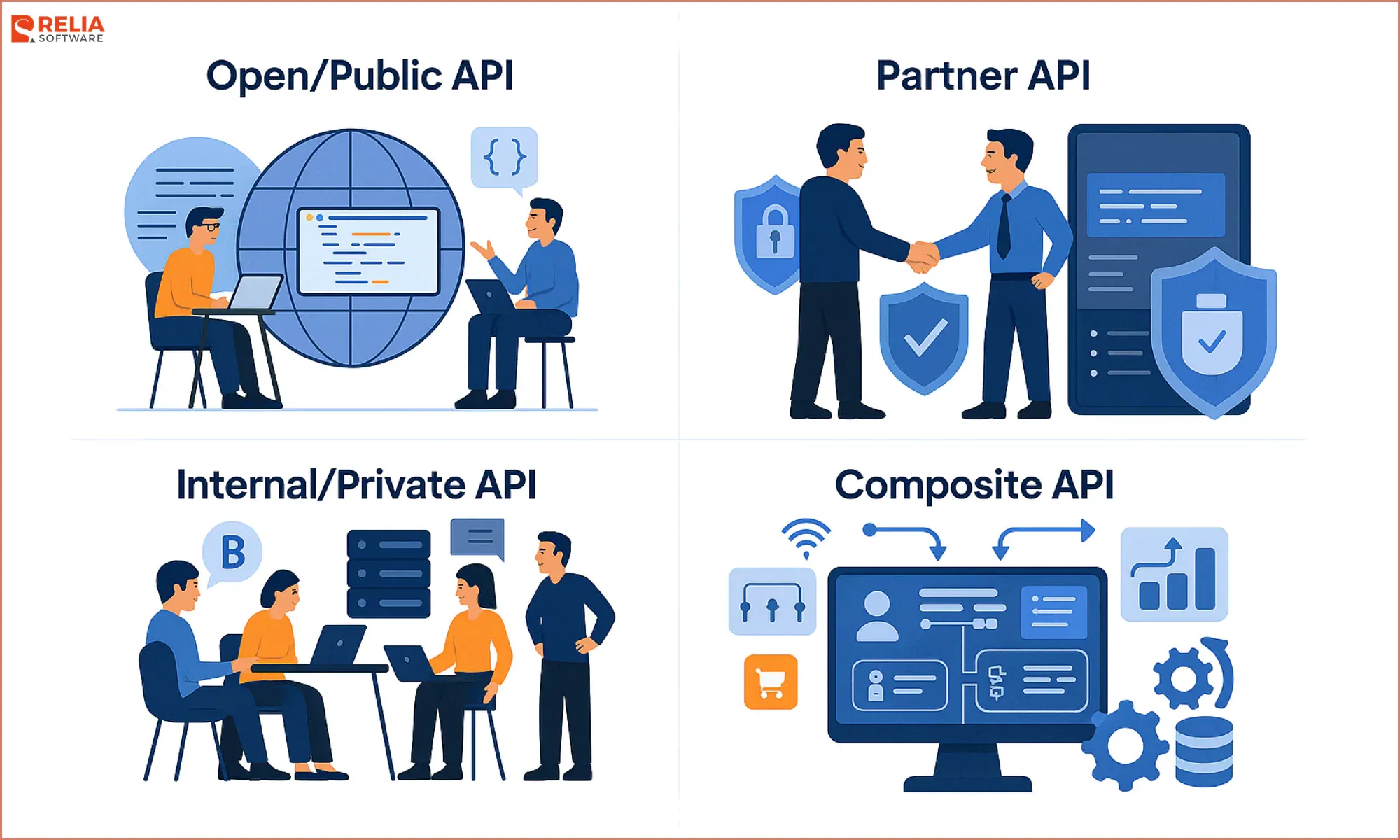
APIs can be divided into 4 different categories on the basis of their functionality like Open APIs, Partner APIs, Internal APIs, and Composite APIs. All of these differ in terms of security, scalability, and usage and they rely heavily on business needs and strategy.
Deciding on the right type of API for your project is the first and one of the most important steps in API development as it shapes how your services will be accessed by end users and other programs or developers.
Open/Public API
A Public/Open API is available to developers and businesses for access and implementation. The Open APIs provide detailed documentation on their usage and implementation process. These APIs let businesses expand their presence and integrate with other apps and help students with their projects.
Common use cases: Payment gateways, maps, weather data, social media login.
Partner API
Partner APIs are proprietary and strictly limited to usage between businesses or parties that have a collaboration between them. This means these APIs won’t be accessible to the third party, but require approval, contracts, or special access.
Partner APIs provide no publicly available documentation for understanding the functioning of the API. They are mostly used by secure servers, financial institutions, and in supply chain management where security is a major concern.
Common use cases: Supplier portals, logistics partners, banking integrations
Internal/Private API
An Internal or Private API is more limited in terms of exposure. It is solely developed for a business and is used only inside the business to link services internally to improve communication and data exchange between internal systems.
For instance, payroll and HR records can be managed by an Internal API within an organisation to make salary and staff management more efficient. They allow businesses to increase productivity while keeping confidential and sensitive information secure.
Common use cases: CRM, ERP, HRM, internal dashboards, inventory systems.
Composite API
Composite APIs combine data or actions from several APIs into one request to reduce multiple calls between systems. This is especially useful when a client needs access to various data in one query from a range of services.
For example, when a user signs up for an eCommerce website and orders something, a Composite API comes into action to facilitate things like User Account Creation, Cart Management, Checkout, and Inventory Management (Removing items from the stock and adding them to the user cart) as a whole.
Common use cases: Order checkout, travel booking, customer profile syncing.
In enterprise environments, especially, understanding the nuances between these API types is crucial.
- Open APIs can extend your services' reach.
- Partner APIs help maintain controlled ecosystems with external partners.
- Internal APIs facilitate inter-service operability and can significantly enhance productivity.
- Composite APIs can streamline interactions in complex system architectures.
Balancing these API types, considering the business context, security implications, and the desired level of accessibility, is fundamental to creating an effective API strategy.
By Architecture
APIs can also be classified by the way they handle requests, data, and communication.
REST APIs
REST APIs use standard HTTP methods such as GET, POST, PUT, and DELETE. They are stateless, simple, flexible, and widely used in web and mobile app development.
Best for: Web apps, mobile apps, SaaS platforms, e-commerce systems
Limitation: REST APIs sometimes cause over-fetching, forcing an app to download an entire profile block when all it needed was a single username.
GraphQL APIs
GraphQL allows clients to request only the exact data they need to reduce over-fetching and enable efficient data loading using a single query.
Best for: Composite API architecture, mobile apps, dashboards, social apps, complex frontend systems.
Limitation: GraphQL is harder to cache efficiently and requires a steeper learning curve for backend teams to build and secure.
gRPC APIs
gRPC is a high-performance API style that uses Protocol Buffers, which is fast and works well for communication between backend services.
Best for: Microservices, internal systems, real-time backend communication
Limitation: gRPC is difficult to use directly in a standard web browser, so it is mostly a backend-only tool.
SOAP APIs
SOAP is an older API style with strict rules and XML-based messages. It features strict built-in security compliance and transaction reliability.
Best for: Legacy enterprise systems, financial services, government platforms
Limitation: SOAP is rigid, slow, and complex.
WebSocket APIs
WebSocket APIs support two-way communication between client and server. They allow data to update in real time without repeated requests.
Best for: Chat apps, live tracking, trading apps, online games
Limitation: WebSocket requires more server memory and resources to maintain thousands of active connections simultaneously.
>> Read more: gRPC vs GraphQL: Choosing the Right API Technology
The Importance of API in Modern Software Development
Enhanced User Experience
In the context of modern web and mobile applications, APIs play a significant role in querying and displaying data from the servers into the client device screens. With their dynamic ability to exchange information between programs, APIs are enhancing the overall user experience in terms of usability and functionality of modern applications.
Generated Revenues
APIs are also helping businesses generate revenues, integrate various systems, and collaborate to create new applications and software for the end user. For instance, a website or a mobile app that allows purchase and payment through VISA or ApplePay uses their API to safely send card details and credentials to the selected payment server from your phone.
Quick Integration of 2 Distinct Apps
The beauty of APIs lies in their ability to quickly integrate two completely different applications for the benefit of the user. Integration of Google Maps in ride-sharing apps is another example of this.
Because of Google Maps API, Uber, Lyft and other ride-sharing applications don’t have to come up with their own Maps for navigation, as integrating Google Map with their API is convenient.
The API Development Process
Step 1: Planning and Design
You need to map out what the API will do, who will use it, and how data will look before writing a single line of code.
Many tech teams use a design-first approach with tools such as OpenAPI Specification or Swagger to create a blueprint. The blueprint is written in simple text and outlines every endpoint, HTTP methods, parameters, response examples, status codes, and authentication rules.
Step 2: Setting up Architecture & Security
After the API design is clear, we turn the blueprint to the technical foundation, including picking tech stack and deciding security rules.
Common technologies include:
|
Language |
Frameworks |
Best For |
|
Python |
FastAPI, Flask |
Modern APIs, data-heavy systems, AI/ML integrations |
|
JavaScript |
Node.js with Express |
Web APIs, real-time features, full-stack JavaScript teams |
|
C#/.NET |
ASP.NET Core |
Enterprise APIs, internal systems, Microsoft-based environments |
|
Go |
High-performance APIs, microservices, cloud-native systems | |
|
Java |
Spring Boot |
Large enterprise systems, banking, insurance, complex backend platforms |
API security has to be planned early to avoid vulnerabilities, not added as an afterthought at the end. You need to decide how users, apps, or outside systems will prove their identity and what actions they are allowed to perform. Consider:
- OAuth 2.0 & OpenID Connect (OIDC): The enterprise standard for secure, token-based authentication.
- JSON Web Tokens (JWT) & API Keys: For managing user sessions and identifying developer access.
- Rate Limiting & Throttling: Guardrails built to prevent users or bots from spamming your system and crashing the servers.
Step 3: Prototyping and Development
Once the architecture is ready, developers build the actual API endpoints, each follows the API contract, style guide, and security rules defined in the earlier steps.
Backend developers write the logic that handles requests, queries the database, applies business logic, and formats the output into clean JSON text.
Good API development also includes proper error handling. If a user requests missing data, the API returns a clear 404 Not Found response. If the server has an issue, the API returns a proper 500 Internal Server Error response. Clear errors help frontend apps, mobile apps, and partner systems react correctly instead of failing without explanation.
Step 4: Testing
Because an API doesn't have a visual user interface, QA teams use specialized API testing tools like Postman or automated test scripts to stress-test the endpoints.
- Functional Testing: Does the endpoint actually return the correct data when asked?
- Integration Testing: Whether the API works well with databases, services, and third-party systems?
- Performance/Load Testing: How does the API behave when 10,000 users make requests at the exact same millisecond? Does it slow down or crash?
- Contract Testing: Whether the API follows the OpenAPI, GraphQL, or protobuf contract?
- Security/Penetration Testing: Can someone bypass authentication by altering the payload?
Step 5: Deployment and API Management
Once the API passes all tests, it is deployed to production cloud environments (like AWS, Google Cloud, or Azure). Many teams use CI/CD pipelines to automate testing and deployment, helping developers release updates faster and reduce manual mistakes.
For larger systems, the API often runs behind an API gateway such as Kong, AWS API Gateway, Apigee, or NGINX. An API gateway acts as a control layer between clients and backend services to handle routing, authentication, rate limiting, traffic control, logging, and monitoring.
Step 6: Monitoring, Documentation, & Maintenance
An API is a living product, so it doesn't end after going live.
- Live Documentation: To make the API usable, it must feature clear documentation. Use tools like Swagger UI to automatically turn your initial blueprint into a beautiful, interactive webpage where developers can test endpoints directly.
- Observability: Teams use monitoring tools (like Datadog, Prometheus, or Grafana) to keep an eye on response times, error rates, and system health in real-time.
- Versioning: To avoid breaking old mobile apps that still rely on older code, you use versioning (e.g., routing traffic to /v1/ or /v2/ of your API) to keep everyone running smoothly.
API Development Cost and Timeline
API development cost and timeline depend on the API’s scope, number of endpoints, backend logic, security level, third-party integrations, documentation needs, and long-term maintenance plan.
|
API Scope |
Estimated Cost |
Estimated Timeline |
What It Usually Includes |
|
Basic API integration |
$3,000 – $10,000 |
1 – 3 weeks |
Connects one app with an existing third-party API, such as payment, email, map, CRM, or analytics API. |
|
Simple custom API |
$8,000 – $25,000 |
3 – 6 weeks |
Covers basic endpoints, authentication, database connection, simple backend logic, testing, and documentation. |
|
Medium API system |
$25,000 – $60,000 |
2 – 4 months |
Includes multiple endpoints, user roles, business rules, third-party integrations, security checks, deployment, and monitoring. |
|
Public or partner API |
$40,000 – $100,000+ |
3 – 6 months |
Requires developer documentation, API keys, rate limits, usage tracking, versioning, access control, and support process. |
|
Enterprise API platform |
$80,000 – $200,000+ |
6+ months |
Connects several systems, supports high traffic, uses API gateways, CI/CD, advanced security, observability, and long-term governance. |
These ranges are general estimates, not fixed prices. The final API development cost can be higher or lower depending on the team’s location, hourly rate, project scope, compliance needs, hosting setup, and support model.
Best Practices for Effective API Development
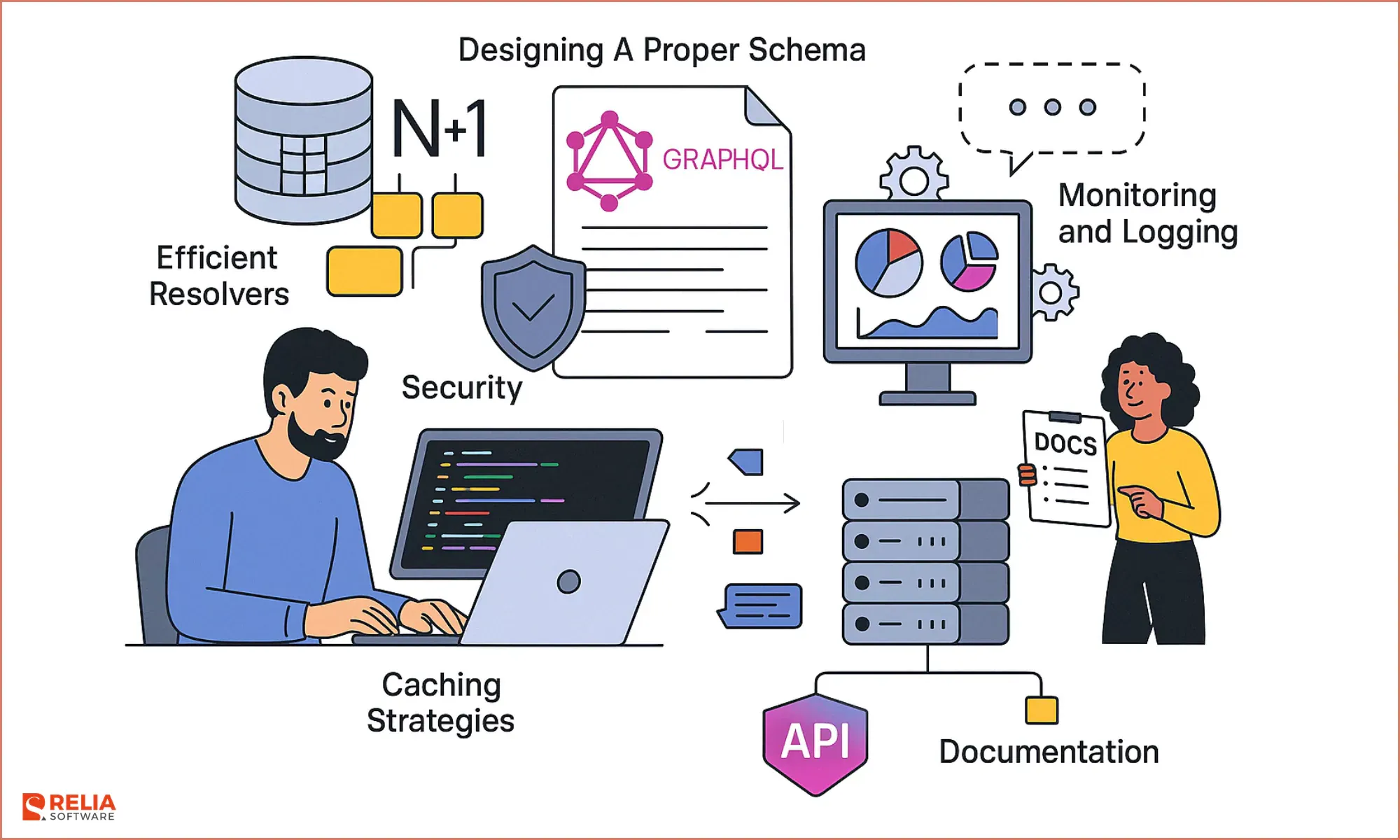
Design a Strong GraphQL Schema if Using GraphQL
GraphQL APIs need a well-planned schema to stay clear and efficient. A good GraphQL schema reflects the real data structure, defines clear types and relationships, and avoids confusing query patterns.
Developers should also design efficient resolvers to prevent performance issues such as the N+1 query problem, where one request triggers too many repeated database calls.
Follow RESTful Principles Where Suitable
REST is still one of the most common choices for web and mobile APIs because it is simple, flexible, and widely supported. When building REST APIs, developers should use clear resource-based URLs, standard HTTP methods, and proper status codes.
For example:
|
Action |
HTTP Method |
Example Endpoint |
|
Get users |
GET |
/users |
|
Get one user |
GET |
/users/{id} |
|
Create a user |
POST |
/users |
|
Update a user |
PUT or PATCH |
/users/{id} |
|
Delete a user |
DELETE |
/users/{id} |
Keep API Structure Consistent
Consistency is one of the most important parts of good API development. Endpoints, request formats, response formats, error messages, naming rules, and pagination have to follow the same pattern across the whole API.
A consistent API helps frontend developers, mobile developers, QA testers, and external partners work faster because they do not need to relearn the API pattern for every endpoint.
Use Clear Error Codes and Messages
Good error handling improves API usability. Instead of returning vague errors, the API should use proper HTTP status codes and helpful error messages.
Common examples include:
|
Status Code |
Meaning |
Example Use |
|
400 Bad Request |
The request is invalid |
Missing required field |
|
401 Unauthorized |
Authentication is missing or invalid |
Invalid access token |
|
403 Forbidden |
The user is authenticated but not allowed |
No permission for this action |
|
404 Not Found |
The requested resource does not exist |
User ID not found |
|
429 Too Many Requests |
The client sent too many requests |
Rate limit exceeded |
|
500 Internal Server Error |
Server-side error |
Unexpected backend failure |
Error responses are descriptive enough to help developers fix the issue, but they should not expose sensitive system details.
Write Complete API Documentation
Documentation is one of the most important parts of sustainable API development. Good documentation helps developers understand how the API works, how to authenticate, which endpoints are available, what each request needs, and what each response means.
Strong API documentation should include:
- API overview and use cases
- Authentication steps
- Endpoint descriptions
- Request parameters
- Response examples
- Error codes
- Rate limits
- Versioning notes
- Common integration examples
Clear documentation also helps new developers join the project faster and makes long-term maintenance easier.
Maintain Versioning and Backward Compatibility
New features, changed business rules, or improved data structures require new API versions. Without versioning, changes can break old mobile apps, partner integrations, or internal systems.
A simple versioning structure such as /v1/ and /v2/ helps teams release improvements while keeping older integrations stable. When breaking changes are needed, the team should provide clear deprecation notices, migration guides, and enough time for users to move to the new version.
The Future of API Development
API-First Development
API-first development means the API is designed before the application is fully built. The API becomes a core part of the product, not a late technical add-on after the backend is already finished.
Previously, many teams built the database and backend logic first, then added the API near the end of the project. This old approach created delays because frontend, mobile, and QA teams had to wait until the backend was ready before they could start real integration work.
WIth API-first development, teams define the API contract early, so frontend, backend, mobile, QA, and partner teams work from the same blueprint. Developers can create mock servers, write tests earlier, and reduce integration issues later. API-first development eliminates dependencies and makes the whole product easier to scale and maintain.
AI-Ready APIs
The boom in Artificial Intelligence has created a brand-new user for web services. APIs no longer just serve data to human beings looking at phone screens, they also serve data to AI autonomous agents.
An AI-ready API uses design standards like OpenAI’s function calling or the Model Context Protocol that allow an AI model to safely trigger backend actions. For example, an AI agent needs APIs to retrieve customer records, check inventory, summarize support tickets, trigger workflows, or send alerts.
Because AI models parse data differently than humans, this future requires specialized AI Gateways to handle unique challenges. These gateways manage token-based rate limits, handle semantic caching (saving money on repetitive AI queries), and enforce strict safety guardrails so an AI agent doesn't accidentally wipe out your database.
Edge and Serverless APIs
In a traditional setup, if your physical server center is in Virginia, a user accessing your app from Tokyo will experience frustrating network lag while their data travels across oceans.
The future of high-performance apps relies on Edge Computing and Serverless APIs (using platforms like Cloudflare Workers or AWS Lambda@Edge).
Instead of hosting your API code on a server in one city, serverless edge frameworks copy your code across thousands of server nodes scattered globally. When a user makes a request, the code runs at the location closest to them. This reduces network latency to milliseconds and removes the need to maintain or scale server infrastructure by hand.
>> Read more:
- A Developer Guide to Serverless Architecture With Azure Functions
- AWS Lambda vs Azure Functions: Pricing, Performance & More
Machine-Readable Docs
Traditional API documentation (even clean tools like Swagger UI) is written for human eyes. A developer has to read the text, copy a code snippet, format a payload, and hook it up manually.
The future is shifting toward Machine-Readable Documentation, where outside software systems or AI developers can analyze your API schema and integrate it into their codebases automatically without human help.
By using formatted schemas and OpenAPI specifications, an AI tool can scan your documentation, understand your authentication rules, and generate the integration code in seconds.
>> Read more:
- Fetch API vs Axios: Detailed Comparison in Practical Scenarios
- API Development in Go with OpenAPI
Conclusion
APIs have become a core part of modern software development. They help applications, databases, cloud services, and third-party platforms connect smoothly, allowing businesses to save time, reduce manual work, and improve system efficiency.
API development is now more than system integration. It helps businesses connect products, data, users, partners, and digital services in a flexible way. With the right API strategy, companies can build software that is easier to scale, integrate, and improve over time.
>>> Follow and Contact Relia Software for more information!

- development
- Mobile App Development
- web development