


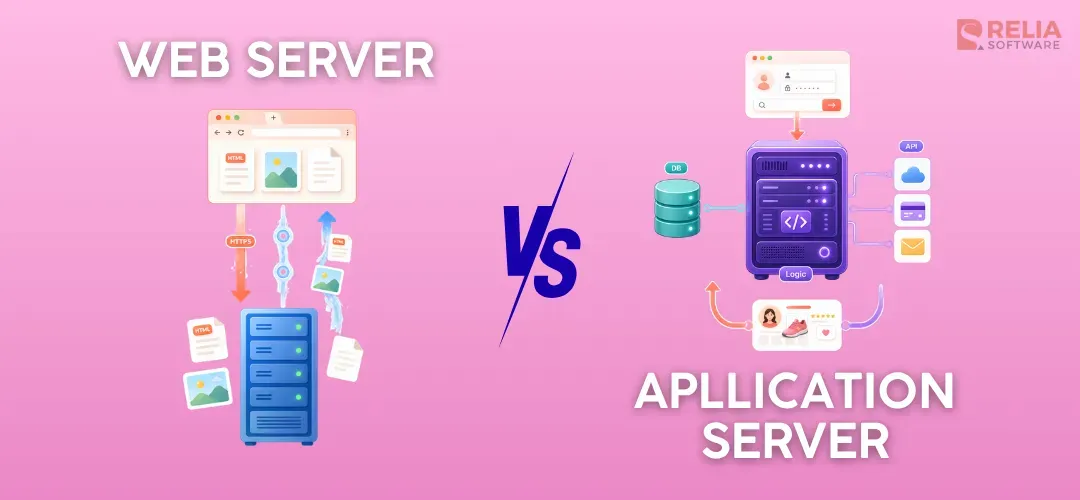
A web server mainly delivers static content like images, text, and page files, while an application server runs code and handles the logic behind dynamic features like checking a bank balance or updating a shopping cart. Even though many modern systems can combine parts of both roles, it is still important to understand what each one does and when to use it.
In this article, we will explain about each server type, how they are different, how they work together, and when to use each one based on your project. The goal is to give you a clear and practical understanding so you can choose the right setup for your project.
|
Key Takeaways:
|
What Is a Web Server?
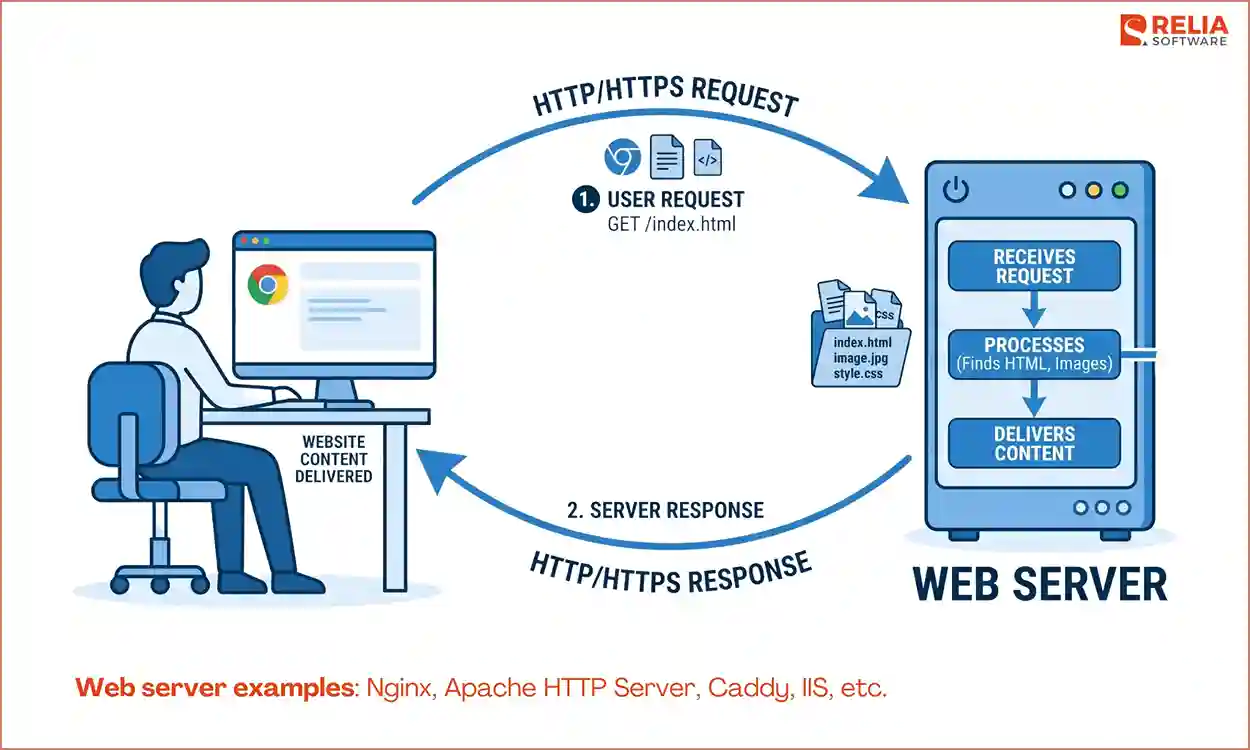
A web server is a system that stores, processes, and delivers website static content (HTML pages, images, etc.) to users over the internet. When someone opens a website in a browser, the web server receives the request, finds the needed resource, and sends it back through HTTP or HTTPS. It is a part of a web system that makes website content available to users.
A web server is usually a combination of hardware and software working together:
- Hardware: the physical or virtual machine that stores website files like HTML, CSS, JavaScript, images, and videos, stays connected to the internet, and provides the resources needed to handle requests.
- Software: the web server program, such as Nginx or Apache, that listens for browser requests, reads the URL, finds the right file or destination, and sends the response back through HTTP or HTTPS.
Web server examples: Nginx, Apache HTTP Server, Caddy, IIS, etc.
What Is an Application Server?
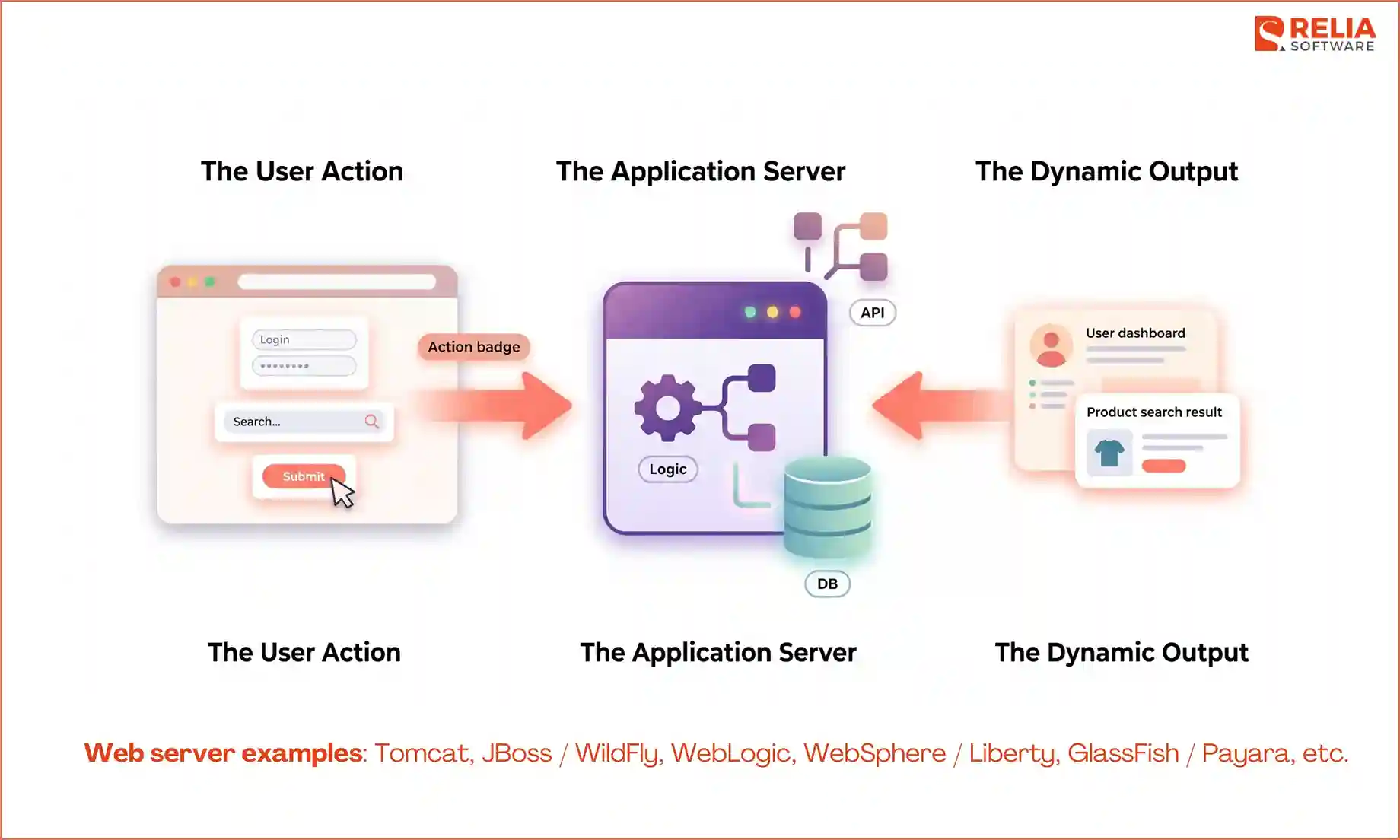
An application server is a server-side system that processes logic, works with data, responds to user actions, and builds dynamic output, which is the backend part of an application. When a user logs in, searches for a product, submits a form, etc., the request usually needs more than a stored file. In these cases, the application servers will check data, apply rules, connect to other services, and return a result based on that specific action.
How does an application server work?
The main job of an application server is to execute backend code. It receives a request that needs processing, runs the application logic, works with the needed resources, and sends back the result, which can be a JSON response, a success message, an error message, or processed data.
Application servers are linked to dynamic content because the response can change based on the user, the input, the current data, or the rules of the system. For example, two users may open the same login page and see the same screen at first. However, after they enter their account details, the application server processes each request and returns a different result. One user may log in successfully, while the other may see an error.
The exact features of the application server depend on the product or runtime, but common ones include:
- Business logic execution: runs the core backend code that powers the app
- Database access: reads, updates, creates, or deletes data
- Session handling: keeps track of user state across requests
- Transaction management: helps keep data operations consistent
- Connection pooling: manages reusable database or service connections
- Security support: handles login, permissions, and access control
- Integration support: connects with external systems, APIs, or messaging tools
Web server examples: Tomcat, JBoss / WildFly, WebLogic, WebSphere / Liberty, GlassFish / Payara, etc.
Web Server vs Application Server: Main Differences
Before digging deeper into detail, here is a side-by-side comparison overview of how web servers and application servers handle key aspects.
|
Aspect |
Web Server |
Application Server |
|
Main purpose |
Receives web requests and delivers content |
Runs backend logic and builds responses |
|
Content |
Usually static files (HTML, CSS, JS, images) and cached content |
Both static and dynamic responses based on data and logic |
|
Business logic |
Limited or indirect |
Core responsibility |
|
Database interaction |
Usually minimal or passed through |
Common and central |
|
Protocol |
Mainly HTTP/HTTPS |
HTTP, RPC/RMI, messaging (JMS), etc. |
|
Performance Strength |
Fast delivery of web content |
Backend processing and application behavior |
|
Built-in services |
Routing, HTTPS, caching, reverse proxy, load balancing |
Sessions, transactions, connection pooling, integration, security support |
|
Examples |
Nginx, Apache HTTP Server, Caddy, IIS |
Tomcat, JBoss, WebLogic, WebSphere, GlassFish, Payara |
|
Best fit |
Static sites, content delivery, frontend serving, reverse proxying |
Dynamic content, business systems, database-driven platforms |
Primary Role
A web server is mainly responsible for handling incoming requests from a browser and sending back the needed website files. When you enter a website address, it finds the right content and delivers it over the internet. It is usually the first part of the system that handles the user’s request, and if the request is simple, it can manage it on its own.
An application server handles the work that runs the application logic behind the users’ requests. It runs code, processes data, makes decisions, and connects with other systems like databases or messaging tools. For example, when a user logs in to an app, the application server checks the account details, verifies the user, loads the right data, and returns a response based on that request.
Content Type
A web server is strongly linked with static content that is already available and ready to send, including HTML files, CSS stylesheets, JavaScript files, images, videos, PDFs, fonts, and other web assets. When the same file can be delivered directly to many users without needing extra processing, that is usually web server work.
On the other hand, an application server deals with dynamic content that must be created, processed, or changed before it can be returned, like HTML for a dashboard, JSON from an API, a search result, login details, totals in a shopping cart, or a report from live data.
For example, when a user opens a public page on Medium, such as a blog article, the content is delivered by the web server, so it is usually the same for everyone. However, when the user signs in, the system needs to check the account and load personal data like saved stories or recommendations, so the application server is used here to process the request and build the response.
Protocol
Web servers mainly work with HTTP and HTTPS because these are the main protocols used to deliver web pages and other static web content. Because of its narrow focus on a specific type of communication, web servers can handle requests quickly and efficiently.
Application servers have more flexible options, like RPC/RMI, messaging (JMS), etc, because they do more than handle simple web requests. They may use RPC to run code across different systems, SOAP to exchange structured data, or messaging tools like JMS to send data between parts of a system. These options help the application server handle backend processing and keep different parts of the application working together.
Business Logic Handling
Business logic is the set of rules that control how an application works.
A web server mainly delivers content instead of dealing with these rules. Its job is mostly to find the right content and send it back, without needing to understand how the data is used or why it matters. When a request needs checking, processing, or user-specific logic, the web server passes it to the application server instead of handling it on its own.
However, an application server is where the system handles the actual logic behind a request. It checks rules, processes data, makes calculations, and decides what response should be returned. For example, it can verify whether a bank user has enough money to withdraw funds, apply a discount code during checkout, load a personalized dashboard, or complete steps in order during a booking process.
Database & Backend Integration
A web server has a very limited relationship with a database because it is not designed to query data or store new information from there. In contrast, an application server is the main layer that connects the user-facing side of an app with backend systems like databases, storage, payment tools, or email services.
The application server can also manage reusable database connections for better speed and coordinate work across multiple services. It also helps keep important actions consistent, such as making sure a money transfer is either completed fully or not applied at all.
For example, when a user places an order, the application server can:
- Read product data
- Check stock
- Validate the user session
- Create the order record
- Update inventory
- Send a payment request
- Return a final result
Resource Usage
Web servers use fewer resources than application servers because they are usually optimized for fast, efficient delivery of web traffic. They mainly handle requests for static or lightly processed content, so it does not need much CPU or memory.
Meanwhile, an application server uses more resources because it needs more CPU and memory to run code, process data, and handle backend tasks, especially when the app becomes larger or more complex. Application servers often run multiple tasks at the same time, such as handling user requests or querying data, which also increases resource usage.
To keep performance stable, application servers may need more memory, faster processors, or ready-to-use connections so they can respond quickly to new requests.
Built-in Features
Web servers provide a small set of built-in features with more focus on access, speed, and basic security than on full application support. They can host multiple websites on the same machine, keep logs of requests and errors, and handle HTTPS to secure data between the browser and the server. They also use caching to store frequently requested files, which helps deliver content faster.
On the other hand, application servers offer more built-in services because they handle deeper backend work. Depending on the platform, they can manage transactions to keep important actions consistent, support sessions so the system remembers each user, and reuse resources like database connections for better performance.
Many servers also support clustering and stronger access control, which makes application servers important in enterprise systems by helping manage large applications to stay available and secure.
How Web Servers and Application Servers Work Together?
In most systems, web servers and application servers work together, each handling a different part of the request. The web server is at the front-end, receives all incoming traffic, and handles simple requests like loading pages or images directly. If a request needs processing, such as logging in or fetching data, the web server forwards that request to the application server, which helps keep the system fast, organized, and easier to scale.
Here is a typical flow when a user interacts with a web application:
- The user sends a request from a browser or app.
- The request first reaches the web server.
- The web server checks the request.
- If it is a simple file request, the web server returns the content directly.
- If it needs processing, the web server forwards the request to the application server.
- The application server runs the logic, works with data, and builds a response.
- The response goes back through the web server and is sent to the user.
As you can see, the flow keeps each part of the system focused on what it does best. However, in modern applications, such as web apps, SaaS platforms, and internal systems, the structure can be a little bit different.
- The web server handles incoming traffic and serves frontend files
- The application server handles API requests and backend logic
- A database stores and manages data
In practice, you will often see setups like:
- Nginx in front of a Node.js app
- Nginx in front of a Spring Boot or Tomcat backend
- Apache serving PHP applications
The web server manages incoming traffic and serves static content, while the application server handles logic and data processing. In container-based or cloud systems, these parts may run in different services or look different in structure, but the roles of delivery and processing still stay the same.
However, some servers now can handle both delivery and backend processing, so the difference between a web server and an application server is not as clear as it used to be. Many modern backend frameworks, such as Node.js, Spring Boot, and ASP.NET Core, can also receive HTTP requests and return responses on their own, which means teams do not always need a traditional application server in the older sense.
At the same time, web servers now do more than just send files. They can handle tasks like reverse proxying, caching, compression, HTTPS, load balancing, and request routing. Even so, the basic idea still matters: one part handles delivery, and another handles processing, and that separation is still useful when designing systems.
When To Use a Web Server, an Application Server, or Both?
When To Use a Web Server?
You should choose a web server when:
- The content is mostly static
- The same page or file can be sent to many users
- The system mainly serves frontend assets
- There is little or no backend processing
- Fast delivery and traffic handling matter most
For example, you can use a web server for a company website, a landing page, a documentation site, a public blog, or any other site where most pages are the same for every visitor. It is also a strong fit for serving frontend files such as HTML, CSS, JavaScript, images, videos, and downloadable documents.
When To Use an Application Server?
You should choose an application server when:
- Users need to sign in or manage accounts
- The system works with databases
- Responses change based on user input or live data
- The app applies business rules
- The system needs to process forms, transactions, or workflows
For example, an online banking app, checks account activity, or transfers money needs backend logic, so using an application server is the best fit. The same idea applies to online stores, school systems, booking platforms, payroll software, admin panels, and many SaaS products.
When to Use Both Together?
In many real projects, use both together when the system needs one layer to handle traffic and content delivery, and another layer to handle backend logic and data processing.
Using both a web server and an application server is common for larger or more active applications, such as:
- E-commerce platforms
- SaaS products
- customer portals
- dashboards and admin systems
- content-driven sites with user accounts
- large business applications
FAQ
1. Is Node.js a web server or an application server?
Node.js is neither a web server nor an application server. It is a runtime that can handle HTTP requests and run backend logic, so it can take on parts of both roles depending on how it is used.
2. Why do large systems separate web servers and application servers?
Because separating them helps improve performance, security, and scalability. The web server can focus on handling traffic, while the application server focuses on processing logic and data.
3. How do microservices change the role of application servers?
In microservices, instead of one large application server, the system is split into many smaller services. Each service handles a specific task, but the idea of processing logic on the backend remains.
>> Read more:
- What Are The Differences Between a Web App and A Website?
- PWA vs Web App: Key Differences, Use Cases & How to Choose
Conclusion
Understanding the difference between these two server types helps build a stable and efficient system. Web servers are built to deliver simple content quickly with low resource usage, while application servers handle the heavier work of processing data, applying business rules, and connecting with databases.
If your project mainly delivers content, a web server may be enough. If it needs to process data and apply rules, you need an application server. And for most modern applications, using both together is the most practical choice.
>>> Follow and Contact Relia Software for more information!

- development
- Mobile App Development
- web development
- Web application Development