


Social media app development is the full process of planning, designing, building, testing, and launching an app where users create profiles, share content, and interact, then maintaining it as the user base grows. With more than 5.4 billion people using social media in 2025, the social media app market is highly competitive. However, the real challenge is not building an app but keeping users engaged and the platform safe as it grows.
In this article, we break down the types of social apps, how each one changes the build, the features users expect, a step-by-step development process, the tech stack, the main technical challenges, monetization models, and realistic cost and timeline figures. After reading this article, you can understand how to plan a social media app development project, choose the right tech stack, and estimate its cost and timeline before you start building.
Types of Social Media Apps
Networking App
Networking apps connect users through profiles and public posts. The core challenge is the social graph. When users follow thousands of accounts, the app must decide what appears in each feed and rank it fast, which requires strong database design and feed-generation logic.
Examples: LinkedIn, X, and Facebook.
Media-sharing App
Media-sharing apps center on photos, video, and any further media products. These apps need media processing pipelines, a content delivery network (CDN) to serve files quickly worldwide, and recommendation logic to keep users watching. Therefore, storage and delivery become the hard part in this kind of app.
Examples: Instagram, TikTok, YouTube, and Pinterest.
Messaging App
Messaging apps handle private and group conversations. The reliability and security level are the core part of messaging apps. Messages must arrive in real time, sync across devices, and stay private, which usually means end-to-end encryption and infrastructure that supports millions of live connections.
Examples: WhatsApp, Telegram, Signal, and Messenger.
Community & Content App
Community and content apps organize discussion around topics or interests. These apps depend on moderation and structure. They need systems for nested comments, voting or reputation, and per-community rules, since content quality is the product.
Examples: Reddit, Quora, and Discord.
Live-streaming App
Live-streaming apps broadcast video or audio in real time, like Twitch or live-shopping platforms. These apps need streaming protocols that deliver video with minimal delay, live chat that scales with the audience, and infrastructure that absorbs sudden traffic spikes when a stream goes viral.
Examples: Twitch, YouTube Live, and live-shopping platforms such as Shopee and Lazada.
Dating Apps
Dating apps connect people based on compatibility rather than existing relationships. The defining work is a matching engine that uses location, mutual interest, and behavior data to suggest relevant people and improve those suggestions over time.
Examples: Tinder, Hinge, and Bumble.
Must-Have Features for a Social Media App
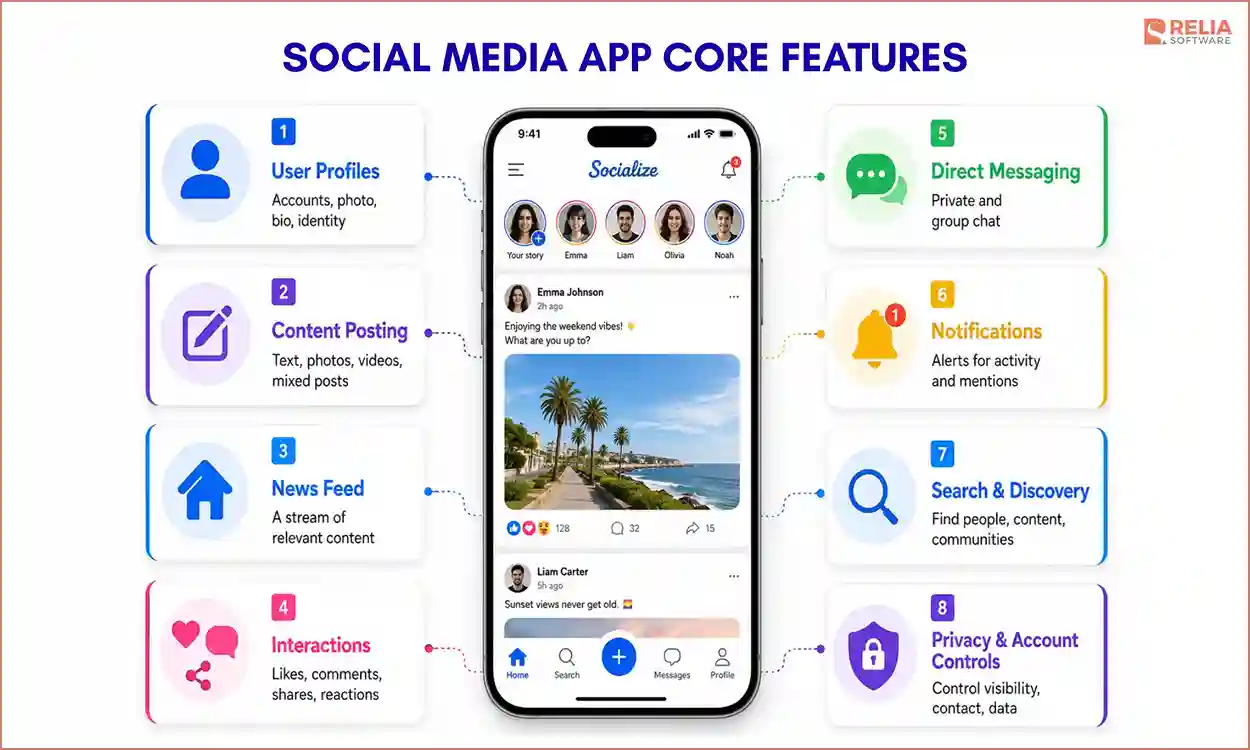
Every social media app, regardless of type, needs a core set of features as a foundation that let users create an identity, share content, and interact. You can add advanced features later, but the app cannot function without these.
- User profiles: Let users create an account, add a photo and bio, and manage their identity on the platform.
- Content posting: Give users tools to create and publish posts, whether that means text, photos, video, or a mix.
- News feed: Show each user a stream of relevant content from the accounts, topics, or communities they follow.
- Interactions: Support likes, comments, shares, and reactions so users can respond to content and to each other.
- Direct messaging: Provide private one-on-one and group chat, since most social apps need a way to talk away from the public feed.
- Notifications: Alert users to new activity, such as messages, reactions, and mentions, to bring them back into the app.
- Search and discovery: Help users find people, content, and communities through search, filters, and suggestions.
- Privacy and account controls: Let users decide who can see their content, who can contact them, and what data is public.
How to Create a Social Media App? Step-by-Step Process
Building a social media app follows five phases, from planning the social experience to growing the app after launch. Each phase groups the work that belongs together, and the key decisions early on shape the cost, scale, and timeline of everything that follows.
Phase 1: Plan the App and Define the Social Experience
Start by validating the idea and choosing the app type that fits how your target users want to interact. The social media app market is saturated, so try to study which behaviors current apps handle poorly, then pick the type tied to the single action users will repeat most often. This decision sets your MVP scope and every later estimate, so resolve it first.
With the type set, now let’s design the core engagement loop that fits it. The loop is the cycle a user runs many times a day: they open the app, do the main action, and get a response that brings them back. The loop you choose also defines your technical needs, since a reply-based loop needs real-time messaging and a feed-based loop needs ranking logic.
Phase 2: Design the Social Architecture and Tech Stack
Decide how the system will support what your engagement loop needs, such as real-time messaging, feed ranking, or a matching engine. The core choices are how you store relationships between users, how you generate each feed, and whether updates run in real time or in batches. These decide how far the app can scale and what it costs to run.
One decision shapes the whole build: how you model the social graph, the data structure that stores who connects with whom. Decide early whether relationships are one-way, like followers, or two-way, like mutual friends, because that model determines how the backend and feed are built.
Phase 3: Build the Social Features
Build the backend, social graph, and feed first, since the graph sits at the center of the app and feed generation constantly reads from it. You also have to choose how feeds are generated between a pull or push model.
- A pull model builds each feed when the user opens the app, which is simpler to build but slower for active users.
- A push model instead writes posts into followers' feeds as they happen. This approach is faster to read but costs more to write.
Once the backend is ready, build the frontend across the platforms you support and keep the experience consistent across mobile and web apps. Then, you can add real-time features such as messaging, notifications, and media uploads. Finally, track every place where users can create or share content, and build reporting, moderation, and admin tools before launch.
Phase 4: Test the App Under Social Load
Test the app under conditions that match real usage, including the moderation tools you just built. Social apps face spiky, uneven load, since a viral post or live event can multiply traffic in minutes. Test how feeds, messaging, media, and moderation hold up under concurrent users, not just whether each feature works on its own.
Security testing is more important here because a breach could expose user relationships and private conversations. Clean results across load, security, and core-loop testing are the signal that the app is ready to launch.
Phase 5: Launch and Grow the App
Once testing confirms the app holds up, release it in stages so you can catch scaling and moderation problems before they reach the whole audience. After launch, retention decides whether a social app survives, so track how users move through the engagement loop and add features based on real behavior rather than guesses. A social app is never finished at launch, since growth depends on continuous improvement.
Social Media App Tech Stack: Tools & Frameworks
A social media app's tech stack covers six layers: the mobile frontend, the backend and APIs, a real-time layer, media storage with a delivery network, the database, and authentication with security. The real-time layer and the media layer are two layers that most define a social app since they handle the live activity and heavy content that set social platforms apart from standard apps.
The table below shows what each layer does in a social app and the development tools commonly used for it.
|
Layer |
Uses |
Common Technologies |
|
Mobile frontend |
Builds the screens users interact with on iOS and Android |
Swift or Kotlin (native app); Flutter or React Native (cross-platform app) |
|
Backend and APIs |
Handles accounts, posts, feeds, and business logic |
Node.js, Express.js, Django, Laravel; REST APIs, GraphQL |
|
Real-time layer |
Powers live messaging, notifications, and feed updates |
WebSocket, Firebase Realtime Database, Firestore |
|
Media storage and delivery |
Stores and serves photos and video quickly worldwide |
Cloud object storage plus a content delivery network (CDN) |
|
Database |
Stores users, the social graph, and content |
PostgreSQL, MySQL (relational); MongoDB (document) |
|
Authentication and security |
Verifies users and protects their data |
OAuth 2.0, JWT, Firebase Auth, Apple, Google, and Facebook sign-in |
>> Read more:
- Top 15 Mobile App Development Frameworks For Businesses
- 12 Frontend Technologies and 8 Development Trends
- Backend Technologies: Languages, Frameworks & Databases
Technical Challenges of Social Media App Development
Scaling Real-Time Activity
The hardest part of a social app is keeping activity fast as the user base grows. One post needs to appear in thousands of feeds, and traffic spikes can multiply load in minutes. Apps built only for the small user numbers they have at launch only often slow down or crash as posts, messages, and feed reads pile up.
Handling real-time updates takes deliberate database design, caching, and a feed model chosen for scale rather than convenience.
Content Moderation at Scale
Some user-generated content will break your rules, and manual review alone cannot handle the volume. Harmful posts can spread quickly across languages and time zones, putting users, advertisers, and the platform’s reputation at risk. Most social apps therefore combine automated filters with human review, while laws such as the EU Digital Services Act also require platforms to moderate certain content.
User Engagement and Retention
The hard part of social media app development is not getting users to install but getting them to come back. Most social apps fail after launch because the engagement loop is too weak to pull users in again. When the feed feels empty, or the core action is not rewarding, people drift away and rarely return. Sustained engagement usually comes from relevant content, timely notifications, and a loop that gives users a reason to open the app daily.
Security and Compliance
Social apps hold personal data, private messages, and the relationships between users, which makes them a target and a liability. A breach exposes exactly the information users trusted you to protect, and the damage extends to legal penalties and lost trust. To reduce these risks, apps need strong encryption, access controls, and compliance with privacy laws such as GDPR.
How to Monetize a Social Media App?
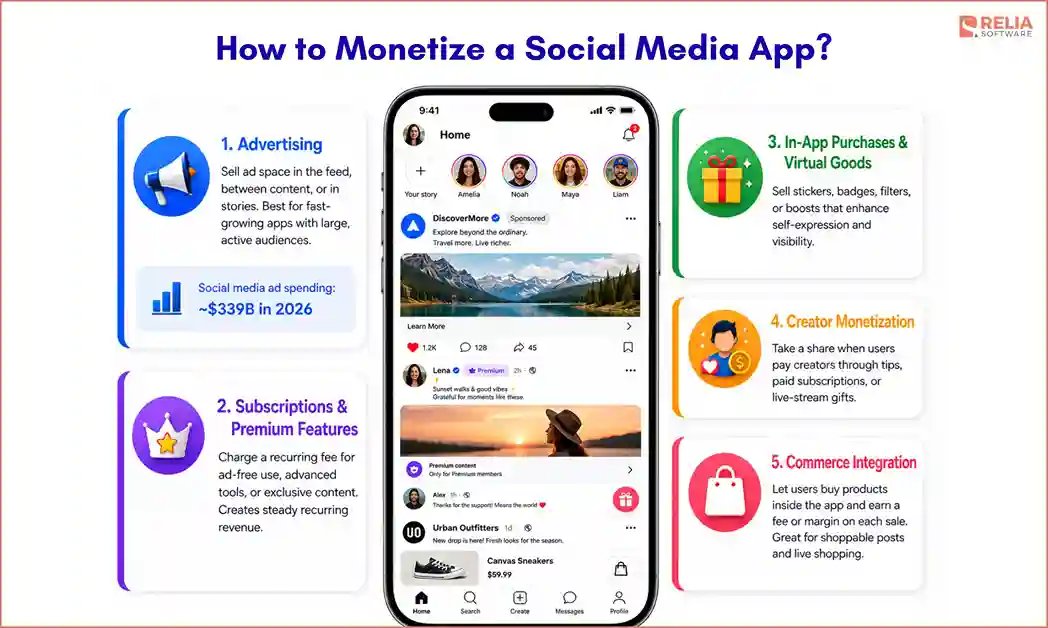
Social media apps make money in a few proven ways, and the right mix depends on your app type, audience size, and how users engage.
- Advertising: Sell ad space in the feed, between content, or in stories. This is the dominant model for large social platforms, with worldwide social media ad spending projected to reach about $339 billion in 2026. It needs a big, active user base to generate real revenue, so it suits apps that can grow fast, such as networking and media-sharing apps.
- Subscriptions and premium features: Charge a recurring fee for extra features, such as an ad-free experience, advanced tools, or exclusive content. This model brings steady revenue and works well when part of your audience values features enough to pay, common in dating and professional networking apps.
- In-app purchases and virtual goods: Sell digital items like stickers, badges, filters, or boosts that raise a user's visibility. This suits apps with strong engagement and self-expression, including media-sharing and live-streaming apps.
- Creator monetization: Take a share when users pay creators through tips, paid subscriptions, or gifts during live streams. This fits live-streaming and content apps, where creators draw the audience and the platform earns a percentage of what they make.
- Commerce integration: Let users buy products directly inside the app and earn a fee or margin on each sale. This works when shopping fits the core experience, such as media-sharing apps with shoppable posts or live-shopping platforms.
Choosing a revenue model early helps shape the app’s features and architecture. Most apps start with one model and add more later. However, any model depends on strong user retention, which is why much of the budget goes toward engagement and scalability.
Social Media App Development Cost and Timeline
Social media app development usually costs between $15,000 and $300,000 or more, and takes three months to over a year. A simple app with core features can cost less than a platform with live video, AI feeds, and moderation at scale. The two tables below break this down first by complexity tier, then by where the money and time go across the build.
By Project Complexity
|
Project Complexity |
What's included |
Timeline |
Estimated cost |
|
MVP / Basic Apps |
Profiles, posting, basic feed, likes and comments, basic messaging, single platform |
1–3 months |
$15,000–$40,000 |
|
Medium |
Real-time chat, notifications, search, media uploads, moderation tools, two platforms |
3–6 months |
$40,000–$100,000 |
|
Advanced / Scaled |
AI feed and recommendations, live streaming or heavy video, at-scale moderation, high availability |
6–12+ months |
$100,000–$300,000+ |
These ranges reflect recent 2025 and 2026 estimates and vary by team location, since developer rates differ widely between regions. Plan for ongoing maintenance as well, which typically runs 15% to 25% of the initial cost each year to cover hosting, updates, and fixes.
By Development Phase
|
Phase |
Estimated Share |
Estimated Cost |
Estimated Time |
|
Discovery & Planning |
15% |
$12,000 |
2–3 weeks |
|
UX/UI design |
10% |
$8,000 |
2 weeks |
|
Development |
50% |
$40,000 |
2.5–3 months |
|
Testing and QA |
15% |
$12,000 |
3–4 weeks |
|
Launch & Post-release |
10% |
$8,000 |
2 weeks |
Development takes the largest share because the backend, real-time layer, and media pipeline are where most of the engineering effort sits. Testing follows, since social apps need heavier load and security testing than simpler apps. Scale these figures up or down with your total budget, since the shares stay roughly the same across tiers.
How to Choose a Social Media App Development Partner?
The right app development partner does more than writing code. They should have handled those problems before, not just built simple apps. Use the criteria below to evaluate any company before you commit.
- Proven social app experience: Look for real social apps the partner has shipped and scaled, not just a technology list. Delivered products are the clearest proof they can handle feeds, real-time activity, and moderation.
- End-to-end capability: Choose a partner who covers the full process, from product planning and UI/UX design through discovery, consulting, architecture, development, testing, and post-launch support. A team that only writes code leaves you to manage the harder product and scaling decisions.
- Scaling and real-time expertise: Ask how they have handled traffic spikes, real-time messaging, and feed performance in past projects. These are the problems that break social apps, so direct experience matters more than general app development.
- Security and compliance track record: Confirm they build with encryption, access controls, and privacy laws like GDPR in mind, since social apps hold personal data and private messages.
- A clear engagement model: Understand how they scope, price, and communicate. A partner willing to discuss trade-offs honestly is more reliable than one that promises everything.
>> Read more: 8 Leading Social Media App Development Companies in Vietnam
How Relia Software Builds Social Media Apps?
Relia Software builds social media apps by identifying the app type, finding the feature that decides its success, and building the architecture and tooling around that feature. The two projects below show Relia’s case studies in practice.
Swipe
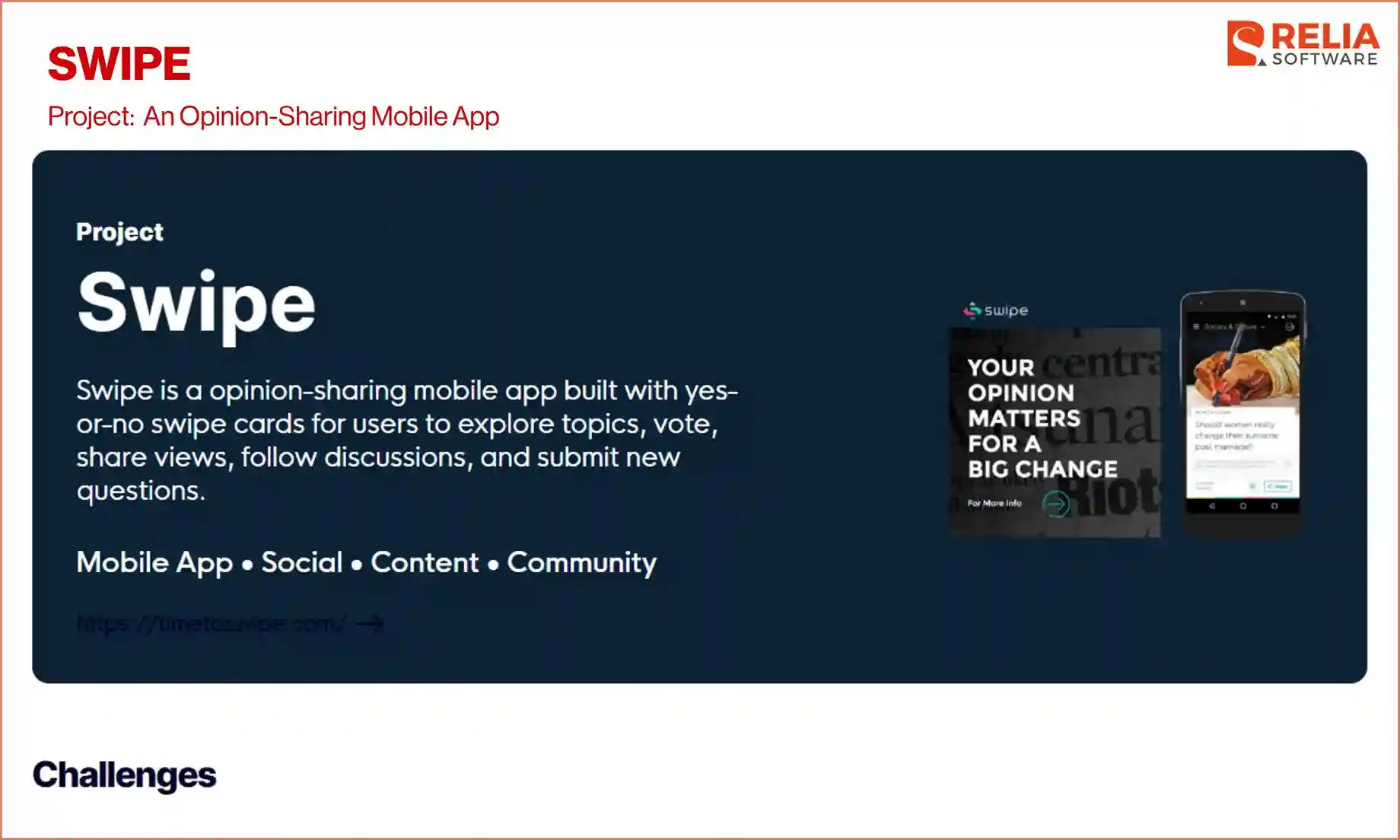
Swipe is a community app where users share opinions through yes-or-no swipe cards, then explain their vote and join the discussion. Relia designed the core loop so a single tap opens into comments, topic discovery, and user-submitted questions, which keeps users engaged past the first vote.
To manage user-generated content, Relia built a dedicated admin panel and split the stack by job: Ruby on Rails and Python to run the content and admin systems, React.js for the front-end, and native Android and iOS apps to keep the swipe interaction fast.
Result: Swipe successfully launched across iOS and Android and runs publicly at timetoswipe.com, with the voting loop, discussions, and admin tooling working together as one platform.
>> For more information about this case: Swipe - A Community App Built Around Discussion
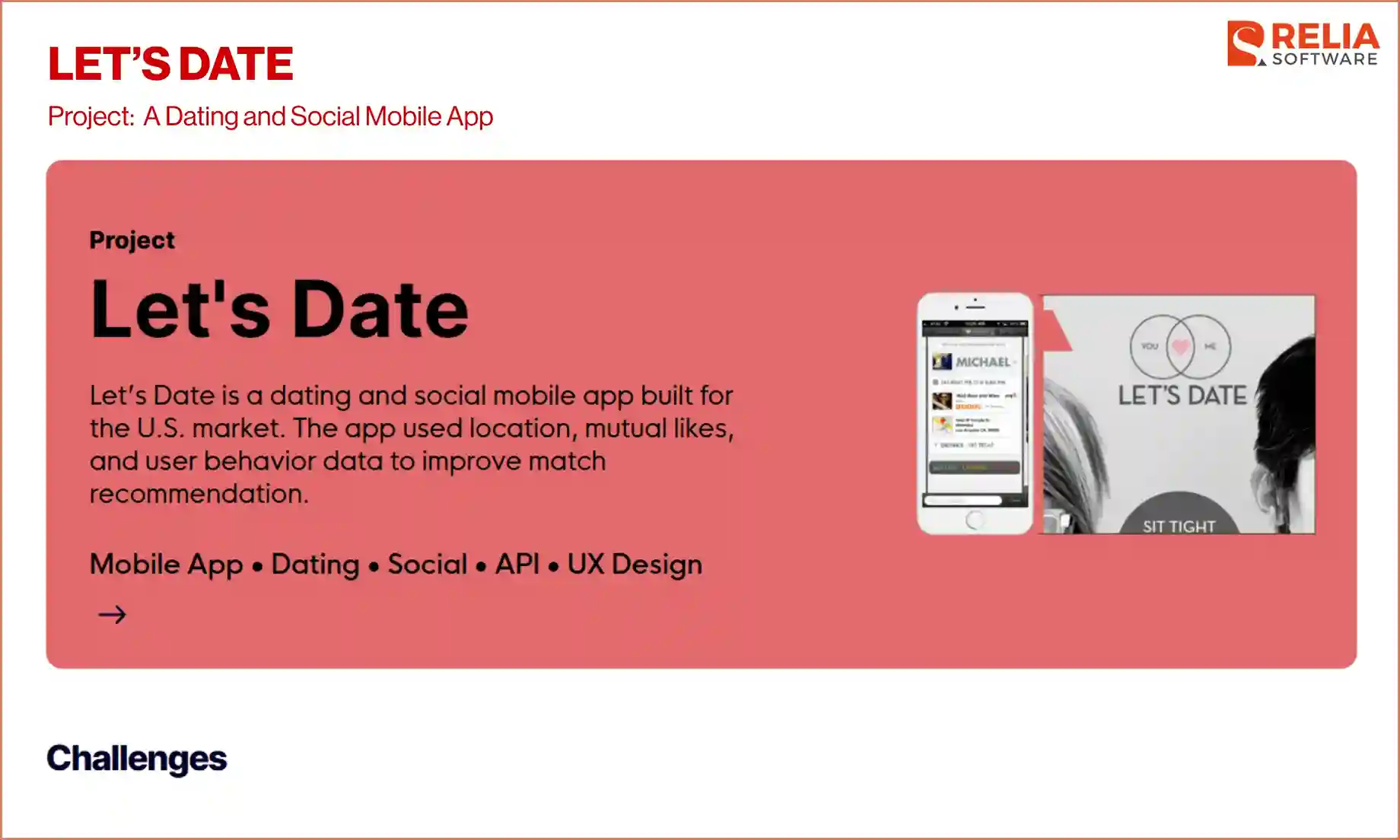
Let's Date
Let's Date is a U.S.-market dating app built around its matching engine. Relia built the matching logic on three signals: location, mutual likes, and user behavior, plus a preference-data layer that sharpens recommendations as users interact.
To serve that engine, Relia chose a Node.js backend to handle the API communication, user data, and matching workflows, paired with native Android and iOS apps and an Angular admin panel to manage users and monitor activity. Matching was the hardest part of the app, so it drove the architecture rather than the other way around.
Result: Let's Date launched successfully in the U.S. market and went on to raise $10 million in venture funding, a signal of market confidence in the platform.
>> For more information about this case: Let's Date - A Dating App with Matching Engine
Across both projects, Relia Software does not treat a social app as a generic app development. Our team found the feature that decides whether users stay carefully and built the design, tooling, and stack around it. That focus is why Swipe shipped as a working community platform and why Let's Date earned the market confidence behind its $10 million in funding.
If you are planning a social media app, Relia Software can support you in the full development process, from choosing the right app type and architecture through development, testing, and launch. With 15+ years of experience and more than 300 products delivered, our team knows where these builds succeed and where they fail.
>> Read more:
- A Practical Guide to E-learning Mobile App Development
- A Complete Guide to Successful Travel App Development
FAQs
1. How much does it cost to develop a social media app?
Most social media apps cost between $30,000 and $500,000. A basic MVP runs about $30,000 to $80,000, a mid-level app about $80,000 to $150,000, and an advanced platform with live video and AI feeds $150,000 or more. The main cost drivers are feature complexity, real-time and media infrastructure, moderation, and the number of platforms you support.
2. Should you build for iOS or Android first?
It depends on your audience. If your users are in North America, Western Europe, or other high-income markets, iOS is often the better starting point, while Android gives wider reach in many emerging markets. Many teams launch on one platform, validate product-market fit, then expand to the second.
3. Can you build a social media app without coding?
Yes, no-code tools can build a simple social app, which is useful for testing an idea. But they struggle with real-time features, scale, and moderation, so if you aim to grow further with a large number of users, let’s move to custom development.
4. How do you keep a social media app safe from harmful content?
You should combine automated filtering with human review. Automated systems catch obvious violations at scale, humans handle context-dependent cases, and user reporting tools flag the rest.
Conclusion
Social media app development succeeds when you build around the right things: the app type that fits your audience, the core feature that decides whether users stay, and an architecture that holds up as the platform grows. This development guide is designed to get you there without wasting budget on features users do not need.
If you are planning to build a social app, look for a partner who can show real apps they have built and scaled, not just a list of technologies. Relia Software brings that proof, with Swipe and Let's Date, and can support your build from first plan to launch and beyond. Reach out to us for a conversation about your app type, architecture, and scope, and we will help you turn it into a real product.
>>> Follow and Contact Relia Software for more information!

- Mobile App Development
- development
- mobile app
- mobile applications