


The global software maintenance service market was valued at $120 billion in 2025 and is projected to reach $180 billion by 2033, according to Verified Market Reports. That growth reflects a simple shift in how businesses budget for software: maintenance is no longer treated as a cost to minimize after launch, but as a recurring investment that protects the value of what was already built.
This blog explores what software maintenance includes, the four recognized types, seven reasons it matters, how the work gets done, and how to decide whether to handle it in-house or hand it to a partner.
What is Software Maintenance?
Software maintenance is the ongoing work of fixing, updating, and improving software after it goes live. Maintenance covers everything from patching a security flaw to adjusting the system for a new operating system version to adding a feature users have asked for.
ISO/IEC 14764, the international standard for software maintenance, defines the discipline as the totality of activities required to keep a software product operational, compliant, and fit for use after delivery.
Software that stops receiving maintenance doesn't fail all at once. It slows down, falls out of compliance, accumulates unpatched vulnerabilities, and becomes harder to change every month it goes untouched. By the time the cost becomes visible, in a breach, an outage, or a rebuild nobody budgeted for, the cheaper window to fix it has already closed.
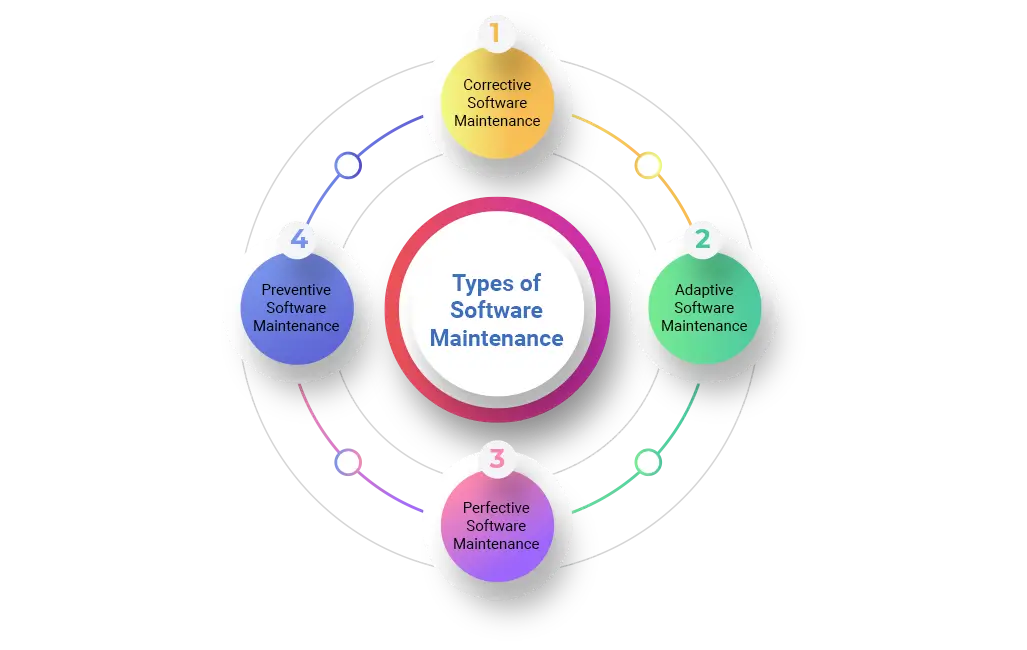
4 Types of Software Maintenance
Corrective Maintenance
Corrective maintenance fixes defects found after release, including bugs, crashes, and logic errors that produce the wrong result. A user-reported checkout failure or a miscalculated invoice total are both corrective work. These issues can arise from various sources, including coding mistakes, design flaws, or unforeseen circumstances.
This is reactive by nature: the defect already exists in production before the team addresses it. Response time matters here more than in the other three types, since an unresolved defect keeps affecting users or data until it's fixed.
Adaptive Maintenance
Adaptive maintenance involves modifying software to align with changes in its operational environment, but not changing what the software does. Common triggers include an operating system upgrade, a new browser version, a cloud provider's API change, or a new legal requirement such as GDPR or an accessibility standard like WCAG.
Adaptive work is scheduled around external events outside the team's control. A payment processor announcing an API deprecation, for example, sets a hard deadline the maintenance team has to hit regardless of what else is in the backlog.
Finally, the purpose of adaptive maintenance type is to ensure the software remains functional and effective in these evolving conditions.
Perfective Maintenance
Perfective maintenance focuses on enhancing a software product's overall quality by adding features, refining UI, or improving performance based on user feedback. This type of maintenance can be triggered by a product or business request rather than a technical one. Some common factors are:
- User feedback indicating desired features or areas for improvement.
- Performance bottlenecks affecting the software's speed or responsiveness.
- The identification of opportunities to add new functionalities.
Perfective maintenance aims to increase user satisfaction and overall system effectiveness. Because perfective work competes for the same engineering time as corrective and adaptive work, it's also the type most often deprioritized when a team is short-staffed, which is one reason maintenance backlogs grow over time.
Perfective Maintenance
Perfective maintenance improves software that already works, by adding features, refining workflows, or improving performance based on user feedback. This is the type of maintenance most likely to originate from a product or business request rather than a technical one.
Because perfective work competes for the same engineering time as corrective and adaptive work, it's also the type most often deprioritized when a team is short-staffed, which is one reason maintenance backlogs grow over time.
Preventive Maintenance
Preventive maintenance is a proactive approach that prevents issues before they cause a failure. This approach aims to minimize downtime, reduce the frequency of critical errors, and extend the software's lifespan.
Preventive maintenance is initiated through regular inspections and evaluations of the software system. After identifying potential problems within the software, developers can refactor fragile code, upgrade a dependency with a known future end-of-life date, or improve test coverage in an area of the codebase prone to defects.
Unlike the other three types, preventive maintenance has no external trigger and no user-visible symptom, which makes it the easiest type to skip under deadline pressure and the type most closely tied to long-term technical debt.
Why is Software Maintenance Important?
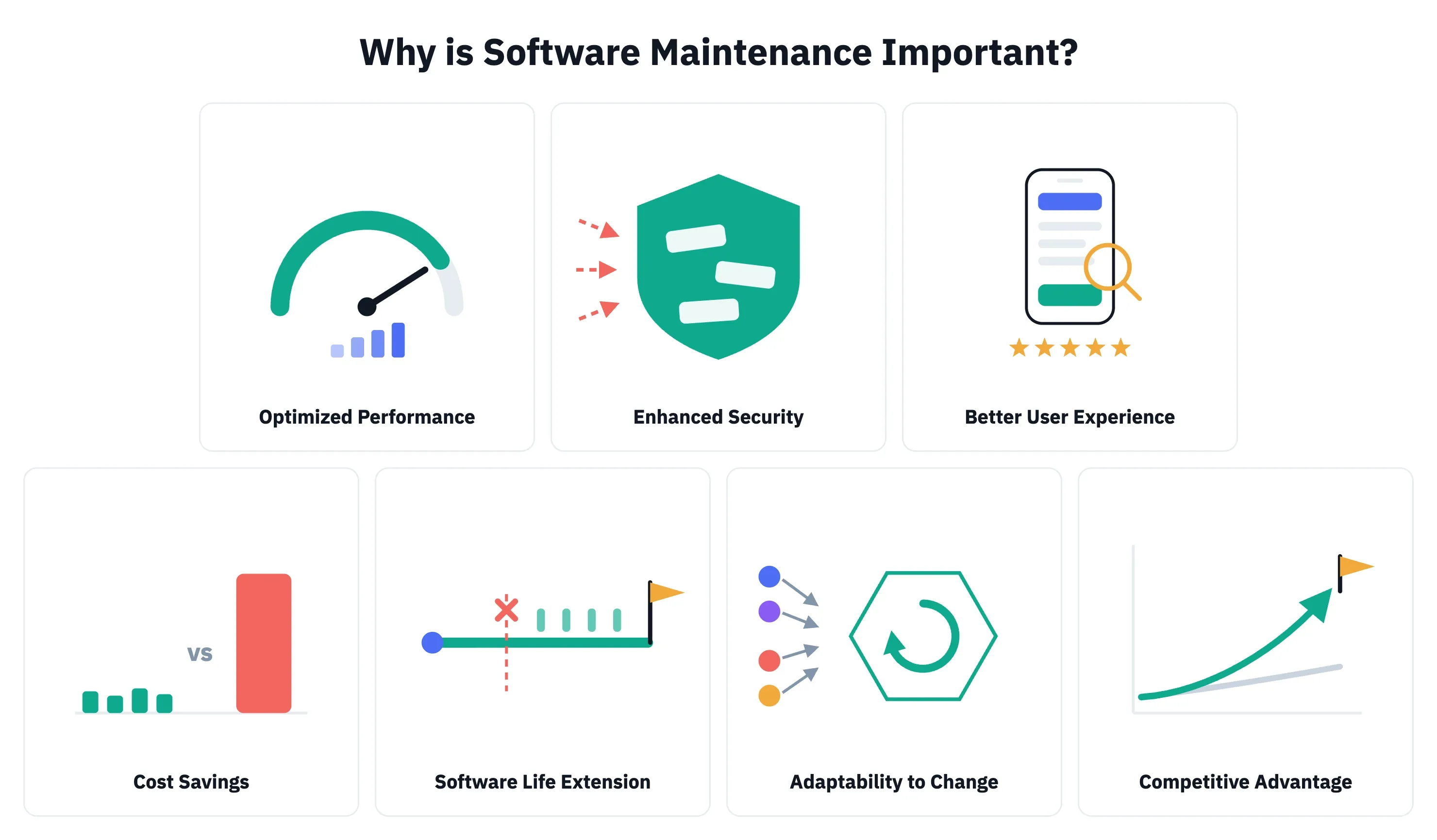
Optimized Performance
Software maintenance keeps a system's performance optimized as usage grows past what it was originally built for, reducing downtime. Query optimization, caching, and infrastructure tuning stop a system from slowing down under more users, more data, and more integrations than it had at launch.
The maintenance work that fixes bugs also removes the small inefficiencies that accumulate in a codebase over time. This applies across every software type: web, mobile, desktop, and enterprise applications all need the same ongoing attention to stay fast and reliable.
>> Read more: Top 7 Leading Performance Testing Tools for Developers
Enhanced Security
Software maintenance enhances security by closing the vulnerabilities attackers actually use, not just the ones a team happens to notice. New vulnerabilities surface continuously, including zero-day exploits, SQL injection, and cross-site scripting (XSS) attacks. Maintenance delivers the fixes and urgent updates that close them before they're exploited.
According to the 2026 Verizon Data Breach Investigations Report, 31% of data breaches now start with an attacker exploiting an unpatched vulnerability, beating stolen passwords as the top way attackers get in. Hackers are shifting their focus from tricking people to exploiting systems.
Besides, making your system safe also keeps a business aligned with security regulations, which avoids the fines and legal exposure that follow a preventable breach.
>> Read more:
- Security Testing in Software Testing
- Top 7 Web App Security Testing Tools
- Top 14 Best Data Security Software For Your Businesses
Better User Experience
Users judge software by whether it works: free of significant flaws, fast to respond, consistent in its interface, and current with the features they expect. Regular usability testing helps detect and address UI/UX issues while they're still small, which is what keeps that experience consistent as the system ages rather than gradually degrading.
A well-maintained system gives users fewer reasons to get frustrated and switch to a competitor, which is why user experience matters as much to the business's retention and revenue numbers as it does to user satisfaction. Besides, a product with a great user experience helps build a strong brand reputation, leading to positive word-of-mouth and business growth.
>> Read more:
- The UX Design Process: 7 Steps for UX Designers
- 12 Essential Technical & Soft Skills for UX Designers
Cost Savings
A proactive approach to software maintenance costs less over time than a reactive one. Addressing a defect while it's still small costs far less than responding to a severe system breakdown and the downtime that comes with it. Keeping the codebase clean this way also shortens how long every future fix or feature takes to ship.
The cost of skipping maintenance is measurable: Deloitte's 2026 Global Technology Leadership Study found that technical debt, the accumulated cost of deferred fixes and shortcuts, now accounts for 21% to 40% of the average organization's IT spending.
Software Life Extension
Software maintenance extends a system's useful life by responding to changing requirements, integrating new technologies, deploying security updates, and improving code quality as the system ages. The software thus keeps a valued asset for years longer, reducing cost of a major upgrade or migration and avoiding the legacy system issues that come from years of deferred work.
Spreading that modernization work across small, regular updates also protects the business from the disruption of a single large-scale rewrite. The system still keeps running normally throughout instead of pulling a team off other work for months.
Adaptability To Changes
The evolving landscape of corporate requirements, technology, regulations, security standards, and user preferences requires software that can keep up. Adaptive maintenance makes that possible by:
- Addressing environmental changes directly and anticipating likely problems before they cause a failure,
- Responding to new market trends or customer requests before they become a competitive gap.
Adapting quickly also lets a business seize opportunities instead of only avoiding risk. A system that already adjusts smoothly to change can support a new channel or partner integration in weeks rather than months.
Competitive Advantages
Software maintenance is frequently underestimated as a strategic tool for gaining a competitive edge, not just an operational cost. Continuous improvement raises customer satisfaction, and a good product wins market share. A more efficient codebase also frees up budget that would otherwise go to firefighting, leaving more for reinvestment. Together, these translate into faster time-to-market and stronger risk mitigation.
Gartner's 2025 IT spending forecast puts global IT spend at $6.2 trillion, with the majority allocated to operating and maintaining existing systems rather than building new ones. The data shows that businesses treating maintenance as core spending are keeping pace with how the rest of the market already invests.
Best Practices for Effective Software Maintenance
Effective software maintenance is essential for ensuring a software system's longevity, performance, and user satisfaction. Several key best practices must be taken into account when you need to make effective software maintenance for your project as:
- Comprehensive Maintenance Planning: A well-structured maintenance plan outlines the types of maintenance required, resource allocation, and a timeline for tasks. It should also include strategies for change management and impact assessment.
- Strong Documentation: Detailed and up-to-date documentation is crucial for understanding the software's architecture, codebase, and functionalities. It aids in troubleshooting, making modifications, and transferring knowledge among team members.
- Prioritization of Maintenance Tasks: Not all maintenance tasks are equally critical. Prioritization based on impact, urgency, and risk helps allocate resources efficiently and ensures that critical issues are addressed promptly.
- Version Control: Implementing a robust version control system is essential for tracking changes, reverting to previous versions if necessary, and managing multiple software releases.
- User Feedback: Gathering and analyzing user feedback helps identify areas for improvement, prioritize maintenance tasks, and ensure the software meets user needs.
- Continuous Improvement: Software maintenance should be an ongoing process. Regularly reviewing and refining maintenance practices helps optimize efficiency and effectiveness.
In-House vs Outsourced Maintenance: Which One is Better?
Three options exist once a system needs ongoing maintenance, and the right one depends on team capacity, system complexity, and how much technical debt has already accumulated.
In-house maintenance makes sense when:
- The team that built the system is still available
- The system isn't large enough to need dedicated maintenance headcount,
- The business wants direct control over prioritization.
The tradeoff is that maintenance competes directly with new feature work for the same engineers' time.
An outsourced maintenance partner makes sense when:
- The internal team is fully allocated to new development,
- The system needs coverage outside normal business hours,
- The organization needs specialized expertise (security, a specific legacy stack, compliance auditing) it doesn't have in-house.
Relia Software provides ongoing software maintenance and support services for teams in this position, covering corrective, adaptive, perfective, and preventive work under a defined service level rather than ad hoc requests.
FAQs
How much does software maintenance cost?
Ongoing software maintenance is commonly estimated at 15% to 20% of the original development cost per year, though the actual figure for any given system depends on its size, age, and complexity. A system built for $200,000, for example, can carry an annual maintenance budget in the range of $30,000 to $40,000 under that benchmark.
How often should software be maintained?
- Corrective and security maintenance should happen continuously, as issues are found rather than on a fixed calendar.
- Adaptive maintenance follows the schedule of the external systems it responds to, such as an OS or API update.
- Perfective and preventive maintenance work best on a regular cadence, commonly monthly or quarterly, so they don't get indefinitely deprioritized behind urgent fixes.
What's the difference between software maintenance and software support?
- Support typically means responding to user-reported issues and answering questions about how the system works.
- Maintenance includes support but also covers proactive work the user never sees, such as security patching, dependency upgrades, and performance tuning.
What happens if a business skips software maintenance?
Defects and security vulnerabilities accumulate, the system falls out of compliance as external requirements change, and performance degrades as usage grows.
Conclusion
Software maintenance is not a cost to minimize after launch. It's what keeps a system secure, compliant, performant, and worth the investment already made in it. The seven reasons covered above, all point to the same conclusion: the cost of staying on top of maintenance is consistently lower than the cost of catching up after it's been deferred.
If your team is weighing whether to handle maintenance in-house, bring in a partner, or plan a rebuild, Relia Software's maintenance and support team can review your current system and help you decide which option actually fits your situation.
>>> Follow and Contact Relia Software for more information!

- development
- Mobile App Development
- Web application Development
- mobile applications
- web development