


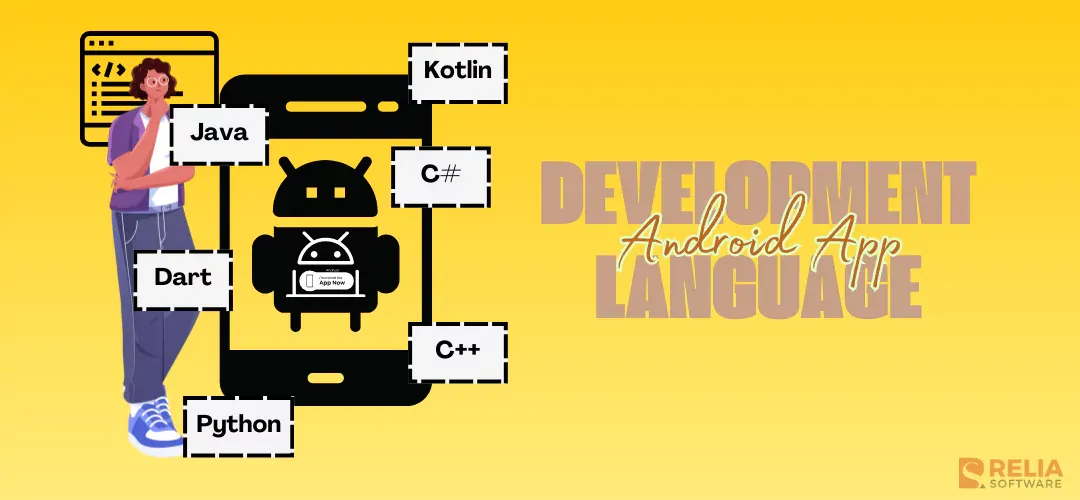
The top languages for Android app development are Kotlin, Java, C++, C#, Dart, JavaScript, and Python. Kotlin and Java build native apps directly with Android Studio and the Android SDK. C++ handles performance-critical native code through the Android NDK. C#, Dart, and JavaScript reach Android through cross-platform frameworks (.NET MAUI, Flutter, and React Native). Python plays a narrower, mostly backend role.
The right choice depends on whether the app needs to be native or cross-platform, how much your team already knows, and how the app needs to perform. This article compares all seven languages, explains when each one fits, and covers what a business needs to know before committing a project to one of them.
| Language | Native or Cross-Platform | Android Studio Support | Learning Curve |
Perform -mance | Best For | Avr. Hourly Rate |
|---|---|---|---|---|---|---|
| Kotlin | Native | Yes, official | Moderate | High | Most new native Android apps | $20-$45 |
| Java | Native | Yes | Moderate | High | Legacy or enterprise codebases | $18-$45 |
| C++ | Native (via NDK) | Yes (NDK) | High | Very high | Games, graphics-heavy, or hardware-level apps | $10-$35 |
| C# | Cross-platform (.NET MAUI) | Via .NET MAUI tooling | Moderate | High | Teams already on .NET, one Android/ iOS/ Windows codebase | $15-$45 |
| Dart | Cross-platform (Flutter) | Via Flutter SDK | Moderate | Moderate to high | One codebase across Android and iOS with native-like performance | $18-$40 |
| JavaScript | Cross-platform (React Native) | Via React Native CLI | Moderate | Moderate | Teams with existing JavaScript/React skills, one codebase | $20-$40 |
| Python | Backend/ limited | Limited | Easy | Moderate | Backend services, automation, and data/ML the app calls into | $18-$40 |
>> Read more: Top 6 Best iOS App Development Languages For Programmers
Kotlin
Kotlin is Google's recommended language for new Android development. Google announced in 2019 that Android development would move to Kotlin-first, and Android Studio, Jetpack libraries, and official documentation have prioritized Kotlin ever since.
According to Google's Kotlin-first documentation, 67% of professional developers who use Kotlin report a productivity increase, and apps containing Kotlin code are 20% less likely to crash. Google runs more than 70 of its own apps on Kotlin, including Maps, Drive, Play, and Messages. When the Google Home team migrated new feature development to Kotlin, the codebase shrank by 33% and null-pointer-exception crashes dropped by 30%.
Three Kotlin-specific tools explain why the language pulls ahead of Java for new projects:
- Jetpack Compose is Google's modern, Kotlin-only toolkit for building Android UI declaratively. This means the interface is described as a function of the app's current state rather than built through manual view updates. Compose is the default way Google recommends building a new Android UI.
- Kotlin Coroutines are Kotlin's built-in approach to asynchronous programming. Coroutines let an app run network calls, database queries, or other long-running work without blocking the main thread, using syntax that reads like regular sequential code instead of nested callbacks.
- Kotlin Multiplatform (KMP) lets a team write business logic, networking, and data layers once and share that code across Android, iOS, and other platforms, but still building a fully native UI on each platform. KMP is why some teams choose Kotlin over Flutter for cross-platform work
Popular Android apps built with Kotlin:
- Pinterest: One of the earliest large visual content-sharing apps to adopt Kotlin for its Android client.
- Trello: Uses Kotlin across its Android app for project management and collaboration features.
- Netflix: A top streaming provider running Kotlin in its Android client alongside its broader engineering stack.
Java
Java is the original language for Android development and remains a stable, well-supported choice. Android Studio has supported Java since the platform's earliest days, and Java's libraries, tooling, and hiring pool are all mature.
Java asks more of a new developer than Kotlin does. Its object-oriented fundamentals, classes, constructors, and checked exceptions take longer to learn. Also, Java code tends to run longer than equivalent Kotlin code to accomplish the same task.
For teams with existing Java expertise or a large legacy Java codebase, they still work with Java. For a new project with no existing Java investment, it's a harder case to make against Kotlin today.
Popular Android apps built with Java:
- WhatsApp: A popular messaging app is built on Java for its Android client, prioritizing stability at massive scale.
- Minecraft: The Android game version runs a substantial Java codebase.
- Gmail: Google's own email client runs on Java on Android.
- Skype: The video chat and messaging app uses Java extensively across its Android messaging and video features.
>> Read more:
- Top 12 Java Project Ideas for Beginners to Professionals
- 5 Steps To Successfully Hire A Dedicated Java Developer
C++
C++ builds native Android apps through the Android NDK, Google's toolset for compiling and running C and C++ code inside an Android app.
Most apps don't need the NDK, it just matters when an app needs direct hardware access, has to reuse an existing C++ codebase, or needs performance that a managed language like Kotlin or Java can't reliably deliver. NDK is most commonly used in games and graphics-heavy applications.
C++ has the steepest learning curve of the seven languages in this list. It gives a developer manual control over memory management and hardware resources, which is exactly what makes it fast, and exactly what makes it harder to write and debug safely than a managed language.
A popular Android app built with C++: PUBG Mobile uses C++ for its core rendering and graphics engine.
>> Read more: Top 9 C++ Development Companies in Vietnam
C#
C# reaches Android through .NET MAUI, Microsoft's cross-platform framework for building Android, iOS, Windows, and macOS apps from one C# codebase.
.NET MAUI is the direct successor to Xamarin. Microsoft ended official Xamarin support on May 1, 2024, and migrated the framework forward as .NET MAUI, according to Microsoft's official Xamarin support policy. Any team still building new Android apps on Xamarin today is working on a retired framework and should plan a migration.
C# and .NET MAUI make the most sense for teams already invested in the Microsoft ecosystem, particularly businesses with existing .NET backend systems, internal tools, or Windows applications without maintaining separate codebases.
For example, Microsoft Azure app, Microsoft's own app for monitoring Azure resources, such as VMs and web apps, runs on .NET MAUI across Android and iOS and has millions of downloads on Google Play.
Dart
Dart is used to build Android apps through Flutter, Google's UI toolkit for building natively compiled apps for Android, iOS, web, and desktop from one codebase. Flutter compiles Dart code ahead-of-time into native ARM code for release builds, which improves Flutter apps performance closer to native than most cross-platform frameworks achieve.
Hot reload, Flutter's ability to show code changes in a running app almost instantly without a full rebuild, is one of the biggest reasons development teams favor Flutter for iteration speed.
Xianyu is a typical Android app built by Dart. This Alibaba's large second-hand marketplace app runs on Flutter within the broader Alibaba ecosystem.
>> Read more: A Developer Guide to Build a 2D Game with Flutter Flame
JavaScript
JavaScript builds Android apps through React Native, Meta's framework for writing mobile apps in JavaScript or TypeScript with React. React Native uses React's component model but renders real native UI components instead of a web view. So an app built this way behaves like a native one on the device, without the team writing any Kotlin or Java.
A team already building web products in React can reuse a meaningful share of that knowledge and, in some cases, shared logic, when building the Android app.
React Native trades some raw performance and platform-specific polish for development speed and a single JavaScript codebase across Android and iOS. It fits teams that already run a JavaScript or React stack, need to ship on both platforms with a smaller team, and don't need the level of native performance that a game or graphics-heavy app requires.
>> Read more: What Can You Do With JavaScript? Popular JavaScript Usages
Popular Android apps built with JavaScript and React Native:
- Discord: Runs its Android and iOS apps on React Native, including its real-time messaging at scale.
- Coinbase: Moved from separate native apps to a shared React Native codebase across Android and iOS.
Python
Python isn't used to build the Android app itself with the app's UI or on-device logic. Its role is almost always on the backend work, including the services, APIs, automation, and machine learning pipelines an Android app calls into over the network.
Python's readability, large library ecosystem, and strength in data and machine learning work make it a common choice for the backend systems behind an Android app, even when the app's client is written in Kotlin, Java, or a cross-platform framework.
Where Python shows up behind popular Android apps:
- Reddit: Uses Python across backend systems, data analytics, and automation supporting its Android app.
- Uber: Runs Python for backend services including dynamic pricing, data analysis, and machine learning that its Android app depends on.
>> Read more: Best 16 Python Project Ideas to Improve Your Coding Skills
How to Choose the Right Language for Your Android Project?
The right language depends on five practical factors, not personal preference:
- Does the app need iOS too? If yes, a cross-platform framework, Flutter or React Native, avoids building and maintaining two separate native codebases. If the product is Android-only for the foreseeable future, native Kotlin is the stronger default.
- What does your team already know? A team with strong React or JavaScript experience will move faster on React Native than starting Kotlin from zero, and the reverse is true for a team with existing native Android experience.
- How much does raw performance matter? Games, AR/VR, and graphics-heavy apps lean toward native Kotlin, Java, or C++ through the NDK. Most business apps, e-commerce apps, and internal tools don't need that level of performance and can run well on a cross-platform framework.
- Does the app need to reuse existing code? A business already running a .NET backend, an existing C++ engine, or a React web app has a real head start reusing that investment through .NET MAUI, the NDK, or React Native, respectively.
- What's the long-term maintenance plan? Native Kotlin has Google's direct backing and the most mature Android-specific tooling. Cross-platform frameworks reduce maintenance across two platforms but add a dependency on the framework's own release cadence and long-term support.
FAQs
What is the best language for Android games?
C++ is the strongest choice for performance-critical, graphics-heavy games, since it gives direct control over memory and hardware through the Android NDK..
Is Kotlin replacing Java for Android development?
Kotlin is Google's recommended language for new Android projects, and new Android-specific tools and features increasingly ship for Kotlin first. Java remains fully supported and continues to run in a large share of existing Android codebases, so it isn't being removed, but new projects have less reason to start in Java today.
What's the easiest language to start with for Android development?
Kotlin has the most direct path for a beginner building a native Android app, since Android Studio and Google's own documentation are built around it.
Do you need to learn Java before learning Kotlin?
No. Kotlin doesn't require prior Java knowledge, and Google's own Android training now starts directly with Kotlin. Existing Java knowledge transfers well, since the two languages are fully interoperable, but it isn't a prerequisite.
Should a new Android project use native Kotlin or a cross-platform framework?
It depends mainly on whether the product needs iOS as well. A cross-platform framework like Flutter, React Native, or .NET MAUI avoids maintaining two separate codebases when iOS is part of the roadmap. An Android-only product, or one where performance is critical, is usually better served by native Kotlin.
Conclusion
The best language for an Android app depends on whether the project needs a native build or a cross-platform one, what your team already knows, and how much raw performance the app actually requires. Kotlin is the strongest default for new native Android projects.
If you're looking for an Android app development partner, Relia Software has worked in mobile app development for more than a decade. Our developers can help you evaluate the right language and framework for your project and build it from there.
>>> Follow and Contact Relia Software for more information!

- Mobile App Development
- development