


Generative AI moved from "interesting demo" to "default part of the workflow" faster than any technology in history. According to the 2026 Stanford AI Index, 53% of the world now uses generative AI, a milestone that took the PC 11 years to reach and the internet 7.
Inside companies, 70% have deployed generative AI in at least one business function, up from 33% in 2023. The annual value of these tools to US consumers is estimated at $172 billion.
This guide covers the 12 tools we recommend, across text and chat, image, video, voice and music, code, and search. We've shipped many AI-assisted features for clients at Relia Software using these exact tools, so the picks and the trade-offs come from real production use, not vendor claims.
The 12 tools at a glance:
|
Tool |
Category |
Maker |
Starting Price |
Free Tier |
|
ChatGPT (GPT-5.5) |
Text & chat |
OpenAI |
$20/mo Plus, $200/mo Pro |
Yes |
|
Claude (Opus 4.8 / Sonnet 4.6) |
Text & code |
Anthropic |
$20/mo Pro, API from $1/M tokens |
Yes |
|
Gemini (3.1 Pro) |
Text & multimodal |
|
$20/mo AI Pro, $99.99/mo AI Ultra |
Yes |
|
Midjourney (V8.1) |
Image |
Midjourney |
$10/mo Basic → $120/mo Mega |
No |
|
FLUX |
Image (API/dev) |
Black Forest Labs |
$0.01–$0.10 per image |
Limited |
|
Sora 2 |
Video |
OpenAI |
ChatGPT Plus $20/mo or Pro $200/mo |
No |
|
Runway (Gen-4.5) |
Video |
Runway |
$12/mo Standard → $76/mo Max |
Yes (125 credits one-time) |
|
Higgsfield |
Image, Video, Content |
Higgsfield |
Basic: $9/mo |
Yes |
|
ElevenLabs |
Voice & audio |
ElevenLabs |
$5/mo Starter → $99/mo Pro |
Yes |
|
Suno |
Music |
Suno |
$10/mo Pro, $30/mo Premier |
Yes |
|
GitHub Copilot |
Code |
GitHub (Microsoft) |
$10/mo Pro, $39/mo Pro+ |
Yes |
|
Cursor |
Code (full IDE) |
Anysphere |
$20/mo Pro |
Yes |
|
Perplexity Pro |
Search & research |
Perplexity |
$20/mo, $200/yr |
Yes |
>> Read more:
- How Does No-Code AI Assist In App Development?
- No-Code And Low-Code Solutions In Logistics And Supply Chain
- Will AI Replace Software Engineers Altogether?
What are Generative AI Tools?
Generative AI tools are advanced software applications that leverage artificial intelligence, particularly natural language processing (NLP) and machine learning, to create content that mimics human creativity and decision-making. These tools can generate text, images, audio, and even code, offering innovative solutions across various domains.
Here is how generative AI tools work:
- Learning from Extensive Data: Generative AI models are trained on vast datasets that include text, code, and images to understand various subjects and contexts, forming the basis for their creative capabilities.
- Generating New Content: Once trained, these models can produce realistic and original outputs by combining learned patterns. They effectively use their "knowledge library" to create new and unique content, from text and images to code.
Different Types of Generative AI Tools
Generative AI tools are diverse, each excelling in different creative domains. Here's a concise overview of the most popular types:
Text Generation: Craft ad copy, product descriptions, fiction, scripts, blog post outlines, and social media captions. They brainstorm ideas and generate compelling text swiftly. There are also AI tools for presentation, where AI helps organize ideas, draft slide content, and turn raw notes into clear, structured talking points that are easy to present.
Image Generation: AI image generator can turn your descriptions into stunning images, from fantastical landscapes to realistic portraits. You can create unique artistic styles and modify existing images with plain texts.
Video Generation: Using AI video generator, you can produce video content from text prompts, images, or even voice input. These tools are used by marketers, educators, and creators looking to streamline video production while maintaining high quality and creativity.
Code Generation: Generative AI assists programmers by suggesting solutions, identifying bugs, and generating code snippets. It streamlines workflow and boosts productivity for both seasoned developers and beginners.
>> Read more: What is the Responsibility of Developers using Generative AI?
Music Generation: AI-powered tools compose music based on your mood or genre preferences, producing everything from background scores to complex orchestral arrangements.
Other Creative Applications:
- 3D Modeling: Generate detailed 3D models for architectural designs or video game characters.
- Game Development: Create storylines and in-game environments with AI assistance.
- Data Augmentation: Generate synthetic data to enhance machine learning model training.
12 Best Generative AI Tools Across Use Cases
ChatGPT (GPT-5.5)
|
Maker |
Free tier |
Paid |
API Pricing |
|
OpenAI |
Yes (GPT-5.3) |
|
|
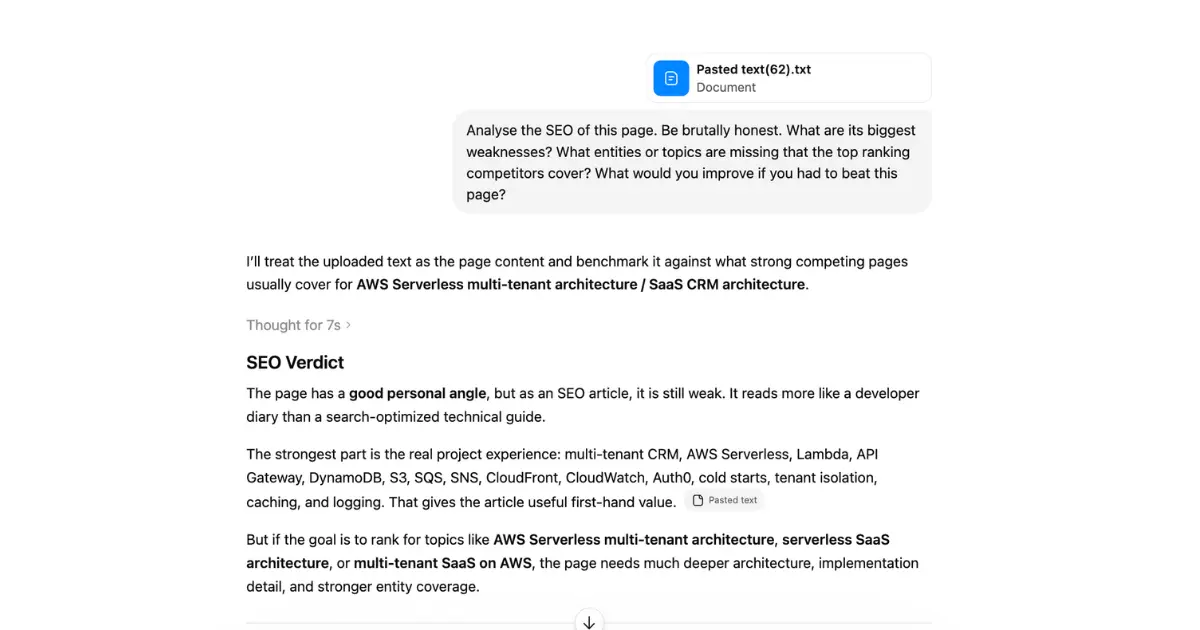
ChatGPT is the most-used generative AI product with general purposes like chat, voice, image generation, video (via Sora 2), web browsing, code execution, and Deep Research.
The current flagship model is GPT-5.5, available on the Plus plan. The Pro tier adds GPT-5.5 Pro for harder reasoning tasks and a doubled context window. Free users get GPT-5.3 with daily limits.
Core features:
- Canvas: a side-by-side editor where ChatGPT writes and edits long documents or code with you, with inline suggestions and revision tracking.
- Custom GPTs: build a version of ChatGPT trained on your own instructions, knowledge files, and actions. Share them privately or publish to the GPT Store.
- Projects: group chats, files, and instructions into a workspace so context persists across conversations.
- Memory: ChatGPT remembers facts about you across sessions and lets you view, edit, or delete what it has stored.
- Voice mode (Advanced Voice): real-time conversation with expressive voices, including the ability to interrupt and be interrupted naturally. Supports camera and screen sharing on mobile so it can see what you're looking at.
- Web browsing: search the live web with inline citations.
- Code Interpreter: executes Python inside the chat, generates charts, processes spreadsheets and PDFs.
- Image generation: native GPT image (no longer DALL-E) with strong text rendering and editing.
- Sora 2 video: generate short videos directly from chat (on Plus and above).
- Deep Research: multi-pass autonomous research; produces a cited 5–20 page report from a single query. Plus gets a monthly allotment; Pro gets 250 runs.
- Agent Mode: an autonomous agent that can browse, click, fill forms, and complete tasks across the web on your behalf.
- Scheduled tasks: ChatGPT runs prompts at a schedule (e.g., "summarize my Gmail every morning at 8 AM").
- File uploads: up to 10 files per message; supports PDF, Excel, CSV, images.
Where we use ChatGPT at Relia: Project management, client communication drafts, technical proposals, and first drafts of marketing copy.
Results: First-draft proposals are about 50% faster to produce. A marketing article that used to take a writer a full day now takes about 2 hours, including review.
Where ChatGPT falls apart: ChatGPT doesn’t handle well in long contexts. Drop 200k tokens of documentation into a single chat and quality drops noticeably, which Claude is better here. Besides, memory and personalization can leak context across unrelated conversations.
Pick ChatGPT if: You want one tool that does the most. It is the right default unless you have a specific reason to choose something else.
Claude (Opus 4.8 / Sonnet 4.6 / Haiku 4.5)
|
Maker |
Free tier |
Paid |
API Pricing (per 1M tokens) |
|
Anthropic |
Yes |
|
|
Claude is one of the strongest alternatives to ChatGPT for serious text and code work. Anthropic ships three model tiers, all with a 1M token context window at flat rates:
- Opus 4.8 (May 2026): Flagship model. Best at agentic coding, long-horizon tasks, and complex reasoning. Scores 69.2% on SWE-bench Pro.
- Sonnet 4.6: The middle tier most production apps use. It is fast, capable, and much cheaper than Opus.
- Haiku 4.5: The lightweight tier for high-volume work, which is fast and very cheap.
Core Features:
- Artifacts: When Claude generates code, documents, diagrams, or apps, they appear in a side panel you can edit, preview, and iterate on directly. This is the most polished "build something live in the chat" experience available.
- Projects: Long-lived workspaces with their own custom instructions, knowledge files, and chat history. Best for ongoing work where context matters.
- Computer Use: Claude can see your screen and control your mouse and keyboard to complete tasks (currently in beta for Pro and Max).
- MCP (Model Context Protocol): Anthropic's open standard for connecting Claude to your tools and data. Hundreds of MCP servers exist for Slack, GitHub, databases, design tools, and more.
- Voice Mode: Claude responds with a natural voice on mobile.
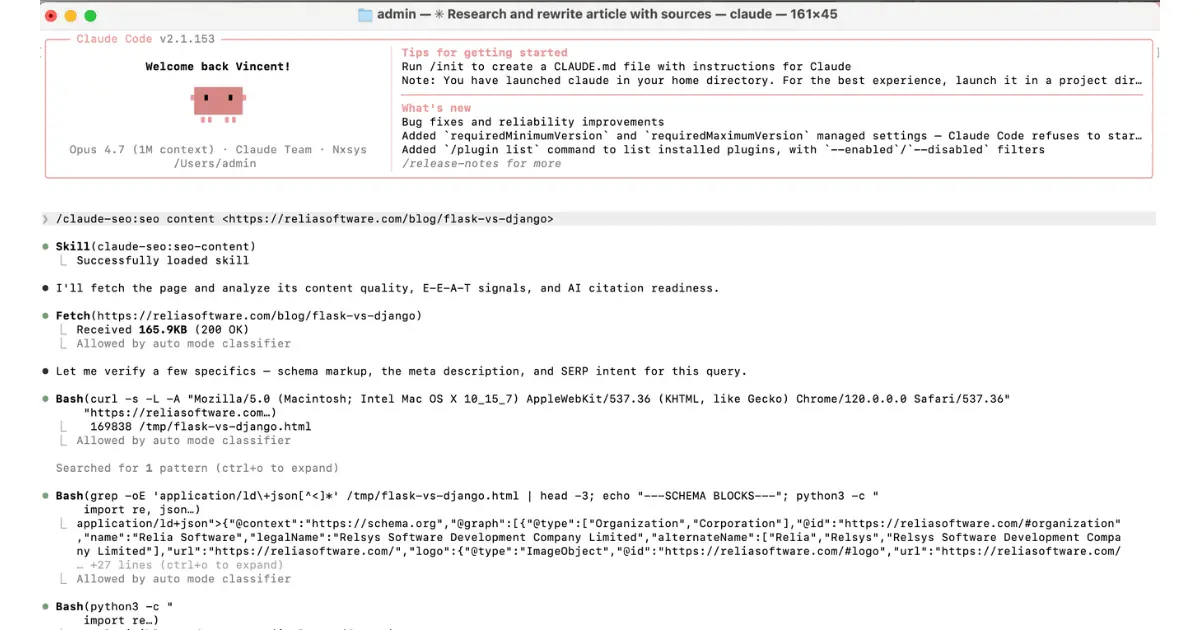
- Claude Code: Anthropic's official terminal-based agentic coding tool. Runs directly in your shell, edits files, runs tests, and uses the same model that powers the Claude web application.
- File Analysis: Upload up to 100MB across PDFs, Word docs, spreadsheets, and images per chat.
- Cost Optimizations: Batch processing is 50% cheaper, and prompt caching cuts cached input costs by 90%.
>> Read more:
- How to Setup & Deploy Image Generation MCP in Claude Desktop?
- What is CLAUDE.md File? How to Write a Good CLAUDE.md file?
Where we use Claude at Relia: Coding, writing technical specifications, reviewing long client documents, and architecture discussions.
Results: Technical specs are produced in roughly half the time. Our developers report productivity lift on new code by 10–25%.
Where Claude falls apart: No native image generation (you can produce SVG, diagrams, and charts through Artifacts, but for photo-realistic images, you call FLUX or Midjourney separately, or wire one in via MCP). No native video or audio generation. Voice mode lags ChatGPT. Overall product surface narrower than ChatGPT's.
Pick Claude if you do serious writing, build production AI features, or work with large codebases.
Gemini (3.1 Pro)
|
Maker |
Free tier |
Paid |
API Pricing |
|
|
Yes (Gemini 3.5 Flash default, daily 3.1 Pro allotment) |
|
Gemini 3 Pro $2/$12 per 1M tokens (≤200k context) |
Gemini is Google's family of multimodal models. The current flagship is Gemini 3.1 Pro, available on AI Pro. The AI Ultra plan unlocks Veo 3.1 video, Deep Think reasoning, and Project Genie.
Core Features:
- 2M Token Context Window: The largest practical context window in consumer AI. You can drop entire textbooks or codebases into a single prompt.
- Deep Research: Multi-pass research mode that browses, reads, and synthesizes findings into a report with citations. Free users get five per month; AI Pro users get unlimited runs.
- Audio Overviews: Generates a podcast-style conversation between two AI hosts about any topic or set of documents (the same technology that made NotebookLM go viral).
- NotebookLM Integration: Full integration with Google's research notebook product. Upload sources to generate study guides, audio overviews, video overviews, and mind maps.
- Gems: Custom AI assistants you build with your own instructions and knowledge base.
- Canvas: Google's collaborative editor for documents and code, similar to ChatGPT's Canvas.
- Code Execution: Runs Python in-chat for data analysis and charting.
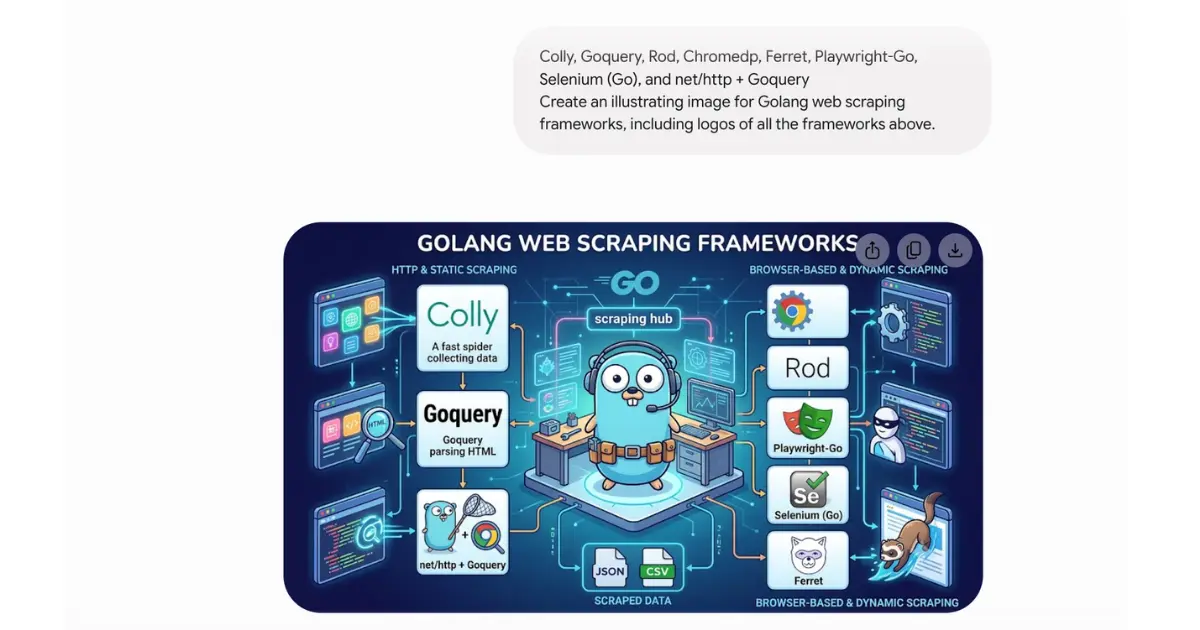
- Image Generation: Nano Banana 2, Google's image model, available even on the free tier.
- Veo 3.1 Video Generation: Bundled directly with the AI Ultra tier.
- Gemini Agent: An autonomous agent that can complete multi-step tasks (currently US, English-only).
- Project Genie: An early-access generative video game project, included with AI Ultra in the US.
- Workspace Integration: Gemini lives inside Gmail, Docs, Sheets, Slides, Drive, Calendar, Meet, and Chat. For many enterprise users, the most-used surface isn't the standalone chat app, but the sidebar inside Gmail.
Where we use Gemini at Relia: Client email communication and Google Workspace tasks like drafting replies in Gmail, summarizing long Docs and Sheets, generating slide outlines in Slides. Also, marketing teams use Gemini to do deep research for writing and generate images for blog posts.
Result: Our team estimates an hour saved per PM per day on email drafting and meeting-note summarization. Also, marketing teams save much time on designing unique images.
What's not great: Long-form writing quality can lag behind Claude and ChatGPT for many users. Some features (Agent, Project Genie) remain US-only.
Pick Gemini if your team lives in Google Workspace, you want the cheapest paid Pro tier, or you need bundled video generation.
Midjourney (V8.1)
|
Maker |
Free tier |
Paid |
|
Midjourney |
No |
|
Midjourney is one of the highest-quality consumer AI image generators. While the current default is V7, the latest model is V8.1 (released April 30, 2026), which is 4–5× faster than V7 and supports native 2K resolution.
Core Features:
- Style Reference (--sref): Point to an image, and Midjourney will generate new images in that exact style. You can save and reuse style codes across projects.
- Character Reference (--cref): Point to a character, and Midjourney will keep that character consistent across multiple generations.
- Personalization Profiles: Train Midjourney on your aesthetic preferences from rating pairs. V8.1 requires unlocking a Global V7/V8 Personalization Profile.
- Raw Mode (--raw): Disables Midjourney's default stylistic baseline for more literal prompt adherence.
- Mood Boards: Upload images to define a custom style anchor without needing text prompts.
- Vary Region: Select a region of a generated image and regenerate just that specific part with a new prompt.
- Pan, Zoom, Upscale: Extend an image in any direction, zoom out for more context, or upscale to a higher resolution.
- Niji Journey: A separate model fine-tuned specifically for anime and manga styles.
- Web App: Midjourney has moved from Discord-only to a full web interface at midjourney.com (though Discord still works).
- Image-to-Video: Short video generation from a still image (available in early access).
Where we use Midjourney at Relia: Marketing visuals (our own and client campaigns), design exploration for client brand work, and proposal mockups.
Result: Image concepts ready in hours instead of days. For one SaaS client's hero image refresh, we generated 80 candidates in an afternoon; the client picked one within two days. Previously this took a week with a designer.
What's not great: There is no free tier. Furthermore, commercial licensing is not included on the Basic plan, so you must subscribe to the Standard tier or higher.
Pick Midjourney if you generate fewer than 500 high quality images a month. For higher volume or API access, use FLUX.
FLUX
|
Maker |
Free tier |
API Pricing |
|
Black Forest Labs |
Limited (accessible via Hugging Face) |
$0.01–$0.10 per image |
FLUX is the leading open-weights image model. Built by the team that created the original Stable Diffusion before founding Black Forest Labs, FLUX has overtaken Stable Diffusion as the open-source default.
Model Variants
- FLUX 1.1 Pro Ultra: Highest quality, featuring 4-megapixel output; paid API only.
- FLUX 1.1 Pro: Production-grade quality, accessible via API.
- FLUX.1 [dev]: Open weights for non-commercial use cases.
- FLUX.1 [schnell]: Open weights, Apache 2.0 licensed, and the fastest variant available.
Core Features
- Open Weights: Run the model on your own local hardware (an RTX 4090 handles [schnell] and [dev] perfectly).
- ControlNet Support: Provides fine-grained control over composition using pose, depth, edge, or sketch inputs.
- LoRA Support: Fine-tune the model on your own images for highly consistent styles or characters.
- In-painting and Out-painting: Edit parts of an image smoothly without regenerating the entire thing.
- Strong Text Rendering: Renders readable text inside images, conquering the historical weakness of image models.
- Hosted API Providers: Replicate, fal.ai, WaveSpeed, and Together all serve FLUX with pay-per-image pricing (typical cost is around $0.03/image).
- Local User Interfaces: ComfyUI, Forge, and InvokeAI all support FLUX out of the box.
What's good: It offers per-dollar image quality if you are building a product, and open weights mean no vendor lock-in. It provides prompt adherence for commercial work.
What's not great: There is no polished consumer web interface, so you either have to run it yourself or call an API. It carries a steep learning curve if you want to run it locally.
Pick FLUX if: You are building image generation into a product, generating more than 1,000 images per month, or want to run a powerful model on your own hardware.
Sora 2
|
Maker |
Free tier |
Access |
API Pricing |
|
OpenAI |
No (discontinued since January 2026) |
Bundled with ChatGPT Plus ($20/mo) or Pro ($200/mo) |
$0.10–$0.50 per second of video |
Sora 2 is OpenAI's flagship video model. It generates clips up to 25 seconds long with synchronized dialogue, sound effects, and music in a single pass.
Core Features
- Synchronized Audio: Sora 2 generates dialogue, ambient sound, and music in perfect sync with the video. This is the single biggest differentiator against earlier video models.
- Character Cameos: Record a short clip of a person or object once, and Sora can reuse that exact character across entirely new videos.
- Storyboard Mode: Write out a multi-shot script, and Sora generates each shot while maintaining narrative continuity.
- Remix: Take an existing Sora video and modify it using a new text prompt.
- Blend: Smoothly combine two distinct videos into one continuous scene.
- Image-to-Video: Animate a still image into a moving, dynamic video clip.
- Prompt Extension: Sora can take a short prompt and automatically expand it with cinematic detail before generating.
API Model Pricing
- sora-2: $0.10 per second at 720p resolution.
- sora-2-pro: $0.30 per second at 720p, or $0.50 per second at 1080p resolution.
- Note: A typical 10-second 720p video costs roughly $1.00.
Where we use Sora it at Relia: Short pitch-deck videos and demo clips for our own marketing.
What's good: It delivers raw video quality with audio baked directly into the output. Tight integration with ChatGPT means no separate account is needed.
What's not great: Hard generation limits exist even on paid plans, and it lacks platform features around the model (no built-in editing suite or project management).
Pick Sora if you already pay for ChatGPT and you need short broadcast-quality clips with audio.
Runway (Gen-4.5)
|
Maker |
Free tier |
Paid tiers |
|
Runway |
Yes (125 one-time credits) |
|
Runway is a comprehensive AI video platform offering generation, editing, motion capture, and post-production all in one place. The current flagship model powering the platform is Gen-4.5.
Core Features
- Gen-4.5 Video Generation: Full text-to-video, image-to-video, and video-to-video capabilities.
- Character Reference consistency: Gen-4 introduced character reference features, ensuring the exact same person can appear across multiple shots in different locations and lighting conditions.
- Aleph In-Video Editor: Released in July 2025, Aleph lets you modify generated videos using text prompts without regenerating the whole thing. You can change wardrobe, swap backgrounds, or add/remove objects inline.
- Act-Two Motion Capture: Record a performance on any camera (a phone camera works perfectly), upload a character reference, and Runway transfers that motion to the character, effectively replacing studio mocap setups.
- Frames: Runway's dedicated image model, useful for generating high-quality reference images that feed back into video generation.
- Lip Sync: Instantly sync a face in any video clip to new audio tracks.
- Motion Brush: Paint over a specific region of a still image and direct Runway on how to animate that area.
- Camera Control: True directorial controls for managing pan, tilt, zoom, dolly, and orbit motions.
- Multi-Model Access: Call Google's Veo 3.1 and Kling 3.0 Pro directly from inside the Runway platform, using your same credits.
Where we use Runway at Relia: Client-facing video projects, mostly for explainer videos and product walkthroughs.
Result: The fintech onboarding video was produced in 3 days instead of an estimated 3 weeks with a traditional video team.
Where Runway falls apart: Quality of any single shot is sometimes second to Sora 2. If you need one perfect 10-second clip and nothing else, Sora 2 can win.
Pick Runway if you do video work as a discipline, not as occasional one-offs. Runway is for video professionals; Sora 2 is for everyone else.
Higgsfield
|
Maker |
Free Tier |
Paid Plans |
|
Higgsfield |
Yes |
|
Higgsfield is an AI powered creative platform designed to create cinematic images and short form videos from basic text prompts. Instead of spending hours filming, editing and adding motion effects manually, users can create social ready visuals in just a few minutes using AI.
It's a game for creators, marketers, agencies, ecommerce brands and businesses that require high quality visual content on a massive scale. From launching new products, running paid advertising campaigns, to content for TikTok, Instagram Reels or YouTube Shorts, Higgsfield AI video generator offers an efficient method of creating professional looking resources without the need of a traditional production team.
Core features:
- AI Video Generation: Create cinematic short form videos from simple text prompts without traditional filming or editing.
- AI Image Generation: Produce high quality marketing visuals, concept art, product images and social media graphics in minutes.
- Camera Motion Controls: Apply dynamic camera movements such as zooms, pans and cinematic tracking shots to make videos feel more realistic.
- Creative Styles: Generate content in multiple visual styles suitable for advertising, branding, fashion, lifestyle and product marketing.
- High Resolution Output: Export professional quality visuals suitable for digital marketing, websites, presentations and paid advertising.
- Team Collaboration: Higher tier plans include shared workspaces that help agencies and creative teams manage projects together.
- Commercial Content Creation: Suitable for product launches, promotional videos, ecommerce marketing, brand storytelling and social media campaigns.
Where we use Higgsfield: Creating product launch videos, social media creatives, advertising assets, ecommerce visuals and short form marketing campaigns.
Where Higgsfield falls short: The platform focuses on AI generation rather than full video editing. Users creating long-form projects or requiring advanced timeline editing may still need additional editing software.
Pick Higgsfield if: You want an AI powered platform that can quickly generate cinematic images and short form videos for marketing, advertising, ecommerce and social media without investing in expensive production equipment or complex editing tools.
ElevenLabs
|
Maker |
Free tier |
Paid tiers |
|
ElevenLabs |
Yes (10k credits/month, non-commercial use only) |
|
ElevenLabs is one of the top choices for AI voice generation, handling text-to-speech, voice cloning, dubbing, voice agents, and sound design.
Core Features:
- Text-to-Speech (v3): High-fidelity, natural-sounding voices across 32 languages. It delivers the most human-like voices of any TTS tool by a clear margin.
- Voice Library: Instant access to thousands of community-shared voices alongside your own custom creations.
- Instant Voice Clone (IVC): Clone any voice from just 1 minute of sample audio. It is less accurate than professional cloning but available on lower-priced tiers.
- Professional Voice Clone (PVC): Clone a voice from 30+ minutes of high-quality audio. The result is studio-quality and completely indistinguishable from the original speaker (available on Pro tier and above).
- Voice Design: Generate an entirely new, original voice from a descriptive text prompt (e.g., "warm older man with a slight Scottish accent").
- Studio: Long-form audio production tools for audiobooks, podcasts, and long narration, with built-in support for chapters, multiple voices, and custom pacing.
- Dubbing: Translate and dub video files into 32+ languages while preserving the original speaker's core voice characteristics.
- Sound Effects: Generate ambient sounds, footsteps, wind, or explosions purely from text descriptions.
- Scribe (Speech-to-Text): Multilingual transcription featuring accurate speaker diarization.
- Conversational AI Agents: Build responsive voice agents on top of ElevenLabs' platform, paying per minute of active conversation.
What's good: The overall voice quality is good, and the sheer breadth of audio capabilities makes ElevenLabs a comprehensive, one-stop audio platform.
What's not great: The free tier is strictly for personal use. Any commercial application requires the $5/mo Starter plan or higher. Additionally, credit-based pricing is difficult to predict at scale.
Pick ElevenLabs if: You need voice or audio generation whether for narration, audiobooks, podcasts, translation dubbing, accessibility features, sound design, or conversational voice agents.
Suno (v5.5)
|
Maker |
Free tier |
Paid tiers |
|
Suno |
Yes (50 daily credits, non-commercial use only) |
|
Suno is a popular platform for generative AI music. Powered by its current model, v5.5, you write a prompt specifying genre, mood, and optional lyrics, and Suno generates a fully produced song with vocals and instruments in about 30 seconds.
Core Features:
- Custom Mode: Grants full structural control. Write your own custom lyrics, select a musical style, pick specific song components ([Verse], [Chorus], [Bridge]), and name the track.
- Simple Mode: Type a fast, one-line text prompt and let Suno handle the rest.
- Personas: Save a custom voice or musical style as a reusable persona asset for future generations.
- Cover Audio: Upload your own audio clip (like humming a melody or playing a basic instrument) and Suno generates a fully produced version around it.
- Stems Separation: Cleanly export vocals, drums, bass, and other instruments as separate audio files, which is ideal for remixing or further production.
- Lyrics Editor: Write lyrics with built-in structure tags for precise arrangement control.
- Extend: Take any generated song and seamlessly continue it with new sections.
- Replace Section: Regenerate a highly specific part of a song while keeping the rest of the composition intact.
- Multi-Language Support: Generates vocals in over 50 languages.
What's good: The output quality is usable for social content videos, podcasts, demos, and rough drafts. Stems separation provides excellent utility for real production workflows.
Where we use Suno at Relia: Background music for content videos (internal team videos, demo walkthroughs, social content).
Result: Original background tracks without stock music licensing fees.
Note: Suno is in active litigation with major record labels with major record labels over its training data (with initial lawsuits filed in June 2024), so we limit use to internal demos and low-risk content, not client commercials. The eventual legal outcome may impact commercial usage rights, so be sure to review current terms before using Suno for paid client work.
What's not great: Generated lyrics can still sound distinctly AI-written, and the ongoing legal uncertainty clouding its training data introduces commercial risk.
Pick Suno if: You need custom music for content (videos, podcasts, ads, or demos) and want to avoid licensing traditional stock music tracks.
GitHub Copilot
|
Maker |
Free tier |
Paid tiers |
|
GitHub (Microsoft) |
Yes (50 agent requests, 2,000 completions/month) |
|
GitHub Copilot is one of the most widely installed AI coding assistants in the industry, running as a native plugin inside VS Code, JetBrains IDEs, Visual Studio, Neovim, Xcode, and directly on github.com.
Core Features:
- Inline Completion: Generates intelligent auto-complete suggestions directly as you type. This remains its core daily-use experience.
- Chat: A dedicated sidebar chat that can reference your open files, selected blocks of code, active terminal output, or specific files via #file: tagging.
- Multi-File Edits: Describe a change in natural language, and Copilot edits all relevant files across your repository, providing side-by-side diffs you can accept or reject.
- Agent Mode: An autonomous mode where Copilot can read files, write code, run terminal commands, and iterate on fixes until a task is completely finished.
- Code Review: Directly reviews pull requests on github.com, offering AI suggestions and code explanations.
- Security Autofix: Provides automatic suggestions for patching security vulnerabilities caught by CodeQL scans.
- Knowledge Bases: Point Copilot at internal documentation, wikis, or markdown files to use them as grounding context for subsequent code suggestions.
- Model Choice: Switch between GPT-5.5, Claude Sonnet 4.6, Claude Opus 4.8, and Gemini 3.1 Pro inside Copilot Chat. Note: Different models consume different amounts of AI Credits.
- Workspace: Multi-file, multi-step planning built for executing complex refactors.
- CLI Assistance: Terminal-based assistance for translating natural language into shell commands.
⚠️ Important 2026 Change: Copilot transitioned to usage-based billing on June 1, 2026. Every plan now includes a fixed monthly allotment of GitHub AI Credits ($0.01 = 1 credit). Pro ($10/mo) includes $10 in credits, while Pro+ ($39/mo) includes $39. Heavy users frequently exhaust the Pro limits, prompting many to switch to Pro+ or move to Cursor.
What's good: It features the best native IDE coverage in the industry and tight integration with the broader GitHub ecosystem (PRs, issues, code reviews). Installation is incredibly smooth across existing editors.
What's not great: The shift to usage-based billing effectively shrinks usage ceilings for heavy users on the standard price tier. Its Agent mode still trails Cursor when executing complex, multi-file architectural refactors.
Where we use Copilot at Relia: Inline code completion for developers on the team who prefer VS Code or JetBrains. Pull-request review automation on github.com.
What we got: Roughly 10–20% faster code completion on routine work for the developers using it. The github.com PR-review integration catches typos and missed edge cases before human review starts.
Pick Copilot if: Your engineering team uses standard VS Code, JetBrains, or Visual Studio and wants elite AI assistance without forcing a shift to an entirely new code editor.
Cursor
|
Maker |
Free tier |
Paid tiers |
|
Anysphere |
Yes |
|
Cursor is a full, standalone AI-first code editor. Built as a fork of VS Code, it embeds AI into every layer of the editing experience and serves as the primary tool teams upgrade to when traditional plugins feel limited.
Core Features:
- Cursor Tab: Predicts your next logical change rather than just the next token. Pressing Tab lets you accept complex multi-line, multi-location edits across an entire file instantly.
- Composer: Multi-file agentic editing. Describe a structural change in plain language and Composer handles edits across your codebase with clean, reviewable diffs.
- Agent Mode: Take a task description, and Cursor reads the relevant files, writes the code, runs your test suites, flags and fixes syntax or runtime errors, and iterates entirely autonomously until the objective is met.
- Context @-mentions: Use @codebase, @file, @docs, @web, or @git to quickly supply the underlying model with precise context.
- Codebase Indexing: Cursor computes embeddings across your entire repository to instantly locate relevant blocks of code, feeding the AI the correct context automatically.
- .cursorrules: A project-level configuration file that sets persistent guidelines for how the AI should write code in your specific repo (e.g., forcing style standards, library preferences, and naming conventions).
- MCP Support: Easily connect Cursor to external databases and tools using the Model Context Protocol.
- Model Choice Flexibility: Choose to route requests through GPT-5.5, Claude Sonnet 4.6, Claude Opus 4.8, Gemini 3.1 Pro, or leading open-source models.
- VS Code Compatibility: Most standard VS Code extensions install and work inside Cursor out of the box.
- One-Click Apply: When chatting, Cursor displays code blocks with an intelligent "Apply" button that merges changes into the target file automatically.
What we use Cursor at Relia: We rely on Cursor for the majority of our backend (Go and Python) and frontend (TypeScript, React) work.
What's good: Features like Tab and Composer are noticeably faster and more accurate than traditional plugins for complex refactors. The agent mode handles autonomous task execution at an elite level.
What's not great: It costs more than basic plugin options, and heavy AI usage can rapidly drain the included monthly Pro allotment, which may result in pay-per-request fees beyond the cap.
Pick Cursor if: You want an absolute AI software engineering experience and are completely comfortable switching your primary code editor.
>> Explore: Cursor vs Copilot: Which is A Better AI-Powered Coding Tool?
Perplexity Pro
|
Maker |
Free tier |
Paid tiers |
|
Perplexity |
Yes |
|
Perplexity is an AI-first conversational search engine. You ask a question, and it actively searches the live web, parses multiple distinct sources, synthesizes an answer, and inline-cites every source used.
Core Features:
- Inline Citations: Every individual claim made by the model links directly to its origin source. This is the killer feature that makes it the only conversational AI tool we trust without independent manual verification.
- Model Council (Feb 2026): Pro queries are automatically routed through GPT-5.2, Claude 4.6, and Gemini 3.1 Pro in parallel. Perplexity evaluates which model output is best optimized for your specific query and returns it.
- Deep Research: An advanced, multi-pass investigation mode. Perplexity breaks your prompt down into granular sub-questions, executes multiple consecutive search passes, judges source authority, and synthesizes a highly structured report.
- Spaces: Project-specific workspaces featuring shared context. Upload internal documentation, apply custom system instructions, and collaborate dynamically with team members on ongoing research.
- Labs: Instantly turns a research thread into a clean deliverable — such as an structured report, spreadsheet, interactive dashboard, or basic web app — completely editable inside Perplexity.
- Pages: Converts any research thread into a beautifully formatted, public-facing web page with a unique shareable URL.
- Comet Browser: An AI-first browser built for Pro users. Comet remains contextually aware of your active tab, allowing you to ask questions about long articles or documentation inline.
- Shopping: A commerce-aware search interface returning structured product comparisons, active pricing data, and real user reviews.
- Voice Mode: Supports continuous voice input and natural spoken responses on mobile apps.
- Discover Feed: A personalized feed delivering curated news and deep dives based on your reading history.
- File Upload Analysis: Upload PDFs, charts, and images into any thread for immediate contextual analysis.
- Sonar API: Access Perplexity’s search API to return fully cited, real-time web answers directly from your own application code.
Where we use Perplexity at Relia: Client research, market analysis, due diligence on technology choices, and competitive landscape work for proposals.
What we got: Research reports done in 2–4 hours instead of a day, with citations that can be verified before sending to clients.
What's not great: It is less optimized for creative writing or open-ended brainstorming exercises since those tasks do not rely on verifiable external web sources. Features like Spaces and Labs are still maturing.
Pick Perplexity if: You conduct research professionally (e.g., journalism, business analysis, market consulting, law) or you want a chat interface where you can quickly verify the truth of every single claim.
>> Read more: Roadmap To Become A Machine Learning Engineer
Conclusion
Generative AI has opened up new possibilities, where machines are actively creating rather than just copying humans. The generative AI tools mentioned in this blog demonstrate technology's rapid advancement in code snippet generation, music composition, and visual content creation.
We must embrace generative AI's power while acknowledging its limitations and need for human monitoring and improvement.
>>> Follow and Contact Relia Software for more information!

- development