


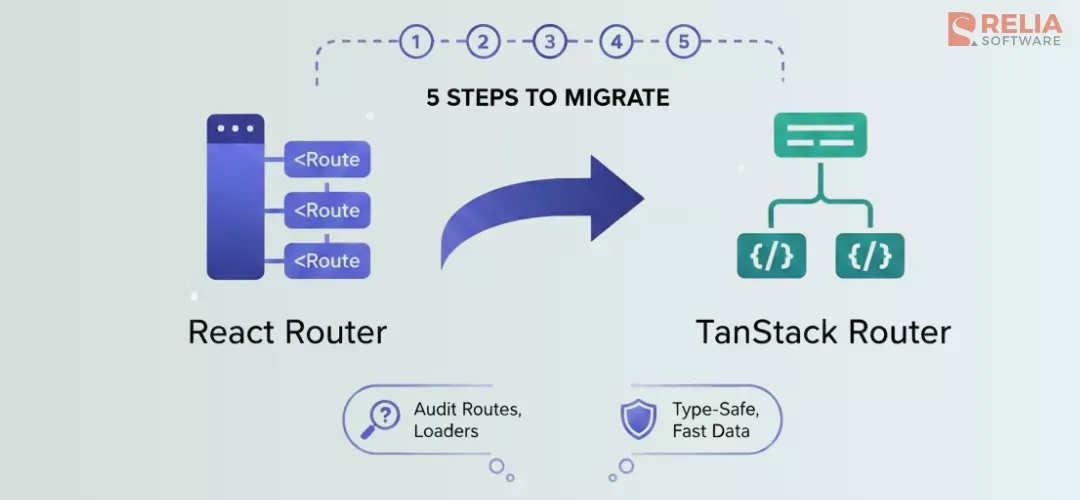
Moving an existing React Router app to TanStack Router can feel daunting, but you don't need a full rewrite. A TanStack Router migration done step-by-step: auditing routes and loaders, mappingg definitions, moving data loading, then searching params to keep risk low and let you ship incrementally.
This guide walks through when migration makes sense, how to audit and map your current setup, how to migrate loaders and search params, and how to test and go-live. For setup and API (createRootRoute, createRoute, createRouter, loaders), see the TanStack Router docs.
>> You may need: TanStack Router vs React Router: Which One is Better?
When Migration Makes Sense?
Migrate to TanStack Router when type-safe params and search, or integrated loaders and caching, would materially improve your app. You're already paying the cost of maintaining routes and loaders; moving to a single, typed route tree and first-class loaders can reduce bugs and simplify data flow.
Howerver, keep staying on React Router when your team is productive and you're not hitting type-safety or data-loading pain. Migration takes time; if the current setup works, defer. Use a framework (e.g. Next.js) when you need server-side rendering, file-based routing, or framework-specific features
Key Takeaway: Migrate when the benefits (type safety, loader/cache DX) outweigh the cost. When in doubt, try one feature area (e.g. one section of routes) first.
5 Steps to Migrate React Router app to TanStack Router
Step 1: Audit Your Current Routes and Loaders
Before changing code, list what you have. In a React Router app, routes are usually defined as a component tree (e.g. createBrowserRouter with Route elements). For each route, note:
- Path (including dynamic segments, e.g.
/users/:userId). - Loader: what it fetches and what it returns.
- Dependencies: parent loaders, search params, or redirects.
Write a short table or doc: route path, component, loader signature, and any search params the route reads or sets. That becomes your migration map. Identify the root route and the nesting structure so you can mirror it in TanStack Router.
Best Practice: Audit the routes you'll migrate first (e.g. one product area). Leave the rest on React Router until that slice is done, or plan a phased cutover.
Step 2: Map Route Definitions: Component Tree vs Code/File-Based
React Router uses a component tree: you nest <Route> elements and pass path, element, and loader. TanStack Router uses code-based route definitions (or file-based with @tanstack/router-vite-plugin): you call createRootRoute, createRoute, and build a route tree with addChildren.
Map each React Router route to a TanStack route:
- Root →
createRootRoute(). - Each child route →
createRoute({ getParentRoute: () => parent, path: '…' }). - Dynamic segments: in React Router you use
:id; in TanStack Router you use$id(e.g./users/$userId).
Example: from a React Router tree with /, /users, and /users/:userId, you get:
import { createRootRoute, createRoute, createRouter } from '@tanstack/react-router';

const rootRoute = createRootRoute();

const indexRoute = createRoute({
  getParentRoute: () => rootRoute,
  path: '/',
});

const usersRoute = createRoute({
  getParentRoute: () => rootRoute,
  path: '/users',
});

const userRoute = createRoute({
  getParentRoute: () => usersRoute,
  path: '$userId',
});

const routeTree = rootRoute
  .addChildren([indexRoute, usersRoute.addChildren([userRoute])]);

export const router = createRouter({ routeTree });
The structure mirrors your current nesting; only the API shape changes. Use the same path strings so URLs stay identical. When migrating, lazy-load route components and add a Suspense boundary at the route level so heavy screens don't block the initial bundle.
Optionally align route files with a feature-based layout (e.g. routes/ with feature entry points) so the migrated app matches modern frontend structure.
Step 3: Migrate Loaders and Data Dependencies
In React Router, loaders are functions that receive { params, request } and return data. In TanStack Router, loaders are attached to the route and receive a context that includes params (and search when you add validation). Move each loader body over and adapt the argument shape.
React Router example:
// React Router: loader on route
export async function loader({ params }: { params: { userId: string } }) {
  const res = await fetch(`/api/users/${params.userId}`);
  if (!res.ok) throw new Error('Failed to load user');
  return res.json();
}
Move that logic into the route's loader in TanStack Router. The fetch and error handling stay the same; only the registration and param typing change.
TanStack Router equivalent:
const userRoute = createRoute({
  getParentRoute: () => usersRoute,
  path: '$userId',
  loader: async ({ params }) => {
    const res = await fetch(`/api/users/${params.userId}`);
    if (!res.ok) throw new Error('Failed to load user');
    return res.json() as Promise<{ id: string; name: string }>;
  },
});
Keep the same fetch logic and error handling; only the way the loader is registered and how params are typed changes. During migration, ensure loaders that need multiple fetches use parallel requests (e.g. Promise.all) instead of sequential awaits to avoid waterfalls; see the TanStack Router guide for loader patterns.
In the route component, use the router's loader data (e.g. from route context or useLoaderData) instead of React Router's hook. Parent/child loader dependencies map to TanStack's parent route loaders. Child routes then read parent loader data from route context.
Step 4: Search Params and Validation
React Router exposes raw search params (e.g. useSearchParams()); you parse and validate in components. TanStack Router lets you define a search schema on the route with validateSearch. Centralize parsing and validation there so components get a typed object.
Example: a users list with page and sort:
const usersListRoute = createRoute({
  getParentRoute: () => rootRoute,
  path: '/users',
  validateSearch: (search: Record<string, unknown>) => {
    const page = Number(search.page);
    const sort = String(search.sort || 'name');
    return {
      page: Number.isFinite(page) && page >= 1 ? page : 1,
      sort: ['name', 'created'].includes(sort) ? sort : 'name',
    };
  },
});
Then in components, read and set search via the router's typed APIs so you never pass invalid values. Migrate one route at a time: add validateSearch, then switch the component to use the router's search API instead of useSearchParams.
Pro Tip: Use Zod library (or another schema lib) inside
validateSearchfor complex shapes and clear error handling. TanStack Router works with any function that returns the validated shape or throws.
Step 5: Test and Go-Live
After mapping routes, loaders, and search params, test the migrated slice end-to-end. Click through every link and form that affects the URL or loader data. Check that:
- URLs match the old app (same paths and query strings).
- Loader data loads and displays correctly.
- Search params are read and written with the validated shape.
- Error and loading states still work (TanStack Router supports error boundaries and pending state).
Run your existing tests; update any that depend on React Router (e.g. wrapper or mock router). Then deploy behind a feature flag or migrate one section at a time so you can roll back if needed. Once the TanStack Router migration is stable, remove React Router and the old route tree.
Conclusion
A TanStack Router migration from React Router is manageable when you break it into steps: decide when it's worth it, audit routes and loaders, map route definitions to TanStack's API, migrate loaders and search params, then test and go-live.
You don't need a full rewrite; you can move one area of the app first and keep the rest on React Router until you're ready. Hope this guide will help you!
>>> Follow and Contact Relia Software for more information!

- coding
- Web application Development